New AI Research: DragGAN - Pose Characters with AI
Based on MattVidPro's video on YouTube. If you like this content, support the original creators by watching, liking and subscribing to their content.
DragGAN enables real-time, point-and-drag control over pose, shape, expression, and layout in GAN-generated images.
Briefing
A new AI technique called DragGAN is pushing character editing toward real-time, point-and-drag control—letting users reshape pose, expression, and layout by dragging markers on an image. The core promise is interactive precision: instead of relying on manual annotations or 3D models, DragGAN treats a generative image as a manipulable space and lets people target where specific parts should move. That matters because it turns “generate a new image” workflows into “edit what you already have” workflows, with fine control over how characters look.
DragGAN is designed for fast manipulation of GAN-based imagery, where the model can quickly produce coherent changes as points are moved. The method targets pose, shape, expression, and overall composition, and it’s built to handle difficult cases such as occluded regions—situations where the model must hallucinate missing content while still keeping the result visually consistent. In comparisons described as qualitative and quantitative, DragGAN performs strongly on image manipulation and point tracking, and it can also be applied to real photographs through a process called GAN inversion.
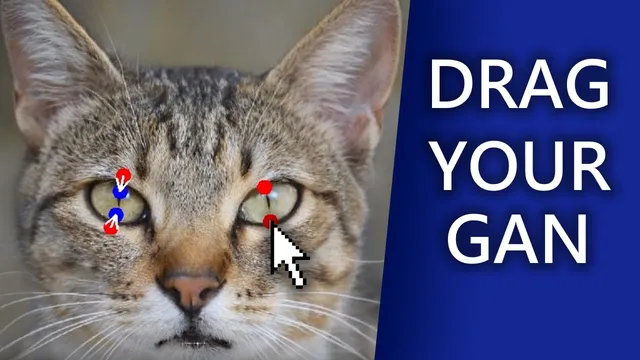
The practical impact shows up in the demos: a user places a point on a dog’s nose and drags it to a new location, and the dog’s head and gaze shift accordingly. The interface supports adding and resetting points, adjusting masks (including flexible vs fixed regions), and controlling mask radius—so edits can be localized to specific areas like a head or face. In one sequence, dragging points changes the dog’s stance and body proportions, reshapes ears, opens the mouth, and even makes the animal sit. Other examples demonstrate broader category control: a car’s type and shape can be altered while preserving details like rims, colors, and headlight styling; a horse’s stance and leg positions can be widened; and a cat can be turned to create a wink-like expression.
The demos also show limitations. When applied to a real human face—using Joe Biden’s image—DragGAN can shift facial orientation and adjust expressions, but results can look imperfect or “heavily manipulated,” with artifacts or uncanny changes becoming visible. Mask-based edits (for example, moving the forehead region) can improve control, such as adjusting hairline and eye openness, but fidelity still depends on how well the model can maintain identity and structure under targeted deformation.
Overall, DragGAN’s appeal is speed and usability: GANs are fast enough to support interactive dragging, and the workflow can start from either AI-generated images or real photos via inversion. The code is expected to be released in June, and the approach is positioned as a more dynamic alternative to tools like ControlNet for certain editing tasks. If it delivers on that promise, character posing and photo retouching could shift from hours of iterative generation and compositing toward immediate, on-the-fly morphing—especially for animals and stylized character work.
Cornell Notes
DragGAN enables interactive image editing by letting users drag points on an image to control where parts move. Built for GANs, it supports real-time manipulation of pose, shape, expression, and layout without needing 3D models or manual annotations. Demos show targeted edits like changing a dog’s stance, reshaping ears, opening the mouth, and redirecting gaze; it can also alter vehicles and animals while keeping key visual attributes consistent. The method can work on real photos using GAN inversion, but human-face edits may look less perfect and can show artifacts. The code is slated for release in June, with the approach framed as a fast, flexible alternative for character-focused editing workflows.
How does DragGAN achieve “point-and-drag” control without 3D models or heavy annotation work?
What kinds of edits show up most clearly in the demos, and why are they important for character creation?
How does DragGAN handle edits that require inventing content that wasn’t visible in the original image?
What does it mean that DragGAN can edit real images, and how is that done?
Why do human-face results look less reliable than animal or stylized character edits in the demos?
What interface features support precise editing in practice?
Review Questions
- What specific user actions (points, target positions, masks) correspond to pose, expression, and layout changes in DragGAN’s workflow?
- How does GAN inversion enable DragGAN to edit real photographs, and what tradeoffs might appear compared with editing AI-generated images?
- Which demo categories (animals, vehicles, human faces) appear to benefit most from DragGAN, and what evidence suggests where the method struggles?
Key Points
- 1
DragGAN enables real-time, point-and-drag control over pose, shape, expression, and layout in GAN-generated images.
- 2
The method avoids reliance on 3D models or manual annotations by manipulating images through targeted point positions on a generative manifold.
- 3
Demos show strong character posing results, including gaze changes, ear reshaping, mouth opening, and stance adjustments for animals.
- 4
DragGAN can also edit vehicles and other categories while preserving key visual attributes like colors, rims, and headlight styling.
- 5
Edits may require hallucinating occluded or missing content, but the approach aims to keep outputs coherent and objects rigid.
- 6
Real-photo editing is supported via GAN inversion, letting users apply the same interactive controls to existing images.
- 7
Human-face manipulation can work for expression and orientation shifts, but results may look imperfect or visibly manipulated, especially under localized region edits.