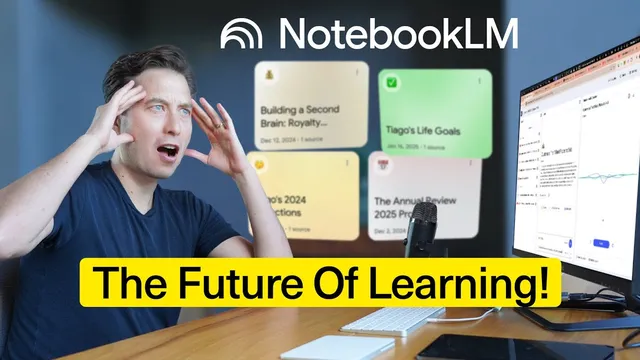
NotebookLM Will Change How You Learn – Here’s Why!
Based on Tiago Forte's video on YouTube. If you like this content, support the original creators by watching, liking and subscribing to their content.
NotebookLM is framed as a tool for understanding that synthesizes many sources into structured learning outputs, not just conversational Q&A.
Briefing
NotebookLM is positioning itself as an “understanding” tool rather than a general-purpose chatbot—turning scattered sources into trustworthy, interactive learning materials. The most striking capability is Audio Overviews: upload or link documents, PDFs, and videos, then generate a custom, source-grounded podcast-style conversation that can be tailored on the fly (including via an Interactive Mode that lets a user interrupt and steer the discussion). That shift matters because it removes two common friction points in learning: the time cost of reading and the burden of constantly prompting an AI to keep a conversation moving.
In the Guatemala trip example, NotebookLM ingests multiple web pages, YouTube videos, a long PDF itinerary guide, and pasted text from a suggested 6-day/7-night plan. Instead of asking the user to read everything, it produces a 21-minute, 12-second audio conversation that stays aligned with those sources. When Interactive Mode is enabled, the user can join the conversation in real time and add constraints—like traveling with two small kids (ages 2 and 4)—and the hosts immediately reframe the itinerary around kid-friendly pacing. Afterward, the system still supports deeper follow-up: a chat panel lets users ask targeted questions, while bullet-point answers include inline citations that point back to the exact source location.
Beyond audio, NotebookLM’s expanded context window is framed as the backend change that makes large-scale personalization practical. Using Google’s Gemini 2.0 Flash (as cited in the transcript), NotebookLM can ingest up to 50 sources with up to 500,000 words each—up to 25 million words of context. The practical implication is that users can load entire archives—customer interview libraries, grant histories, medical records, or years of highlights exported from tools like Readwise—and then ask for pattern-finding, curriculum generation, or “what connects to what” across long time horizons. The transcript emphasizes that this isn’t about crafting elaborate prompts; it’s about pointing the model at a massive repository and letting it synthesize.
Multimodal sources extend that synthesis to formats people already work with. NotebookLM can process URLs, YouTube, PDFs, text, Google Docs, audio memos, and—newly highlighted—images embedded in Google Slides. The insurance benefits example shows how it can compare plan options, summarize differences more succinctly, and compute cost impacts for six employees, then let users verify claims by clicking citations that jump to the relevant slide table.
A redesigned interface organizes work into panels: sources on the left, a chat area in the middle, and a “studio” area on the right for generating study guides, FAQs, timelines, and saving key outputs as notes. The transcript repeatedly returns to trust as a differentiator: inline source citations are treated as a guardrail against hallucinations, letting users audit answers quickly.
Finally, NotebookLM Plus introduces team-oriented features: higher context limits, higher usage caps, chat modes (including analyst/guide-like behaviors or custom personalities), and—most importantly—collaboration via shared notebooks that preserve the sources and saved interactions. The overall message is that NotebookLM aims to function like a teacher with a long memory: not just answering questions, but helping users learn faster and more reliably from the materials they already have.
Cornell Notes
NotebookLM is presented as a learning system that turns many sources into structured, source-grounded understanding—especially through Audio Overviews. Users add web links, PDFs, YouTube videos, and pasted text as sources, then generate a custom “podcast” conversation that can be interrupted and tailored in Interactive Mode (e.g., adjusting a Guatemala itinerary for kids). A major technical driver is an expanded context window using Gemini 2.0 Flash, enabling up to 50 sources and up to 25 million words of context, which supports deep synthesis across long personal or organizational archives. Multimodal support lets it analyze content embedded in Google Slides, and inline citations help users verify claims. NotebookLM Plus adds team collaboration, higher limits, and customizable chat modes.
How do Audio Overviews change the way someone learns from documents and videos?
What does Interactive Mode add, and why is it useful for real planning?
Why is an expanded context window treated as a “radical” capability rather than a minor upgrade?
How does NotebookLM handle trust and verification when it produces answers?
What does multimodal support mean in practice, especially for Google Slides?
What does NotebookLM Plus add for teams, beyond the free version?
Review Questions
- What learning bottleneck does Audio Overviews address, and how does Interactive Mode change the output from static to responsive?
- How does the transcript connect context window size to the ability to build personalized curricula or analyze large archives?
- What role do inline citations play in deciding whether to trust NotebookLM’s answers, and how are citations used in the examples?
Key Points
- 1
NotebookLM is framed as a tool for understanding that synthesizes many sources into structured learning outputs, not just conversational Q&A.
- 2
Audio Overviews can generate a custom podcast-style conversation from loaded sources, and Interactive Mode lets users steer the discussion in real time.
- 3
An expanded context window (up to 25 million words using Gemini 2.0 Flash, per the transcript) enables deep analysis across large personal or organizational archives.
- 4
Multimodal support lets NotebookLM work with content embedded in Google Slides, including charts and tables, with citations back to the exact slide content.
- 5
Inline source citations are used as a trust mechanism, allowing users to verify claims by jumping directly to the supporting material.
- 6
NotebookLM Plus adds team-oriented capabilities: higher limits, chat modes/personalities, and collaborative shared notebooks that preserve sources and saved interactions.