Notion at Work: Bulletproof Task Management
Based on Notion's video on YouTube. If you like this content, support the original creators by watching, liking and subscribing to their content.
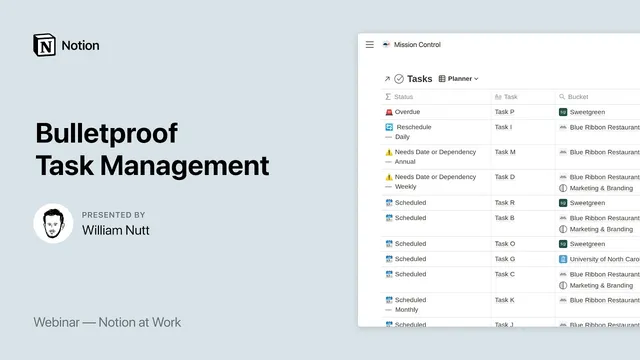
Use a single master Tasks database as the system’s “mission control,” with a formula-driven Status property that automatically triages tasks into healthy, complete, and needs-attention categories.
Briefing
Bulletproof task management in Notion centers on a single “master tasks” database that automatically labels every task as healthy, complete, or needing attention—then routes those tasks into the right project views, dashboards, and scheduling workflows. The system matters because it handles real-world task chaos: some work has fixed due dates, some depends on other tasks, some repeats on a cadence, and some has no deadlines at all. Instead of forcing users to fill in every field for every task, an intelligent status formula and supporting “flags” surface what’s urgent, what’s blocked, and what’s missing.
At the core is a formula-driven Status property with seven possible outcomes. Four statuses represent healthy states: Complete (non-recurring work finished), Scheduled (a future due date), Awaiting Dependency (blocked by an uncompleted task), and Someday (logged for later). Three statuses trigger intervention: Overdue (a past due date), Reschedule (a recurring task was completed and must be scheduled again), and Needs Date or Dependency (a task lacks both a date and an unfinished dependency). The logic is hierarchical—completion overrides due dates, and an uncompleted dependency can “inherit” a Someday label—so tasks don’t bounce between states unpredictably. To add context without extra manual work, the system uses secondary “flags” such as Awaiting Dependency, Recurring frequency (e.g., weekly), and combinations like “scheduled but also blocked.”
When tasks don’t have deadlines or dependencies, the system adds an automated prioritizer adapted from the Eisenhower Matrix. Inside each project, users rate tasks on four dimensions—Urgency, Impact, Workload, and Enjoyment—each set to High, Medium, or Low. A calculated Priority property then sorts tasks accordingly, letting users assign sequential dates in the order that best fits both urgency and personal execution constraints (including a workload/dread factor and an “eat the frog” style enjoyment component). The prioritizer is designed for unscheduled, independent tasks so teams can still create a workable sequence.
The master tasks database also supports multiple scheduling models through a flexible set of properties: a Title for the task text, a dependency relation to other tasks in the same database, a Frequency select for recurring work, and a Do date (when the responsible person plans to do it). For team work, a Due date can be used as a latest completion deadline, while the Do date drives personal scheduling and status calculations. A Time Slot select helps individuals drag-and-drop tasks across parts of the day, and a Complete checkbox updates status—either removing non-recurring tasks from most views or converting recurring ones into a Reschedule state.
Everything stays manageable by linking tasks to other master databases. Each task belongs to a Project, and each Project belongs to a higher-level Bucket (PARA-style Areas/Pillars). Tasks also connect to a Meetings and Events database so action items created during a meeting automatically attach to that meeting for later reference. Contextual dashboards then pull the right slices: an individual Planner showing tasks due in the next month and a Today board grouped by time slots, plus an organization desk that lists workspace-wide Needs Attention items and tasks due within the next week.
In Q&A, the system’s design choices were defended as performance and simplicity tradeoffs: one-way relations for dependencies instead of two-way sync, single-dependency sequencing to keep the model understandable, and manual drag ordering when dependency sorting needs to be adjusted. The result is a durable workflow where tasks are centralized, automatically triaged, and scheduled through project-specific views rather than ad hoc spreadsheets or scattered lists.
Cornell Notes
Bulletproof task management in Notion relies on one master Tasks database that uses a formula-driven Status property to automatically classify tasks as Complete, Scheduled, Awaiting Dependency, Someday, Overdue, Reschedule, or Needs Date/Dependency. Secondary “flags” add context (like dependency-blocked or recurring frequency) so unhealthy work rises to the top without requiring every task to have every field filled in. When tasks lack dates or dependencies, a project-level prioritizer adapted from the Eisenhower Matrix lets users rate each task’s Urgency, Impact, Workload, and Enjoyment to generate a calculated Priority and a sortable sequence. Tasks then flow through contextual dashboards: individual planners with a Today time-slot board, and an organization desk that surfaces Needs Attention and next-week due items. The system’s value is reducing missed work by automating triage while keeping scheduling flexible across deadlines, dependencies, and recurring cycles.
How does the system decide whether a task is healthy, complete, or needs attention?
What are “flags,” and why do they matter if Status already exists?
When tasks have no deadlines or dependencies, how does the system still create a usable order?
What’s the difference between Due date and Do date, and how does that affect scheduling?
How do dependencies work, and why does the system avoid two-way sync?
How do dashboards translate the master task logic into day-to-day action?
Review Questions
- What hierarchical rules determine whether a task becomes Complete, Scheduled, Awaiting Dependency, or one of the needs-attention statuses?
- How do Urgency, Impact, Workload, and Enjoyment combine to produce a calculated Priority, and how is that used to assign dates?
- Why might one-way relations for dependencies be preferable to two-way sync in a large Notion workspace?
Key Points
- 1
Use a single master Tasks database as the system’s “mission control,” with a formula-driven Status property that automatically triages tasks into healthy, complete, and needs-attention categories.
- 2
Rely on secondary flags (like Awaiting Dependency and recurring frequency) to add actionable context without forcing every task to have every field filled out.
- 3
For tasks without due dates or dependencies, use the project prioritizer (Urgency, Impact, Workload, Enjoyment) to generate a calculated Priority and then assign sequential Do dates in that order.
- 4
Differentiate Due date (latest completion deadline for teams) from Do date (when work should happen), and update formulas/filters accordingly if using the system independently.
- 5
Connect Tasks to Projects and Projects to higher-level Buckets so filtered project views and rollups stay consistent and low-maintenance.
- 6
Use contextual dashboards to turn the master logic into daily execution: a personal Planner + Today time-slot board, plus an organization desk for Needs Attention and next-week items.
- 7
Keep dependency modeling simple with one-way relations and single-dependency sequencing to avoid complexity and performance strain.