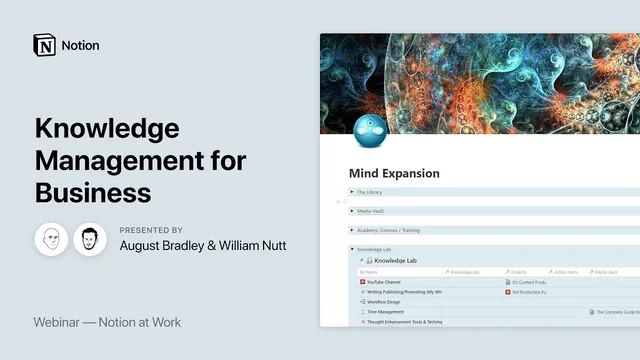
Notion at Work: Knowledge Management for Business
Based on Notion's video on YouTube. If you like this content, support the original creators by watching, liking and subscribing to their content.
Organize knowledge by topic in a dedicated Knowledge Hub so ideas become usable at the moment they matter.
Briefing
Knowledge management in Notion becomes powerful when ideas, external learning, and team contributions are funneled into a single “knowledge hub” organized by topic—so the system doesn’t just store information, it continuously turns it into usable insight. Auguste Bradley frames the goal as emergence: capturing scattered knowledge from inboxes, books, articles, podcasts, and courses, then aggregating and synthesizing it into a high-signal workspace that supports both day-to-day work and long-term thinking.
His approach starts with a “Mind Expansion Dashboard,” split into two halves: one for capturing knowledge and another for project/task execution (the latter is handled elsewhere in the broader “life operating system” concept). Within the knowledge side, the system is organized into three major layers. First is the Thought Inbox—where personal or team ideas land as raw thoughts. Second are Knowledge Sources—separate storage for books, media, and training. Third is the Knowledge Hub, the synthesis layer where everything is organized by topic rather than by source type.
For external knowledge, Bradley uses distinct databases for different media categories. Books live in a dedicated book vault because they require deeper digestion and extraction, and they carry different fields and workflows than shorter-form media. Each book record tracks status through a pipeline (queued, reading, paused, finished), plus format (print, audio, Kindle) and tags/purpose. Completed books then become a “goldmine”: highlights and notes extracted from the book are stored in the same record using a hierarchical color scheme (yellow for lower-level highlights, orange/red for higher importance, and pink for standout items). He also highlights a practical Notion shortcut for quickly cycling highlight colors.
Articles, podcasts, and videos are handled in a Media Vault. Items are captured via Notion Web Clipper, which opens the full page in a browser-like view inside Notion so tags such as status, priority, and queue order can be applied immediately. Courses and training go into an Academy vault where each course entry becomes its own learning workspace—complete with dashboards, subpages, and tables that organize course notes so teams can share learnings without forcing everyone to rewatch or reprocess entire courses.
Personal and team ideas enter through the Thought Inbox and a command-center dashboard, using “me” filtering so each contributor’s entries appear in the right view. The key mechanism for preventing arbitrary resurfacing is that ideas don’t bubble up on a fixed schedule; instead, they are pulled into the Knowledge Hub when they are tagged to the right topic.
The Knowledge Hub is where relational structure does the heavy lifting. Each hub topic acts like a master page with a table-of-contents-style structure and a filtered list of all related notes and ideas. When a note is created, it can be linked back to its source—book, media item, or conversation—so the system preserves provenance while still presenting a clean, topic-based synthesis. For teams, Bradley adds a Team Members layer: each person’s profile shows the topics they curate and the notes they contribute, letting the whole organization access aggregated insight in context.
By the end, the Knowledge Hub functions like a living draft of future content—capable of turning accumulated notes into blog posts, transcripts, or other deliverables—while also serving as a durable learning engine for individuals and teams. The system’s central claim is simple: Notion’s relational databases are most valuable when they connect capture, curation, and synthesis into one coherent, topic-driven knowledge workflow.
Cornell Notes
Auguste Bradley’s Notion knowledge management system is built around a “knowledge hub” that aggregates ideas and learning by topic, not by source. Raw inputs land in a Thought Inbox (personal or team), while external learning is stored in separate vaults for books, media, and training. The hub then links and filters related notes, highlights, and conversations into a single high-signal workspace, using Notion relations to preserve provenance (e.g., which book or article an idea came from). For teams, each member’s profile shows the topics they curate and the notes they contribute, so knowledge is both shared and context-specific. The result is a living synthesis layer that supports work, learning, and even future content creation.
Why does Bradley insist on a topic-based “knowledge hub” instead of relying on source-based storage?
How does the system turn book reading into reusable knowledge rather than just saved pages?
What’s the role of Notion Web Clipper in the Media Vault workflow?
How does the Thought Inbox avoid “arbitrary resurfacing” of ideas?
How does the team layer make knowledge both shared and personalized?
When should something be a tag/select property versus a separate database?
Review Questions
- What are the three main layers in Bradley’s knowledge management setup, and what job does each layer perform?
- How does the Knowledge Hub use relations and filtering to present topic-specific synthesis?
- What criteria does Bradley use to decide when to split content into separate databases versus using properties like tags?
Key Points
- 1
Organize knowledge by topic in a dedicated Knowledge Hub so ideas become usable at the moment they matter.
- 2
Use a Thought Inbox as a capture/staging area for personal or team ideas, then link/tag them into hub topics when relevance is clear.
- 3
Store external learning in purpose-built vaults (books, media, training) to match different workflows and fields, then extract highlights/notes into reusable records.
- 4
Preserve provenance by linking hub entries back to their sources (book vault, media vault, or conversation-derived ideas).
- 5
For teams, connect knowledge curation to Team Member profiles so ownership and contribution are visible without losing aggregated access.
- 6
Avoid arbitrary resurfacing schedules; relevance should come from topic linkage and context-specific views.
- 7
Prefer database consolidation and add relations only when needed to prevent unused fields and long-term complexity.