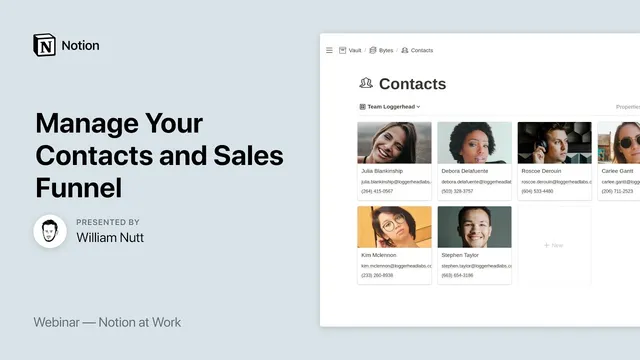
Notion at Work: Manage Your Contacts and Sales Funnel
Based on Notion's video on YouTube. If you like this content, support the original creators by watching, liking and subscribing to their content.
Use master databases for shared attributes like geography, and connect records with relation properties instead of duplicating select options across databases.
Briefing
A contact and sales pipeline system in Notion can be built around two “master” databases—Brands and Contacts—while using geography as the relational hub that keeps everything consistent. The core idea is to centralize shared attributes (like country, state/province, and city) in dedicated databases and then connect everything through relation properties, so country/state/city values propagate automatically via rollups and linked, filtered views. The payoff is less duplication, fewer data-entry mistakes, and dashboards that update themselves as new contacts and companies are added.
The framework starts with a geographic chain: Cities sits at the center, connected to States and Provinces and Countries, and then linked outward to both Brands and Contacts. Instead of creating separate select lists for countries or states in every database, the system maintains one master Countries database (and similarly for States/Provinces and Cities). Relation properties connect records across databases, and roll-up properties pull the derived geography back into Brands and Contacts. This architecture supports “contextual dashboards”: open a specific city (or country) page and Notion automatically shows the relevant brands and contacts filtered to that location.
From there, the Cities database becomes a practical control panel. Each city record stores its city name plus relation properties to its state/province and country. Hidden relation properties connect the city to Contacts and Brands, but the workflow typically creates those relationships from the Contacts/Brands side. A city page then displays linked databases—gallery or list views—filtered to show only brands and contacts associated with that city. To make this scalable, the system uses templates with self-referencing filters: when a new city is created from the template, the linked views automatically filter to the new city without manual reconfiguration.
The Countries and States/Provinces databases follow the same pattern: simple list/table views for editing, plus contextual pages that show only the brands and contacts in that geography. Because everything routes through Cities, the country and state values can be populated automatically for each brand and contact using rollups tied to the city relationship.
The Brands database functions as both a company directory and a sales funnel. Brands are categorized (client, partner, prospect, vendor), and a sales-stage select property drives a Kanban-style pipeline board filtered to prospects. As brands move through stages, the pipeline updates by dragging cards to new positions. Brands also include core contactability fields (website, phone) and address details (street address, postal code, plus city/state/country via rollups). For prospects specifically, the brand page can include linked, filtered views of meetings and conversations so nurturing activity stays attached to the right company.
The Contacts database mirrors the same relational logic. Contacts link to a Brand (typically the employer), and a roll-up pulls the brand category into the contact record so galleries can be filtered without redundant fields. Contacts store first/last name, job title, email, mobile/work phone, LinkedIn and Twitter URLs, and geography via city relation with rollups for state/country. Optional fields like birthday and headshots make the system more usable for ongoing relationship management.
Finally, the transcript addresses two practical concerns: how self-referencing filters work (templates act as placeholders that get replaced when new records are created) and how privacy is handled. Notion sharing currently grants access to the full underlying database when sharing a view, so a workaround is sharing individual contact pages one-by-one. The overall message is that durable Notion workspaces come from stable information architecture—master databases plus relational connections—so dashboards and pipelines remain reliable as the dataset grows.
Cornell Notes
The system builds a scalable contact and sales pipeline in Notion by centralizing shared data in master databases and connecting everything with relation properties. Cities act as the relational hub: Brands and Contacts link to Cities, while rollups pull in the correct state/province and country automatically. Templates with self-referencing filters let linked views on a city or country page automatically filter to the newly created record, avoiding repetitive setup. Brands double as a sales funnel by using a category (including “prospect”) and a sales-stage property to drive a Kanban-style pipeline board. Contacts link to Brands, and a rollup brings the brand category into the contact record so galleries and dashboards stay consistent without duplicating fields.
Why does the architecture treat Cities as the hub instead of storing country/state directly on Contacts and Brands?
How do relation properties reduce redundancy compared with select properties?
What is a self-referencing filter, and how does it work with templates?
How does the Brands database function as a sales pipeline without a separate Deals database?
How does the Contacts database avoid duplicating contact categories?
What privacy limitation exists when sharing linked database views, and what workaround is suggested?
Review Questions
- If Cities is the hub, what roll-up relationships must exist so that Brands and Contacts automatically display the correct state/province and country?
- How would you design a template so that a newly created city automatically filters its linked Brands and Contacts views without manual filter edits?
- What properties in the Brands database drive the Kanban-style sales pipeline, and how does dragging a card change the underlying data?
Key Points
- 1
Use master databases for shared attributes like geography, and connect records with relation properties instead of duplicating select options across databases.
- 2
Make Cities the relational hub so rollups can propagate country and state/province values into both Brands and Contacts automatically.
- 3
Create contextual dashboards by embedding linked database views that are filtered to the current city or country record.
- 4
Scale setup with templates that use self-referencing filters, so linked views automatically target newly created records.
- 5
Treat the Brands database as both a directory and a sales funnel by combining a prospect category with a sales-stage property for a Kanban pipeline view.
- 6
Use rollups from Brands to Contacts to avoid redundant category fields on contact records.
- 7
Plan for privacy constraints: sharing database views can expose the full database, so consider sharing individual contact pages as a workaround.