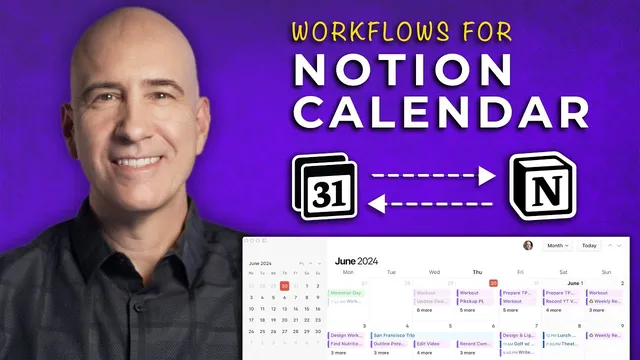
Notion Calendar for Life System Design — Sync Your Life OS
Based on August Bradley's video on YouTube. If you like this content, support the original creators by watching, liking and subscribing to their content.
Notion Calendar is positioned as the execution layer of a Notion-centered life system by turning action items into scheduled time blocks.
Briefing
Notion Calendar is positioned as a practical “Life OS” component: it turns day-by-day planning into scheduled time blocks, then links those blocks back to Notion tasks and documents. The core value is that action items with date properties can appear on a real calendar timeline—making it harder to overcommit and easier to execute—while also keeping Notion as the system of record for priorities, pipelines, and daily action.
A key constraint shapes who can use it effectively. Notion Calendar currently supports Google Calendar as the cloud calendar base; if someone isn’t using Google Calendar (and isn’t willing to switch), Notion Calendar won’t work. That matters because the workflow still requires bouncing between Notion and the calendar: Notion Calendar can show Google-synced events, and it can also display Notion database items via date properties, but the time-blocking done inside Notion Calendar for Notion tasks does not sync back to Google Calendar. So the timeline becomes useful for planning and time blocking, yet it won’t automatically propagate those blocks to other Google Calendar–connected apps.
The integration itself is the headline feature. After Notion acquired KRON and folded it into the Notion ecosystem, Notion Calendar added the ability to pull multiple Notion databases into a single calendar view. Any Notion database with a date property can be overlaid on the calendar, enabling users to see items from an action-items task database alongside items from a content pipeline database in one place. The sync is two-way for the date property: moving an item’s date or adjusting its time/length on the calendar updates the corresponding Notion entry.
Still, the integration isn’t complete enough to run a whole day from one interface. Notion Calendar items pulled from Notion tasks can look identical to Google-synced events, and the interface doesn’t provide task-level controls like checkboxes for completion or visibility into other Notion properties such as priority. Users can change only the date by dragging; other database fields remain hidden. As a result, the calendar can schedule and time-block, but execution and status tracking still depend on Notion’s action-focused dashboard.
Beyond the database overlay, Notion Calendar’s usability features stand out. It offers fast keyboard navigation (week/month switching, command palette), smooth scrolling across multi-week ranges, and quick “jump to today” behavior. It also supports multiple time zones with a dedicated view toggle, which is useful for coordinating across regions. For scheduling with others, it can generate shareable availability windows—similar to Calendly—complete with a polite, copyable invitation snippet and a booking link. Events can also link to Notion pages and even external URLs, letting meeting entries surface agendas and notes.
The overall message is pragmatic: Notion Calendar is free, increasingly Notion-native, and strong for planning and time-blocking inside a Notion-centered life system. But the missing piece—true Google Calendar sync for time-blocked Notion tasks, plus deeper task controls—means it’s best treated as an execution map that still requires Notion for full task management. Part two is teased as the next alternative for users seeking a different style of deep Notion integration.
Cornell Notes
Notion Calendar is presented as a “Life OS” execution tool that overlays Notion database items onto a calendar timeline, helping users plan what fits and then make it happen. It supports Google Calendar as the cloud base and can pull multiple Notion databases (as long as they have a date property) into one view, with two-way syncing for the date property. The calendar’s usability features—keyboard shortcuts, multi-week scrolling, time-zone views, and shareable availability links—make scheduling and coordination smoother. However, Notion task items don’t fully support task execution inside the calendar (no completion checkboxes, limited property visibility), and time-blocking done for Notion tasks doesn’t sync back to Google Calendar, so users still bounce between Notion and the calendar for day-to-day control.
Why does Notion Calendar matter for a “Life OS” built on Notion?
What integration capability is the biggest win for Notion users?
What prevents users from running their entire day from Notion Calendar alone?
How does time-blocking behave, and why is that a limitation?
What usability features make Notion Calendar feel efficient day-to-day?
How does Notion Calendar support scheduling with other people?
Review Questions
- What conditions must a Notion database meet to appear in Notion Calendar, and what sync direction is supported for the date property?
- List two reasons Notion Calendar can’t fully replace Notion for day-to-day task execution in the described workflow.
- Why does time-blocking inside Notion Calendar fail to propagate to other Google Calendar–connected tools?
Key Points
- 1
Notion Calendar is positioned as the execution layer of a Notion-centered life system by turning action items into scheduled time blocks.
- 2
Notion Calendar currently requires Google Calendar as the supported cloud calendar base; without it, the calendar won’t work as intended.
- 3
Notion Calendar can overlay multiple Notion databases in one calendar view as long as they include a date property.
- 4
The date property for Notion database items is two-way synced: moving items on the calendar updates Notion, and changes in Notion update the calendar.
- 5
Calendar-side task management is incomplete for Notion-sourced items: completion checkboxes and other properties like priority aren’t available in the calendar interface.
- 6
Time-blocking created from Notion tasks in Notion Calendar does not sync back to Google Calendar, limiting cross-app visibility.
- 7
Notion Calendar’s standout usability features include fast keyboard navigation, multi-week scrolling, multi-time-zone views, and shareable availability links for scheduling.