Notion for product management
Based on Martin Adams's video on YouTube. If you like this content, support the original creators by watching, liking and subscribing to their content.
Model agile work in Notion using three linked databases: tickets, epics, and sprints.
Briefing
Agile product management can be rebuilt inside Notion by modeling the same building blocks used in tools like Jira—tickets (user stories and bugs), epics, and time-boxed sprints—then wiring them together with relations, rollups, templates, and views. The payoff is a single system where teams can capture work, move it through a workflow, and generate sprint and release reporting without maintaining separate spreadsheets or dashboards.
The workflow starts with defining a “ticket” database. Each ticket gets a type (user story, bug, or chore) and a status that mirrors an agile pipeline: ideas → triage → requirements → ready for development → in progress → ready for review → ready for release → complete (or closed). To keep execution consistent, a user story template adds a structured prompt (“As a… I want… so that…”) plus acceptance criteria written in Given/When/Then style. That template turns every new ticket into a predictable artifact: small enough to implement, specific enough to verify.
Next comes hierarchy. A separate “epics” database acts as the parent container for related tickets. Tickets link to an epic via a relation, and epics can show backlinked tickets so planning can happen at a higher level. This structure lets work be grouped by outcome rather than by individual tasks, which is crucial for product management when multiple features support a shared user goal.
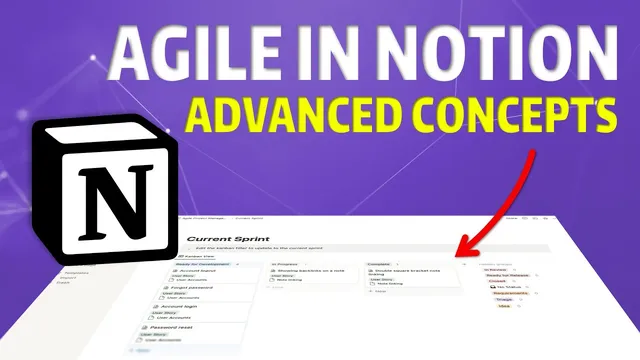
Then the system adds “sprints,” defined as start/end date ranges (typically two weeks). Tickets gain a relation to a sprint, and sprint templates automatically render a sprint-specific table view listing only the tickets assigned to that sprint. With that in place, a Kanban-style board view groups tickets by status, letting users quickly see what’s in ideas, triage, requirements, development, review, release readiness, and completion. Moving to the next sprint becomes mostly a matter of switching the sprint filter.
Reporting and communication are handled through “releases.” A releases database stores version names and release dates, and tickets link to the release they ship in. Release templates include a “release notes” section plus a filtered list of tickets tied to that version, so the same structured information can be copied into customer-facing updates.
Finally, the model tackles epic completion. Notion rollups and formulas are used to determine whether an epic is complete based on whether its related tickets are all complete/closed. Because rollups produce text lists, counting incomplete items requires a workaround: converting the rollup text into a countable number via string replacement and regex-style filtering. The result is an epic-level status that can be grouped on a board view to track progress across multiple epics.
The creator applies this blueprint to “flotellic,” a note-taking app under development, using the system to manage backlog, prioritize work, and ensure requirements are clarified before coding—reducing the risk of building toward the wrong screens or features. The approach is presented as lightweight and customizable, with clear limitations around metrics like throughput and the need for manual setup in some areas, but strong value in keeping planning, execution, and release notes connected.
Cornell Notes
The transcript lays out a practical way to implement agile product management in Notion by building three linked databases: tickets (user stories/bugs/chores), epics (outcome-level groupings), and sprints (time-boxed delivery windows). Tickets move through a status workflow from ideas to completion, and user story templates enforce consistent acceptance criteria using Given/When/Then. Relations connect tickets to epics and sprints, while sprint templates and Kanban views provide a fast “what am I working on now?” dashboard. Releases add another relation layer so shipped work automatically populates structured release notes. Epic completion is derived with rollups and formulas that count incomplete tickets, enabling an epic-level status board.
How does the system define “tickets” so agile work can be tracked beyond just features?
What role do templates play in keeping user stories actionable?
How are epics connected to tickets, and why does that matter for product management?
How does the transcript implement sprint planning and sprint-specific views?
How are release notes generated automatically from completed work?
Why is epic completion tricky in Notion, and what workaround is used?
Review Questions
- What fields and workflow states are required in the tickets database to support a full agile pipeline from backlog to release?
- How do relations and templates work together to make sprint-specific Kanban boards in Notion?
- What formula/rollup strategy is used to compute an epic’s completion status from the statuses of its related tickets?
Key Points
- 1
Model agile work in Notion using three linked databases: tickets, epics, and sprints.
- 2
Use a ticket “type” (user story, bug, chore) and a ticket “status” workflow that matches agile stages from ideas to complete/closed.
- 3
Enforce consistent user story quality with templates that include “As a… I want… so that…” and Given/When/Then acceptance criteria.
- 4
Connect tickets to epics and sprints via relations so higher-level planning and time-boxed execution stay synchronized.
- 5
Generate sprint dashboards with sprint templates and Kanban views grouped by status, filtered to the current sprint.
- 6
Create release notes automatically by linking tickets to a releases database and using a release template with filtered ticket lists.
- 7
Compute epic completion from ticket completion using rollups plus formula workarounds to count incomplete items.