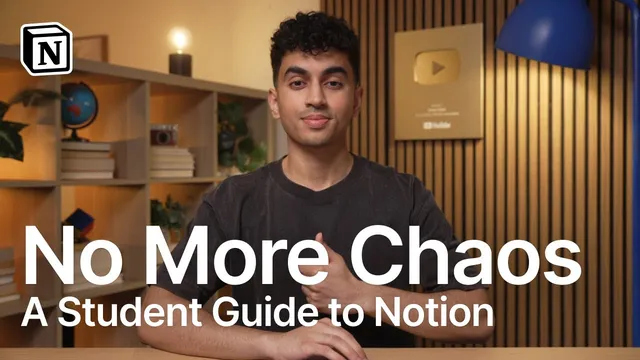
Notion for Students: Walkthrough With Gohar Khan
Based on Notion's video on YouTube. If you like this content, support the original creators by watching, liking and subscribing to their content.
Scholar OS Light is a free Notion template built to centralize classes, assignments, exams, flashcards, and study sessions in one connected system.
Briefing
A student-focused Notion setup is presented as a full-year “system” that centralizes classes, assignments, exams, study sessions, and even flashcards—then layers in Notion AI to turn notes (or even a syllabus) into study guides and practice questions. The core pitch is that Scholar OS Light—an accessible, free version of a larger template—gives students one dashboard view while keeping deeper details organized in connected databases, so deadlines and tasks don’t get lost across apps.
The Q&A portion frames the broader academic theme: success comes from choosing the right structure and using tools to reduce friction. When asked about computer science versus engineering, the guidance is practical—engineering suits hands-on learners, while computer science often turns out to be more theoretical than students expect, with heavy emphasis on algorithm analysis and math rather than constant coding. On procrastination, the advice is similarly grounded: remove distractions by decluttering and putting the phone away, create a focused environment for at least 30 minutes, and use visualization to reinforce the payoff of finishing (and the cost of falling behind).
College admissions questions add another layer of strategy. For Ivy League applicants, the key standard is course rigor: if calculus is available and not taken, it can look like a red flag; if a school doesn’t offer calculus, top schools generally won’t penalize the absence. Demonstrated interest is treated as situational—some colleges track it (tours, emails to admissions), but students are urged to check the Common Data Set to confirm whether it matters. For SAT prep, the score is described less as knowledge and more as test-taking strategy, with Khan Academy highlighted as a strong free resource and Desmos mentioned as a tool for math shortcuts.
The Notion walkthrough becomes the centerpiece. Notion is described as an all-in-one workspace built from pages and blocks (added via “/” commands), with templates that pre-load academic structures like class notes and a student planner. Scholar OS Light organizes work into three hubs: Academic Hub (classes, assignments, exams, flashcards), College App Hub (application tracking), and Life Hub (workouts, reading, finances). The academic hub’s dashboard pulls together schedules and due dates into a global view, while underlying tables connect assignments to courses so new entries automatically appear where they belong.
A standout feature is flashcards built around space repetition. Cards move between boxes based on whether a student’s definition matches the correct answer; when a card is marked correct, it disappears from the immediate review set and returns later when it’s time to study again. The template also includes quick actions for creating notes, assignments, exams, and study sessions without hunting through menus.
Notion AI and its newer “agents” are then used to automate study planning. Students can ask for a study guide from existing notes, generating structured outputs: big ideas, key terms, people and events, cause-and-effect chains, and practice questions. Even more powerful, agents can parse a dropped-in syllabus and generate a course overview plus a lecture-notes database organized by week, including topics, textbook chapters, assessments, and assignments. The overall message is that students can start with Scholar OS Light for free, then customize hubs, views, and workflows over time—using AI to reduce manual planning and keep study aligned with real deadlines.
Cornell Notes
Scholar OS Light is a free Notion template designed to organize school life in one connected system: classes, schedules, assignments, exams, flashcards, and study sessions. The template’s dashboards provide a global view while underlying tables keep everything linked, so adding an assignment to a course automatically updates the relevant lists and calendars. Flashcards use space repetition via a box-based workflow that delays correct cards until the next review window. Notion AI “agents” can generate study guides and practice questions from notes, and can even parse a syllabus to build a week-by-week lecture notes database. The practical value is reducing missed deadlines and turning raw course material into structured study plans.
How does Scholar OS Light keep assignments and deadlines from getting scattered across apps?
What’s the flashcard workflow, and how does it implement space repetition?
What does Notion AI/agents do beyond summarizing notes?
How can a syllabus become a ready-to-study plan in this setup?
What practical anti-procrastination steps are recommended in the Q&A?
What admissions strategy is suggested for calculus and course rigor?
Review Questions
- How do connected databases in Scholar OS Light change what students see in dashboards and course views when new assignments are added?
- Describe the box-based flashcard process and explain how it supports spaced repetition.
- What inputs does Notion AI/agents need to generate a study guide, and what kinds of outputs can it create (e.g., practice questions, lecture-notes databases)?
Key Points
- 1
Scholar OS Light is a free Notion template built to centralize classes, assignments, exams, flashcards, and study sessions in one connected system.
- 2
Connected tables automatically sync course-specific assignments with dashboard views, reducing the chance of missed deadlines.
- 3
Flashcards use a space-repetition workflow where correct answers move cards to later review boxes and temporarily remove them from immediate study.
- 4
Notion AI agents can generate structured study guides and practice questions from existing notes, including sections for big ideas, key terms, events, and practice items.
- 5
Agents can also parse a dropped-in syllabus to create a week-by-week lecture notes database with topics, chapters, and assessments.
- 6
Procrastination advice emphasizes changing the environment (declutter, remove phone distractions) and using visualization to reinforce the payoff of finishing.
- 7
Admissions guidance stresses course rigor: calculus matters when it’s available as the hardest option, while demonstrated interest depends on whether a school tracks it (check the Common Data Set).