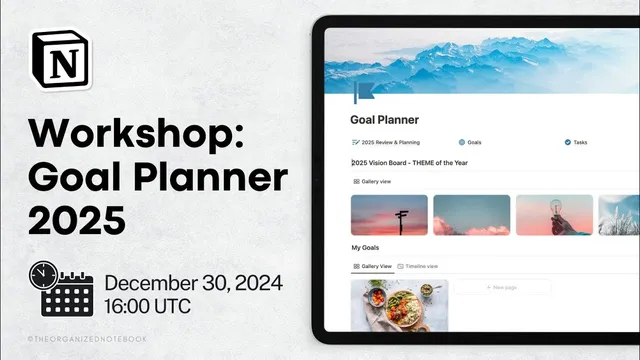
Notion Masterclass: Create a Goal Planner for 2025
Based on The Organized Notebook's video on YouTube. If you like this content, support the original creators by watching, liking and subscribing to their content.
Start goal planning by dreaming big across life areas, then define a deep “why” tied to the person someone wants to become.
Briefing
A practical Notion system for 2025 goal planning is built around one idea: goals stick when they’re translated into time-bound steps, tracked through tasks, and reviewed on a schedule—not just written down in January. The session starts by tackling the motivation problem that fades after New Year’s resolutions. It recommends “dream big” across major life areas—career, health, personal growth, relationships, and finances—then grounding those dreams in a deeper “why” so the effort doesn’t rely on surface-level inspiration.
From there, the planning method shifts from imagination to evaluation and execution. Participants are guided to reflect on the past year by looking at what worked as well as what didn’t, again through the same life-area lens. Next comes goal extraction: list around 10 candidate goals, avoid overloading the plan with too many, and choose a smaller set that feels balanced—challenging but achievable. Each goal should be made actionable with clear time frames (for example, “finish one book by the end of January” rather than “read more”). The system also treats goals as flexible: they can be adjusted as perspectives change, while still maintaining an action plan that turns intentions into repeatable steps.
The Notion build then operationalizes those principles using three core databases plus a review page and a vision board. The “2025 planning and review” page is structured with sections for dreaming, reflecting on the past, extracting goals, building an action plan, and identifying sources of motivation. The goals database is set up as a gallery of goal cards with start and end dates (e.g., a sample goal like “learn 12 new recipes” running from January 1 to December 31). A separate tasks database uses a checkbox “done” field and due dates, designed to act as the execution layer.
A vision board rounds out the system by storing theme images (pulled from Unsplash) in a gallery view, with the option to hide titles for a cleaner look. The most important mechanics come next: tasks are connected to goals through a two-way relation property, so each goal automatically pulls in its related tasks. A template (“new goal”) ensures that when a new goal is created, the task view is pre-filtered to show only tasks tied to that goal.
To quantify progress, the goals database adds a formula that calculates completion percentage from related tasks marked done. The session notes a practical workaround for rounding in Notion formulas—multiplying by 100, rounding, then dividing back—before formatting the result as a percent. As tasks are checked off, the completion ring updates, giving a visual measure of momentum.
Finally, the session previews an “ultimate yearly goal planner 2.0” with added features like life-area tracking and recurring weekly/monthly/quarterly/yearly review templates. A discount code is mentioned for the store template, along with resources for learning Notion through building, plus freebies and coaching options.
Cornell Notes
The session lays out a goal-planning workflow that turns broad ambitions into trackable outcomes inside Notion. It begins with “dream big” across life areas, then adds motivation through a deep “why,” followed by past-year reflection to learn what worked. Goals are extracted into a manageable list, made actionable with time frames, and treated as flexible as the year evolves. The Notion build uses three databases—goals, tasks, and a vision board—plus a 2025 review page. A two-way relation connects tasks to goals, a template preloads task views per goal, and a formula calculates completion percentage from checked-off tasks.
How does the session recommend keeping goals motivating beyond January?
What’s the difference between “dreaming” and “extracting goals” in the workflow?
Why does the system insist on time frames and smaller steps?
How are goals and tasks connected so progress can be tracked automatically?
How is completion percentage calculated in Notion?
What extra capabilities appear in the “ultimate yearly goal planner 2.0” preview?
Review Questions
- If a goal feels inspiring but not actionable, what specific step in the workflow should be revisited first (dreaming, extracting, action planning, or motivation)?
- Describe how the two-way relation and the goal template work together to ensure tasks appear under the correct goal.
- What formula components are required to compute completion percentage from related tasks marked done?
Key Points
- 1
Start goal planning by dreaming big across life areas, then define a deep “why” tied to the person someone wants to become.
- 2
Reflect on the past year by evaluating what worked and what didn’t in each life area, not just what went wrong.
- 3
Extract a manageable set of goals (around 10 candidates, then fewer to start) and make them time-bound with milestones.
- 4
Translate each goal into an action plan made of small tasks so progress can be checked off and reviewed.
- 5
In Notion, use separate databases for goals and tasks, then connect them with a two-way relation so tasks roll up to the right goal.
- 6
Use a goal template to pre-filter task views for each new goal, reducing setup friction.
- 7
Calculate completion percentage from related tasks marked done and format it as a percent for an at-a-glance progress signal.