Notion New Year Planner Template (2023): NEW Sub-Items & Milestones Feature
Based on Landmark Labs's video on YouTube. If you like this content, support the original creators by watching, liking and subscribing to their content.
Use the 2022 reflection prompts to identify achievements, wins, and distractions before setting 2023 goals.
Briefing
A Notion New Year planner template is built to help users set measurable goals, break them into milestones, and then turn habits into scheduled “practices” that generate recurring check-ins. The core idea is simple: pair goal tracking (manual updates) with habit tracking (automatic recurring items), then visualize progress month by month so planning doesn’t end after the first week.
The template starts with a short reflection section for 2022, using prompts to capture key achievements, what went well, and what acted as distractions. That reflective step is positioned as preparation for goal setting—users fill out “2022 takeaways” before moving into the 2023 plan.
Goal setting comes next through a structured table organized by life areas such as Business, Finances, and Health. Users can add new areas by creating additional tags, which automatically creates new sections in the goals table. Each goal follows the SMART framework: a specific target (example given: increasing Landmark website traffic to 50,000 monthly visitors), an achievability level to indicate how ambitious or realistic the goal is, an associated life area, and a time-bound due date (such as end of year).
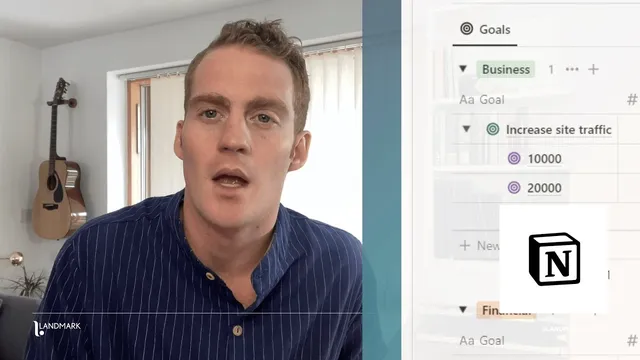
Milestones are handled using Notion’s latest feature for sub-items. High-level goals use one color (green), while milestone sub-items use another (purple), making it easy to distinguish “where you’re headed” from “what you’re doing along the way.” For the 50,000 monthly visitors example, milestones can be added at intermediate targets like 10,000 and 30,000, each with its own due date. Creating sub-items also ties into a progress bar that rolls up milestone progress toward the parent goal. Users can mark a sub-item as a milestone to get a milestone icon, and they can create new goals with the same structure—setting target, achievability, and date, then adding milestone sub-items beneath.
The second major component shifts from one-time projects to recurring practices—ongoing activities meant to support goals throughout the year. Instead of defining a single task, users create a practice in a database and set a schedule so it repeatedly generates items. The example practice is publishing blog posts: set the practice to recur twice a week on specific days (Tuesday and Thursday). Each scheduled occurrence appears as a new “session” sub-item, and checking them off updates a completion progress bar for the practice. The same approach applies to other habits, such as meditating on a daily or weekday-only schedule.
Progress tracking is split into two views. Practices get a month-by-month progress display that fills according to the recurring schedule, including a percentage of items marked complete. Goals get progress visualization through progress bars and milestone updates that are entered manually—users can check in monthly and update current values and milestone statuses. The template closes with a straightforward workflow: reflect on the prior year, set SMART goals with milestone sub-items, schedule recurring practices, and review progress through monthly goal and practice views. A duplication link is provided so users can copy the template into their workspace and start planning for 2023.
Cornell Notes
The template turns New Year planning into a system: SMART goals with milestone sub-items plus recurring practices that automatically generate scheduled check-ins. Goals are organized by life areas (like Business, Finances, and Health) and use Notion sub-items to create milestones that roll up into a progress bar. Practices are recurring activities (not one-off tasks) scheduled on specific days, producing “sessions” that users mark complete to update progress. Progress is visualized two ways: month-by-month completion for practices and manually updated progress bars/milestones for goals. This matters because it keeps both planning and follow-through active throughout the year.
How does the template structure goals so they’re measurable and time-bound?
What’s the role of milestones, and how are they linked to goal progress?
How does the template help users build habits instead of only tracking projects?
What does “sessions” mean in the template, and how does completion tracking work?
How are progress views different for goals versus practices?
What purpose does the 2022 reflection section serve before planning 2023?
Review Questions
- What SMART elements does the template require for a new goal, and where do life-area tags fit in?
- Describe how milestones are created and how they affect the goal’s progress bar.
- How do recurring practices generate sessions, and what determines when those sessions appear?
Key Points
- 1
Use the 2022 reflection prompts to identify achievements, wins, and distractions before setting 2023 goals.
- 2
Create goals with SMART-style fields: a specific target metric, an achievability level, a life area tag, and a due date.
- 3
Add milestones as sub-items under each goal to mark intermediate progress and drive a roll-up progress bar.
- 4
Schedule practices on specific days so recurring “sessions” are generated automatically and can be checked off to track consistency.
- 5
Track practices with a month-by-month completion view that updates based on the recurring schedule.
- 6
Track goals with manually updated progress bars and milestone statuses, using monthly check-ins to reflect current values.