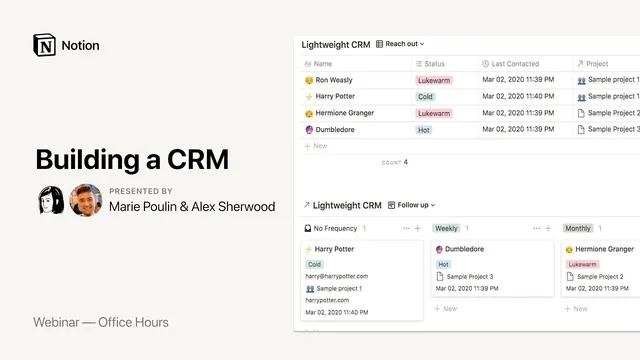
Notion Office Hours: Building a CRM 🏬
Based on Notion's video on YouTube. If you like this content, support the original creators by watching, liking and subscribing to their content.
Model a CRM in Notion by building a Salesforce-like relational schema: Companies → Offices → Contacts → Meetings/Events → Opportunities.
Briefing
A Notion-based CRM can be built to behave much like Salesforce by leaning on relational tables, rollups, and formulas—then compensating for Notion’s lack of strict validation with targeted “exception” views. Alex Sherwood’s setup centers on a Salesforce-style data model where accounts, contacts, meetings, opportunities, and product bundles connect through linked records, allowing sales teams to track relationships and forecast revenue without relying on a dedicated CRM system.
The template starts with “Companies” as the hub (named “accounts” to mirror Salesforce). Each company can have multiple office locations (“offices”), with ownership and relationship context stored as properties. Contacts are modeled as people tied to a specific company and office, including role/title and a relationship rating. Meetings and events are then linked to both contacts and opportunities, creating a timeline of interactions. A key usability feature is a rollup that surfaces the latest meeting date for each contact, so the system can answer “when did we last meet?” without manual searching.
Opportunities bring forecasting logic into the model. The workflow uses a sales-process “stage” field (from unqualified through qualified, negotiating, contract waiting, closed won, and closed lost). Each stage maps to a probability, and that probability feeds into a revenue calculation so forecasts reflect likelihood rather than assuming every deal closes. Opportunities also link to product bundles, which represent combinations of sellable items. A separate “Products” table stores unit prices, while “Product Bundles” calculate bundle totals by multiplying item prices by quantities and summing across bundle components. Those bundle totals then roll into opportunity value.
To reduce admin burden and keep data usable, the template includes meeting completeness and follow-up tracking. A “complete” flag and “next meeting” fields help teams see what’s upcoming and what needs attention. Because Notion can’t enforce hard validation rules the way Salesforce can, the system uses linked databases and filtered views that surface records that violate expected conditions—such as open opportunities missing a next meeting, closed dates in the past, or required fields left blank. Salespeople are nudged to fix only the exceptions, rather than being blocked at data entry.
A dashboard rounds it out with board-style summaries grouped by owner (salesperson), showing open and lost opportunities and aggregated forecast value. Sherwood also discusses how Notion can serve as a “360-degree” workspace by linking CRM records to other systems (like Jira for product work) and by optionally using Notion for meeting notes while keeping time-sensitive scheduling in Google Calendar.
The session closes with practical guidance on reporting and adoption: export-friendly CSVs make Notion workable for analytics, and the best way to drive team usage is to make Notion the source of truth for dashboards and formatted views. The broader takeaway is that a CRM in Notion becomes powerful once the relational structure is right—and once exception-based views replace missing validation.
Cornell Notes
Alex Sherwood’s Notion CRM template mirrors Salesforce by using relational databases: Companies (accounts) link to Offices, Contacts, Events/Meetings, and Opportunities. Opportunities connect to Product Bundles, which compute totals from Products via rollups and formulas, then feed into opportunity value. Forecasting uses a stage-based probability so expected revenue reflects deal likelihood rather than assuming 100% close rates. Because Notion lacks strict validation controls, the system relies on filtered “exception” views that list opportunities missing required fields (e.g., no next meeting, past close dates, incomplete records). Dashboards then summarize open/lost deals and summed forecast value by salesperson for reporting and day-to-day tracking.
How does the template structure CRM data to resemble Salesforce without an API?
What makes the forecasting logic more realistic than a simple “deal value” total?
How do product bundles work, and why are they useful?
What replaces Salesforce-style validation rules in Notion?
How does the system help teams avoid missing follow-ups and meeting logging?
Where does reporting and team visibility come from?
Review Questions
- If you wanted to add a new sales stage (e.g., “Pilot”) to the CRM, what fields and calculations would need updating to keep probability-based forecasting correct?
- How would you design an “exception view” for opportunities missing a required discount field, given Notion’s lack of strict validation?
- What changes would be required to support a pricing model where bundle totals depend on customer-specific discounts rather than a single bundle price?
Key Points
- 1
Model a CRM in Notion by building a Salesforce-like relational schema: Companies → Offices → Contacts → Meetings/Events → Opportunities.
- 2
Use rollups and formulas to automate “reference” fields such as last meeting date per contact and computed bundle totals per opportunity.
- 3
Forecast revenue by multiplying baseline opportunity value by a stage-based probability, so pipeline reporting reflects deal likelihood.
- 4
Represent sellable offerings with Products and Product Bundles, then compute bundle totals from unit prices and quantities to keep pricing updates consistent.
- 5
Compensate for missing validation by creating filtered “exception” views that list records violating expected rules (e.g., missing next meeting, past close dates).
- 6
Create dashboards that aggregate opportunity value by owner and status (open vs. lost) to make Notion the source of truth for pipeline reporting.
- 7
Keep scheduling in a dedicated calendar app if needed, but link meeting notes in Notion to opportunities/contacts for a complete interaction history.