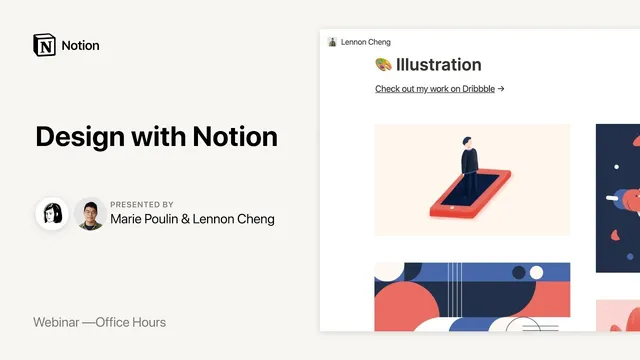
Notion Office Hours: Design with Notion 🖼
Based on Notion's video on YouTube. If you like this content, support the original creators by watching, liking and subscribing to their content.
Use block-level links to turn a portfolio home page into a navigable, single-page experience without forcing visitors into separate case-study pages.
Briefing
A designer’s Notion setup is used less as a static “portfolio site” and more as a living system for documenting work, turning process into client-ready prototypes, and extracting measurable insights from months of activity. Lennon, a designer in Melbourne, builds a portfolio and internal design documentation around Notion’s core strengths—linked sections, databases, tagging, and multiple views—so the same underlying information can serve different purposes: demos, learning logs, performance reflection, and web prototyping.
The portfolio portion starts with a simple three-page structure (home, linked sections, and supporting pages) but leans on Notion’s ability to link directly to specific blocks. Instead of forcing visitors to click through separate case-study pages, each service module on the home page becomes a navigable section with “jump” links that behave like an on-page table of contents. Lennon also emphasizes process over polish: short embedded videos and screenshots are used to show how work is contextualized, not just what the final output looks like. Analytics from the portfolio show that about 10% of visitors click on a process video—an argument for treating behind-the-scenes artifacts as high-value content.
The bigger shift comes from using Notion for design documentation. Lennon describes an evolution from daily screenshot logging (a single scrolling document that captured momentum but didn’t tell a searchable story) into a database-driven workflow. Once databases and tagging are introduced, documentation becomes queryable: each task becomes a row with metadata like project, date, time spent, and categories. Over a three-month period, Lennon reports 26 projects and 235 tasks, then uses views to reassemble the story—such as a chronological “visual journey” for a specific campaign, or a learning-focused view that aggregates “learning tags” (including practical design facts like ad text limits and notes tied to hypothesis-driven design).
That same database approach supports team-level knowledge. Lennon shares a studio-wide experiment where a shared log tracks projects and contributions across 50 people, enabling weekly review of active work and easier visibility into tools, outputs, and skills. Even when Notion isn’t used for client-facing delivery, it can still function as an internal knowledge base; for client collaboration, Lennon’s studio relies on JIRA, while Notion is used selectively for deliverables like component-based site guides shared publicly.
Finally, Notion is used for web prototyping and customer research. Lennon spins up Notion pages as interactive prototypes—using toggles, images, and structured content—then tests messaging and information architecture with users. For card-heavy interfaces, Lennon imports CSV data into Notion to generate gallery views, then asks participants to reorder attributes and pick top priorities. The workflow highlights both strengths and limits: Notion’s lack of native graphing and the friction of very large CSV imports push heavier analysis back to tools like Google Sheets, and survey collection often still relies on external forms.
Across the session, the throughline is discipline through flexibility: Lennon documents in bursts, archives what no longer fits, and treats the workspace as a system that can be reorganized as needs change—turning Notion into a reflective engine rather than a burden.
Cornell Notes
Lennon uses Notion as a living design system: a portfolio that visitors can navigate via block-level links, and a documentation workflow that evolves from daily screenshots into database-driven, tag-based storytelling. Databases let the same work log power different views—project timelines, learning summaries, skill tracking, and performance reflection—so progress becomes searchable and measurable. This approach also scales to teams through shared project and work-log databases, enabling weekly studio reviews and visibility into tools and outputs. For research and prototyping, Lennon builds interactive Notion pages and imports CSV data to generate gallery-style card interfaces for user testing. The result is a workspace that supports process, not just outcomes, while acknowledging limits like analytics/graphs and large-data imports.
How does Lennon make a Notion portfolio feel navigable without turning it into a maze of separate pages?
Why did daily screenshot logging fail to become a true “story,” and what changed once databases and tags were added?
What does Lennon mean by “learning tags,” and how are they used in practice?
How does Notion support web prototyping and research in Lennon’s workflow?
What’s the relationship between Notion and client-facing tools like JIRA in Lennon’s studio?
How does Lennon handle IP and work-in-progress when client projects can’t always be shown publicly?
Review Questions
- When would a designer benefit from linking to individual blocks instead of linking to whole pages or headings?
- How do tags and database views change the questions a documentation system can answer (e.g., “what did I learn?” vs. “what did I do?”)?
- What are the tradeoffs of using Notion for research prototypes compared with tools that offer native forms, graphs, or large-scale data handling?
Key Points
- 1
Use block-level links to turn a portfolio home page into a navigable, single-page experience without forcing visitors into separate case-study pages.
- 2
Treat process artifacts (videos, screenshots, behind-the-scenes context) as measurable content—Lennon cites ~10% click-through on a process video.
- 3
Evolve from daily screenshot logging to database-driven documentation by modeling work as tasks with metadata and tags.
- 4
Create multiple views from the same database to support different goals: project timelines, learning summaries, skill tracking, and performance reflection.
- 5
Scale documentation to teams by sharing project and work-log databases and running regular reviews (e.g., weekly studio board review).
- 6
For prototyping and research, build interactive Notion pages with toggles and structured content, and use CSV imports to generate card/gallery interfaces for user testing.
- 7
Plan around Notion’s limits for heavy analytics and large datasets by pairing it with tools like Google Sheets and external form tools when needed.