Notion Office Hours: Managing Academic Studies 📚
Based on Notion's video on YouTube. If you like this content, support the original creators by watching, liking and subscribing to their content.
Build an academic workflow around connected databases: tasks/events, notes, lectures, flashcards, and review queues should share relations rather than live in separate silos.
Briefing
A Notion setup built for academic life hinges on one idea: treat everything—tasks, lectures, readings, flashcards, and even review reminders—as connected databases, then use filters and self-referencing logic to surface only what matters right now. The payoff is a system that turns scattered study inputs into an always-current workflow for planning, writing, and spaced repetition, without relying on a separate calendar or a pile of disconnected notes.
The academic use case comes through via a master’s dissertation in strength and conditioning. With lab access blocked during the pandemic, the dissertation shifted to a qualitative study based on nine interviews with coaches. That change became a forcing function for better organization: the system had to support capturing notes from readings and meetings, processing them into structured “resources,” and linking them to modules/areas and to the dissertation project itself. Notion’s role isn’t just storage; it’s the engine that keeps study materials traceable—so a flashcard can point back to the note, the note can point back to the lecture or article, and the whole chain can be reviewed on schedule.
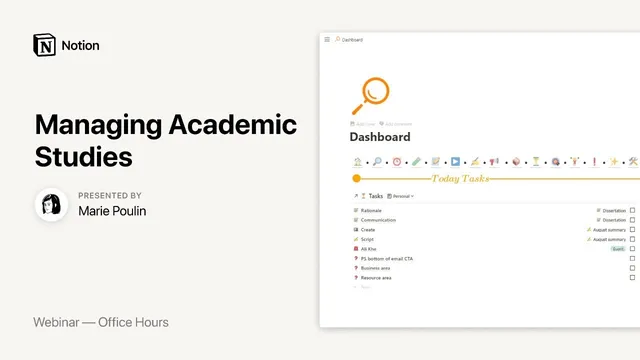
The core workflow starts with a “dashboard” that uses a global navigation bar made from a Notion global block. Instead of a sidebar, the navigation is an emoji-based row of linked pages, and the same block appears everywhere through global-block reuse. From there, a master task database is surfaced through linked views with filters such as “tasks today,” “tasks before today,” and recurring-task logic. Tasks also function as “events” (lectures, publishing deadlines, streams, assessments), letting the same database power both study scheduling and content/production planning.
For notes, the system uses a master notes database where every captured note is immediately related to “areas” (modules/topics) and optionally to “people” (for meeting notes) and “lectures” (for lecture-linked context). A processing step follows capture: notes are moved into templates that add default properties and relations, then enriched with metadata like review frequency and review status. Review isn’t an afterthought; it’s built into the data model. Separate review dashboards use formulas and rollups to compute when items are due again, including flashcards and area-level review queues.
Flashcards are handled with a dedicated flashcards database and a spaced-repetition mechanism driven by a “stage” field and a “date wrong” property. A formula schedules the next review date by adding different day offsets based on the stage, effectively turning repeated correctness into longer intervals. The system also supports “decks” by filtering flashcards by area, so a student can review physiology or any other module without seeing everything.
The setup evolves over time. Early versions were simple to-do lists; later iterations added databases, relations, self-referencing filters, and templates. The guiding principle is incremental building: start with a skeleton (tasks + notes + reminders), then add complexity only when a friction point appears. The result is a study workflow that can pre-build reading lists for an assignment, pre-plan lecture notes, and keep dissertation writing moving by ensuring that research inputs already land in the right place before drafting begins.
Cornell Notes
The system treats academic studying as a network of linked Notion databases rather than separate pages: tasks/events, lectures, readings/notes, flashcards, and review reminders all connect through shared relations (especially “areas” as module/topic tags). Capture happens first (notes from lectures or articles go into a master notes database), then processing moves items into templates that automatically attach metadata and relations. Review is computed from properties and formulas, producing dashboards that show what’s due today for notes, flashcards, and area-level review. Flashcards use a spaced-repetition schedule driven by a “stage” field and a “date wrong” property, so correctness changes the next review date. The approach matters because it keeps study materials traceable and ensures planning and review stay synchronized as the workload changes.
How does the system connect lectures, readings, and flashcards so that review stays contextual?
What role do “areas” play, and why does the system avoid a separate tags database?
How does the spaced-repetition schedule work for flashcards?
Why does the system treat tasks as “events,” and what does that enable?
How does review automation work without manually tracking due dates for everything?
What’s the navigation strategy, and why does it matter for daily use?
Review Questions
- Which relations in the system are used to make notes traceable back to lectures and readings during review?
- How do the flashcard “stage” and “date wrong” properties interact to schedule the next review date?
- What’s the difference between the system’s approach to task due dates and project due dates, and why does it matter for planning?
Key Points
- 1
Build an academic workflow around connected databases: tasks/events, notes, lectures, flashcards, and review queues should share relations rather than live in separate silos.
- 2
Use “areas” as the central taxonomy (module/topic tags) so dashboards and review logic can filter everything consistently.
- 3
Separate capture from processing: capture notes immediately, then run them through templates that attach metadata and relations automatically.
- 4
Make review data-driven with formulas and rollups so dashboards can compute what’s due today without manual tracking.
- 5
Implement spaced repetition for flashcards using a stage-based schedule tied to a “date wrong” baseline, so correctness changes future review timing.
- 6
Use linked views and filtered dashboards to keep daily work focused on “today” and “before today,” while still retaining a master list for recovery.
- 7
Iterate gradually: start with a simple skeleton (task list + notes + reminders) and add complexity only when friction appears.