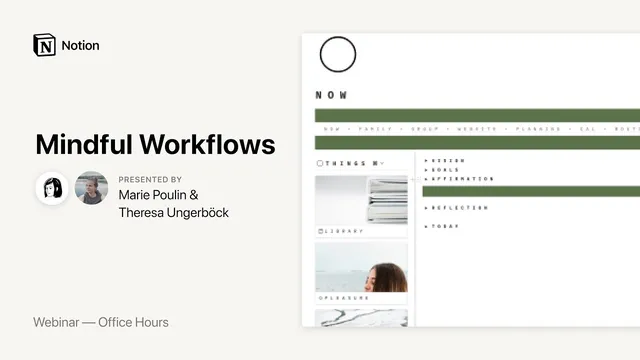
Notion Office Hours: Mindful Workflows 🍃
Based on Notion's video on YouTube. If you like this content, support the original creators by watching, liking and subscribing to their content.
Mindful workflows start by lowering pressure: uncertainty and constant stressors keep the nervous system on alert, so systems should help people calm down, not just produce output.
Briefing
Mindful workflows in Notion work best when they reduce pressure rather than add another system to manage. Teresa, a yoga and psychology-trained teacher who uses Notion as a sustainable “bullet journal” replacement, frames productivity as something that should calm the nervous system—through small, repeatable actions—so people can notice how they feel instead of only tracking output.
Her approach starts with self-compassion during uncertainty. She describes baseline anxiety as a constant stressor: the nervous system stays on alert when plans are unclear and the future feels unpredictable. Instead of trying to overhaul routines, she advocates “tiny change”—a breath, a few minutes of movement, or a short reset—because small interventions can lower stress without demanding an hour-long commitment. In a Notion culture that often prizes dashboards and data, she argues for balancing “getting things done” with checking in physically and emotionally, using the workspace as a tool for mood and mindset.
On the practical side, her daily workflow is built around frictionless entry points. A global dashboard block sits at the top of most pages so she can jump between sections without using the sidebar. She keeps her interface intentionally uncluttered by using toggles to hide distractions and by limiting what’s visible at once. Her morning routine begins with a vision board presented as a looping Canva video, paired with affirmations that can be rotated. She treats this as a five-minute mindset setup before work—simple, visible, and designed to make goals feel motivating rather than punitive.
From there, she embeds mindfulness directly into the workspace. A meditation toggle contains a 10-minute timer video from YouTube, letting her start practice before opening her laptop or quickly resume between tasks. She also uses movement-based options—short grounding or stretching videos—so mindfulness can be triggered with one click, reducing the “start-up cost” of doing the practice.
Her planning system is deliberately lightweight. She avoids a traditional habit tracker because streaks create anxiety; instead, she uses a simple checklist that she ticks off during the day and resets at night, treating missed days as non-failure. For goals, she organizes focus areas (like money, body, growth, relationships, and joy) and links related databases so she can detect imbalance without turning life into a spreadsheet. For tasks, she relies on a “Today” list that shows only what’s due today or tomorrow, with time estimates to prevent overloading. She prefers list views over tables to match how she processes information.
Teresa also shares workflow “hacks” that make Notion feel more flexible: toggles can’t contain columns directly, but converting a toggle into a page first allows columns to be added and then converted back. She also recommends optimizing frequently used actions (shortcuts, templates, and even text expanders) because small efficiency gains compound across daily use.
Overall, her Notion workspace is less about maximizing tracking and more about creating a personal self-care hub: a “first aid” section for low-energy days, a resources library with desk-sitting tips and embedded stretch or breathing instructions, and course structures that keep practices accessible after enrollment. The result is a system tuned to her needs—designed to help her slow down, feel supported, and return to what matters.
Cornell Notes
Teresa’s Notion setup treats productivity as a nervous-system issue, not just a task-management problem. She uses “tiny change” (breath, short movement, quick resets) to lower baseline stress and make room for self-compassion, especially during uncertainty. Her daily workflow starts with a visible vision board video and affirmations, then moves into embedded meditation and movement timers to reduce friction. Planning stays intentionally simple: a checklist instead of streak-based habit tracking, a “Today” list limited to near-term priorities, and focus areas that help her spot life imbalances without turning everything into data. The workspace matters because it becomes a “reset button” and self-care library—helping her choose actions that match how she feels, not just what she should do.
How does Teresa connect “mindful workflows” to nervous-system stress rather than just productivity?
What makes her morning routine “work” inside Notion, according to her setup?
Why does she embed meditation and movement directly into toggles, and what’s the benefit?
What’s her stance on habit tracking and streaks?
How does she keep planning from becoming overwhelming?
What Notion workflow trick lets her use columns inside a toggle?
Review Questions
- Which elements of Teresa’s setup are designed to reduce friction (not just organize information), and how do they change behavior?
- How does her approach to habit tracking reflect her broader philosophy about self-compassion and pressure?
- What trade-offs does she make by keeping tasks and dashboards intentionally simple, and how does that simplicity support mindfulness?
Key Points
- 1
Mindful workflows start by lowering pressure: uncertainty and constant stressors keep the nervous system on alert, so systems should help people calm down, not just produce output.
- 2
Use “tiny change” as the default intervention—breath, a few minutes of movement, or a short reset—rather than expecting long sessions to fix stress.
- 3
Design Notion entry points for speed: a global dashboard block and toggle-based hiding can reduce navigation friction and prevent distraction.
- 4
Embed mindfulness directly into the workspace (e.g., a 10-minute meditation timer and short movement videos) so starting practice doesn’t require switching apps or adding steps.
- 5
Avoid streak-based habit tracking if it increases anxiety; a simple checklist can preserve awareness without turning missed days into failure.
- 6
Keep planning lightweight: show only near-term priorities in “Today,” use time estimates, and prefer list views if tables feel mentally heavy.
- 7
Treat Notion as a self-care hub, not only a productivity dashboard—include a “first aid” section and a resources library with actionable tips and media.