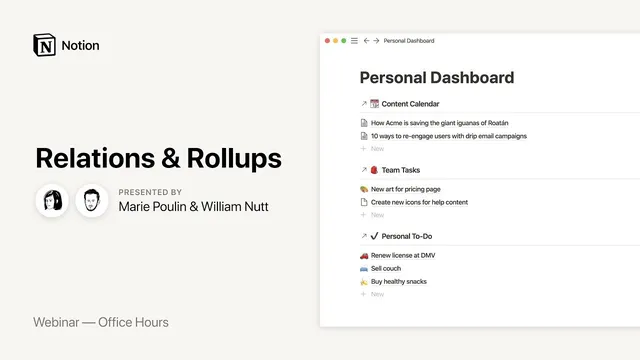
Notion Office Hours: Relations & Rollups 🎩
Based on Notion's video on YouTube. If you like this content, support the original creators by watching, liking and subscribing to their content.
Use relation properties to connect records across databases so parent pages can reliably filter and display their related children.
Briefing
Relations and roll-ups in Notion are the core mechanism for turning separate databases into a connected system—so categories can automatically organize items, and summary metrics (totals, dates, completion rates) can update without manual re-entry. The practical payoff is consistency and speed: once relationships are set, changes propagate across every view that depends on them, and dashboards can be built from linked, filtered slices of the same underlying data.
The session starts with the “relation” property: a way to connect items in one database to items in another. A worked example uses expense categories as the parent and individual expenses as the children. Instead of using a simple select field for categories, a relation property links each expense to a category record in the categories database. Because Notion supports reciprocal relationships, creating the relation automatically adds a corresponding relation field back on the other database—so each category can list all linked expenses. The same parent-child pattern is extended beyond finance: projects can connect to tasks, and recipes can connect to ingredients. In some cases the relationship is effectively bidirectional (ingredients ↔ recipes), enabling filtering in either direction.
The most important functional leap comes from combining relations with linked database views and templates. By adding a linked database inside a category page and filtering it to show only items related to that category, the workspace can display “just the children” for the current parent. To avoid rebuilding this for every new category, the session demonstrates a self-referencing filter inside a database template: when a new category is created from the template, the embedded linked view automatically filters to the newly created category. As a result, adding a new expense from within the category’s filtered view automatically populates the relation field—so the system stays wired together.
Roll-ups then take the next step: they pull values from all related child records back into the parent. A roll-up on categories calculates total cost by summing the “cost” property from linked expenses. The same roll-up framework can summarize dates (earliest, latest, or date range), and it can compute progress using checkboxes—such as the percent of tasks marked complete. A key workaround is also highlighted: when roll-ups’ built-in “sum” formatting can’t be displayed as currency, a formula property can reference the roll-up result so the final value can be formatted properly.
The session moves into more advanced structures to show why relations matter at scale. Vendors are introduced as an additional database that sits between expenses and categories: expenses relate to vendors, vendors relate to categories, and roll-ups can infer the category for each expense via the vendor link. That enables roll-up-based summaries by category and vendor without duplicating categorization work. Time-based roll-ups are layered in using a months database, allowing averages like “average spending per month.”
Finally, the same pattern is applied to a client/project/task/resource setup: clients connect to projects, projects connect to tasks, and tasks roll up into project-level completion percentages. The session closes with a real-world reflection workflow example—daily journal entries roll up into a weekly agenda/report—showing how relations and roll-ups can power recurring review and reporting without manual aggregation. The overall message is that the upfront modeling work (relations, templates, roll-ups) becomes a reusable infrastructure that keeps data accurate, reduces redundancy, and makes dashboards update automatically.
Cornell Notes
Relations connect records across Notion databases, typically forming a parent-child structure (e.g., categories → expenses, projects → tasks). Templates plus linked database views let each parent page automatically show only its related children, and self-referencing filters ensure new parents come with the correct filtered views. Roll-ups then aggregate child properties back into the parent—summing costs, summarizing dates (earliest/latest/range), and calculating progress from checkboxes as a percent complete. These features reduce redundancy because updates propagate through the relationship graph instead of relying on manual copying or select-field maintenance. The result is a workspace that can generate dashboards and reports (like weekly reviews) from connected data.
How does a relation property change category assignment compared with using a select property?
What problem do linked database views and templates solve after relations are created?
What can roll-ups aggregate, and how is progress calculated?
Why use a formula property alongside a roll-up for currency formatting?
How does the “vendors” example reduce duplicate categorization work?
What’s the practical takeaway for building dashboards like a weekly agenda from daily entries?
Review Questions
- When should a self-referencing filter be used in a template, and what does it automate when creating new parent records?
- What roll-up operations are demonstrated for numbers, dates, and checkboxes, and how do they differ in output?
- Describe the vendor-based hierarchy and explain how roll-ups can infer categories without direct expense-to-category relations.
Key Points
- 1
Use relation properties to connect records across databases so parent pages can reliably filter and display their related children.
- 2
Rely on reciprocal relations to avoid manual back-linking; Notion can populate the reverse relation automatically.
- 3
Combine linked database views with templates to create per-parent filtered child lists without rebuilding them for every new parent.
- 4
Apply self-referencing filters in templates so newly created parent records automatically generate correctly filtered linked views.
- 5
Use roll-ups to aggregate child properties into parent records—sums for totals, date roll-ups for earliest/latest/ranges, and checkbox roll-ups for percent completion.
- 6
When roll-up currency formatting is limited, reference the roll-up value in a formula property to display properly formatted currency.
- 7
Model multi-step hierarchies (e.g., expenses → vendors → categories, or clients → projects → tasks) to eliminate redundant manual categorization and keep data consistent.