Notion Office Hours: Super Knowledge Hub 🗃
Based on Notion's video on YouTube. If you like this content, support the original creators by watching, liking and subscribing to their content.
Mike’s “super knowledge hub” focuses on converting consumption into structured repositories that improve recall and generate new creative output.
Briefing
A “super knowledge hub” in Notion is less about hoarding links and more about turning what someone consumes—books, photos, podcasts, travel notes—into structured repositories that improve recall and spark new creative work. The core idea driving Mike’s setup is that actively documenting and reflecting on information makes it stick better, while also forcing follow-up questions: what matters here, what should be explored next, and how can the material be shared with others in a more useful, story-rich way.
Mike runs a video production company and gradually expanded Notion from writing scripts and emails into project management and client work. He previously relied on tools like Evernote, Hemingway, WordPress/Medium, Asana, and Basecamp, but found Notion’s flexibility and workflow fit better once his notes became more than random captures. He also emphasizes that the system doesn’t have to be all-or-nothing—Evernote can still handle certain capture tasks, while Notion becomes the “knowledge linking” and project layer.
The hub itself is built around multiple themed databases/pages rather than one monolithic catch-all. One example is a photography database designed to store not just images, but context: stories behind each photo, lens details, alternative shots, and editing notes. The goal is twofold—help the creator remember the creative process and make sharing more meaningful than a standard social feed. He contrasts this with Instagram-style feeds that are hard to filter and difficult to revise later, arguing that Notion supports iterative storytelling (including “original vs. alternative” versions) and can evolve as new details emerge.
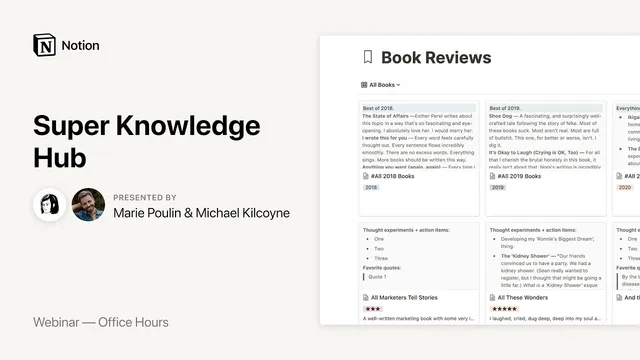
Book reviews follow a similar pattern: a simple template with fields for thought experiments, action items, favorite quotes, reading status, and “additional reading.” Mike uses a lightweight rating system (e.g., “one” meaning didn’t enjoy, “three” meaning generally good) and keeps year-level rollups to track reading volume, while acknowledging that more advanced formula work is still a work in progress. For older books or missing highlights, he discusses bridging gaps with tools like Readwise—especially its Notion integration that can import Kindle/Instapaper/Medium highlights and auto-sync them into a searchable database.
Travel resources are treated as a practical knowledge hub too. Mike’s “30 days in Japan” page compiles checklists and logistics—rail passes, passport renewal, mobile SIM cards, international banking—so friends (and future visitors) can quickly prepare. He also recommends making templates duplicable, such as turning one-off planning into reusable checkboxes.
Beyond capturing content, the session spends time on workflow and attention control. Mike describes a daily digest that reduces decision fatigue: morning reflection and writing blocks, then afternoon project selection based on urgency. He warns against “busywork inside the tool” and argues for a balance—using Notion to externalize thinking and create, not to endlessly tinker. When the system starts to feel off, he resets by mapping goals and values (using a mind-map approach) and checking whether tasks actually support the core aim—building meaningful relationships and life-changing experiences.
The Q&A adds practical guidance: pages can’t be tagged like Obsidian/Rome, so quotes should live in a database with tags and filters; client resource libraries can be handled via a shared “catch-all” database embedded into client dashboards with permissions and views; and organizing for malleability often means keeping stable database structures while adding new fields or nested pages when new categories emerge. Overall, the “super knowledge hub” is presented as a creative system for recall, experimentation, and sharing—built to evolve with the person using it.
Cornell Notes
Mike’s Notion “super knowledge hub” turns consumed information into structured, searchable repositories—books, photos, and travel plans—so it’s easier to remember and easier to build new creative work from. The system is organized into themed databases/pages (e.g., photography context, book review templates, “30 days in Japan” checklists) rather than one giant folder of links. He uses templates with fields like quotes, action items, and reading status, and he relies on Readwise to import highlights from Kindle/Instapaper/Medium into Notion for less manual capture. The workflow also includes a daily digest and writing blocks to prevent decision fatigue and avoid turning Notion into endless tinkering. The approach matters because it connects knowledge capture to reflection, creation, and sharing—without losing attention to the tool itself.
What’s the purpose of a “super knowledge hub,” beyond saving articles or highlights?
How does Mike structure his knowledge so it stays useful as it grows?
What does his book review template include, and why?
How does Readwise reduce the manual work of capturing highlights?
Why can’t Notion pages be tagged the same way as Obsidian/Rome, and what’s the workaround?
How does Mike prevent Notion from becoming a time sink?
Review Questions
- If you were building a “super knowledge hub,” which themed databases would you start with (books, photos, travel, quotes), and what fields would you include to make sharing meaningful?
- How would you design a quote system in Notion to support fast filtering by multiple tags and author, given that page-level tagging isn’t available?
- What daily workflow elements (digest, writing blocks, urgency-based project selection) would you adopt to reduce decision fatigue and keep Notion focused on creation rather than tinkering?
Key Points
- 1
Mike’s “super knowledge hub” focuses on converting consumption into structured repositories that improve recall and generate new creative output.
- 2
Notion works best for him as a knowledge-linking and project layer, while other tools can still handle specific capture needs.
- 3
Photography, book reviews, and travel planning are organized into separate themed databases/pages with templates that add context beyond raw content.
- 4
Readwise’s Notion integration can import and auto-sync highlights from Kindle/Instapaper/Medium, reducing manual note-taking and enabling long-term search.
- 5
Notion pages can’t be tagged like Obsidian/Rome; quote tagging is best implemented by storing each quote as a database item with tags and filters.
- 6
A daily digest plus writing blocks helps prevent decision fatigue and keeps the system oriented toward creation instead of endless tool management.
- 7
Client resource libraries can be built from a shared “catch-all” database embedded into client dashboards, using views/permissions rather than duplicating everything per client.