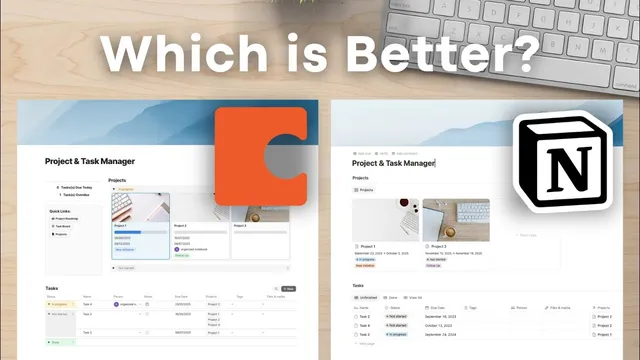
Notion vs Coda | Which is a Better All-In-One Digital Tool?
Based on The Organized Notebook's video on YouTube. If you like this content, support the original creators by watching, liking and subscribing to their content.
Coda’s standout advantage is placing formulas anywhere on a page, which makes dashboard-style counters and summaries easier to build.
Briefing
Coda’s biggest advantage over Notion is how flexibly it turns structured data into full, interactive “docs”—especially through formulas that can be placed anywhere, richer layout controls, and integrations that can sync more deeply (notably with Google Calendar). Notion still wins on minimalism and a page-first feel, but Coda’s spreadsheet-like approach and customization depth make it easier to build dashboards, counters, and workflow tools without as much relational plumbing.
Both tools organize work around a hierarchy, but the building blocks differ in naming and where the structure “lives.” Notion is built from pages containing blocks, with databases embedded as blocks inside pages. Those databases come with properties (select, text, URLs, and more) and multiple database views such as board, timeline, calendar, and other layouts. Coda’s structure is similar in spirit—docs contain pages—but the “workspace” is scoped inside each doc. Within a Coda doc, databases appear as tables, and what Notion calls blocks are treated more like lines/columns inside the table context.
Where the gap becomes practical is in database views and layout editing. Notion supports saved view tabs like “unfinished,” “done,” and “view all,” along with a wide range of view types (table, board, timeline, calendar, list, gallery, chart, and feed view). Coda offers many view formats too—table, card, detail, calendar, form, timeline, chart, word cloud, and board—but it doesn’t provide the same tabbed filtering layout pattern. Coda compensates with stronger layout editing: it allows moving properties into columns within the layout and saving multiple layouts for different situations.
Coda also expands what can sit inside a database cell. It supports relations, formulas, and unique features like “reaction” and “Canvas.” Canvas is positioned as a near full-page environment embedded in a table cell, enabling notes, tables, and references to other databases directly inside the grid. Notion’s database properties are similarly capable—relations and formulas exist—but Coda’s “formulas anywhere” workflow stands out. In Notion, formulas are added as properties, which can make cross-database dashboards feel harder to assemble cleanly. In Coda, counters like “tasks due today” and “overdue” can be created directly on the page using conditional counting logic.
Automation and integrations further separate the tools. Coda’s automations are more feature-rich, including button-driven actions such as copying pages to docs or to the clipboard, plus integration-driven actions like creating Google Calendar events without heavy third-party setup. Notion supports automations and buttons too, but database-wide triggers and integration depth can be more limited. On integrations specifically, Coda is described as offering more robust two-way sync with Google Calendar, while Notion’s connections are more embed-leaning and may require external automation for comparable results.
Pricing is broadly comparable at the entry level: both offer free access to start. Coda’s distinctive model pays “doc makers,” while editors and viewers are free, which can reduce costs for small teams. Coda’s pro plan is $10 per doc maker per month and includes features like 30-day version history, hidden pages, custom domains, and packs for integrations. Notion’s plus plan is also $10, with basic integrations, and higher tiers for business and enterprise. The AI story diverges: Coda’s AI is credit-limited, while Notion’s AI is unlimited on business and enterprise.
The takeaway is a trade-off. Notion fits people who want a cleaner, more minimalist workspace and don’t need advanced formula placement or deep integration-driven workflows. Coda fits users who want spreadsheet-grade control, advanced customization, and stronger integrations—at the cost of added complexity and a less minimal visual design.
Cornell Notes
Coda and Notion share a similar hierarchy (pages/docs containing nested content and embedded databases), but Coda’s database experience is more “spreadsheet-like” and more customizable. The clearest functional edge is that Coda formulas can be added anywhere on a page, making it easier to build live counters and dashboard-style summaries without complex relational setup. Coda also offers stronger layout editing (including moving properties into columns and saving multiple layouts) and a unique Canvas feature that can behave like a full page inside a table cell. Integrations are another differentiator: Coda is described as providing more robust two-way syncing with Google Calendar, while Notion’s connections can be more limited and may require third-party automation. Pricing is similar at entry levels, but Coda’s AI is credit-limited while Notion’s AI is unlimited on higher tiers.
How do Notion and Coda structure their workspaces, and what does that mean for organizing projects?
What database-view differences matter most day to day?
Why does Coda’s layout customization feel more powerful than Notion’s?
What unique Coda features expand what can live inside database cells?
How do formulas differ in usability between the two tools?
How do automations and integrations differ, especially for Google Calendar?
Review Questions
- If you need multiple saved filter tabs (e.g., “unfinished/done/view all”) for the same dataset, which tool’s database view behavior aligns more closely with that workflow?
- What practical benefit comes from Coda allowing formulas to be added anywhere on a page, compared with Notion’s property-based formula approach?
- Which integration difference—especially around two-way Google Calendar sync—would most influence your choice between Coda and Notion?
Key Points
- 1
Coda’s standout advantage is placing formulas anywhere on a page, which makes dashboard-style counters and summaries easier to build.
- 2
Notion’s database views support tab-style saved filters (like unfinished/done/view all), while Coda relies more on view types and workarounds for similar switching.
- 3
Coda offers stronger layout editing, including moving properties into columns and saving multiple layouts for different situations.
- 4
Coda’s Canvas feature can turn a table cell into a full-page-like workspace, enabling richer content and embedded database references.
- 5
Coda’s automations and integrations are described as more robust, including button-driven actions and two-way Google Calendar sync.
- 6
Notion is positioned as more minimalist and less visually cluttered, with fewer layout and design controls than Coda.
- 7
Pricing is similar at entry levels, but Coda’s AI is credit-limited while Notion’s AI is unlimited on business and enterprise tiers.