Notion's Multi-Source Databases Explained! | Full Guide 2026
Based on The Organized Notebook's video on YouTube. If you like this content, support the original creators by watching, liking and subscribing to their content.
Multi-source databases let one Notion database container hold multiple independent data sources (e.g., Tasks, Projects, Contacts) with separate properties and page sets.
Briefing
Notion’s new “multi-source databases” change the basic unit of organization: a single database can now contain multiple independent data sources (like Tasks, Projects, and Contacts) under one database container. The practical payoff is consolidation—pages that used to live in separate databases can be merged into one “master” database—while each data source still keeps its own properties, views, and page sets.
Before the update, a Notion database effectively equaled one data source. That meant a Tasks database could only manage task-specific fields like Status and Due date, and views (such as “Incomplete” vs. “Completed” or gallery layouts) were limited to that one data source. Mixing unrelated datasets inside the same database wasn’t supported; for example, a Tasks database couldn’t directly host a Projects dataset as another internal layer.
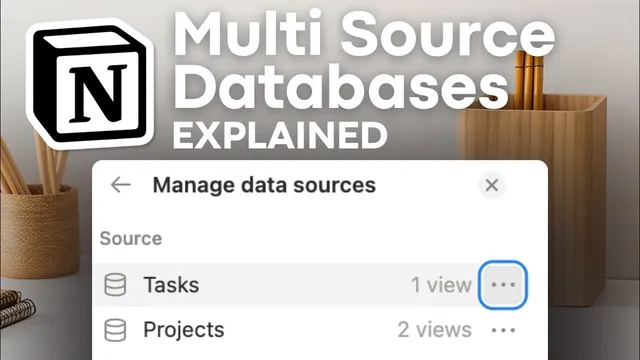
With multi-source databases, the structure adds an extra layer: one database container can house multiple data sources, each with its own schema and pages. In the walkthrough, a single “tasks” table view database is created, then a second data source named “projects” is added inside it. The result is a master database where “incomplete tasks,” “completed tasks,” and a projects dataset can coexist—yet each dataset remains distinct. To verify what’s inside, the workflow points to Settings → Manage data sources, where each data source’s available views are listed.
A key limitation matters for anyone hoping to build a “master calendar” or combine multiple calendars: multi-source databases do not allow multiple data sources to appear together in a single view. Each view is still tied to one data source. So while separate datasets can be consolidated into one database container, they can’t be merged into one unified view for cross-source display.
The guide also shows how to use multi-source databases in practice. Creating a multi-source database involves adding a new data source via the plus option inside the database. Views can be adjusted per data source (table, gallery, card preview styles, cover images). Relations can connect datasets across sources using a two-way relation property, letting tasks link to a specific project and reflecting that relationship in the related dataset’s pages.
Beyond creating new multi-source setups, existing databases can be linked or moved. Contacts can be linked as a “linked view” data source, and data sources can be moved into other master databases using the move option in Manage data sources. The walkthrough notes a common accidental pattern: if a database name includes multiple comma-separated titles, it often signals a multi-source database.
Despite the new capability, the recommendations are cautious. Multi-source databases can increase confusion, especially when managing multiple views and linked-view permissions. The advice leans toward keeping single-source databases for clarity, simpler relation debugging, and cleaner template architecture—illustrated with an “ultimate life planner” template that keeps one source per database rather than stuffing everything into one master container.
Cornell Notes
Multi-source databases let a single Notion database container hold multiple independent data sources—such as Tasks, Projects, and Contacts—each with its own properties and pages. The consolidation benefit is real: datasets that used to require separate databases can be merged into one “master” database, and relations can connect data across those internal sources. However, each view still belongs to one data source, so cross-source “combined views” (like a single master calendar) aren’t supported. Settings → Manage data sources is the main place to confirm what data sources and views a database contains. The guidance ultimately recommends using multi-source databases sparingly because they can make templates, permissions, and relations harder to reason about.
What changed in Notion’s database structure with multi-source databases?
Why can’t multi-source databases replace features like a “master calendar” view?
How does a user add multiple data sources into one database?
How do relations work between data sources inside a multi-source database?
What’s the difference between linking an existing data source and moving one?
Why does the guidance recommend avoiding multi-source databases for most people?
Review Questions
- In a multi-source database, what determines which pages appear in a given view?
- What limitation prevents combining multiple data sources into one calendar-style master view?
- When would linking an existing data source be preferable to moving it into a master database?
Key Points
- 1
Multi-source databases let one Notion database container hold multiple independent data sources (e.g., Tasks, Projects, Contacts) with separate properties and page sets.
- 2
Each view still belongs to one data source, so cross-source combined views (like a single master calendar) aren’t supported.
- 3
Use Settings → Manage data sources to verify which data sources and views a database contains.
- 4
Relations can connect internal data sources via two-way relation properties, enabling tasks to link to projects and vice versa.
- 5
Existing datasets can be added as linked views or moved into a master database using Manage data sources options.
- 6
Database names with comma-separated titles often indicate an accidental multi-source setup.
- 7
For most workflows, single-source databases may remain clearer for templates, permissions, and relation debugging.