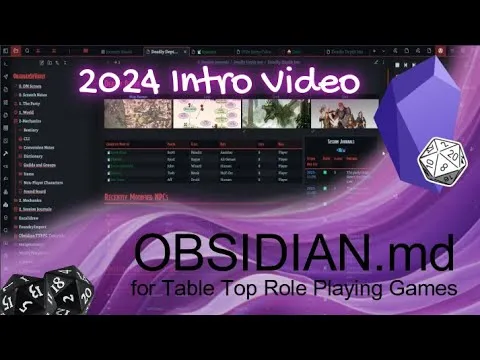
Obsidian - 2024 Intro for TTRPG and Worldbuilders
Based on Josh Plunkett's video on YouTube. If you like this content, support the original creators by watching, liking and subscribing to their content.
Obsidian MD is free to use as a core Markdown note app, with optional paid services for publishing and certain sync workflows.
Briefing
Obsidian MD is a free, cross-platform note system that turns TTRPG and worldbuilding record-keeping into a connected workflow—linking notes, visualizing relationships, and even driving live campaign tools like initiative and travel tracking. The core pitch is simple: instead of scattered documents, a “Vault” of Markdown text becomes a structured knowledge base where characters, locations, sessions, rules, and assets stay connected through links, properties, and plugins.
At the foundation, Obsidian works like a text notepad, but with Markdown formatting and fast linking between notes. Users can create folders, write and format content, and jump between related pages using square-bracket links. From there, the system adds layers that matter for tabletop play: graph views to visualize connections, canvas-style layouts to arrange ideas spatially, and community plugins that extend functionality. Syncing and publishing can involve paid options—Obsidian Publish is one route to publish a Vault as a website—but the underlying app remains free, and alternatives like Google Drive, OneDrive, GitHub, or network folders can handle hosting and synchronization without a subscription.
A campaign-management Vault demonstrates how these features come together. A homepage aggregates key links: characters, recently modified NPCs and locations, and a session journal list for quick retrieval of what happened. A map module adds zoomable location nodes; hovering reveals linked notes, and travel days can be computed so that changing a party configuration (for example, riding a sabertooth tiger) automatically updates travel time in the connected note. Another visualization approach uses Excalidraw-style canvases (the transcript names “excal drawer”) to lay out the world like a graph of ideas—bad guys, their roles, and where they are—while keeping everything tethered to the underlying notes.
Combat management is where the workflow becomes operational. With step blocks and stat blocks linked to rules and spells, monsters can be run directly from the Vault rather than pulled from printed manuals. Initiative can be rolled and ordered, damage applied, status effects tracked, and a player view can be displayed on a second screen. The transcript also highlights integration with character sheet tools: D&D Beyond Live syncing into Obsidian, with parallel options mentioned for Pathfinder 2e via Hero Lab Online or Demiplane. Note properties store variables like HP and AC, and those values can feed into initiative trackers automatically.
Templates and automation reduce repetitive prep. Users can drag notes into template buttons to create new locations or insert structured blocks like callout boxes and monster stat blocks. Automatic linking can also speed writing by turning typed terms into linked references via plugins. For worldbuilders, graph view can become a sprawling network of connections—useful for spotting structure, though potentially overwhelming.
The transcript also points to expanding tooling through plugins, including Metabond for interactive fields and calculators (examples include a Pathfinder DC calculator, crafting calculators, and jump calculations). For learning and support, it directs viewers to obsidian ttrpg tutorials, plus community help via Discord, an official Obsidian Discord, and a Patreon Vault with preconfigured plugins. The overall takeaway: Obsidian MD is positioned as a customizable, self-hostable system that makes campaigns and worlds easier to manage—without requiring a subscription to use the core app.
Cornell Notes
Obsidian MD is a free Markdown-based note app that becomes powerful for TTRPGs and worldbuilding once notes are linked, organized into a “Vault,” and enhanced with plugins. The transcript shows how campaign prep can be centralized: a homepage links to characters and session journals, maps connect locations to notes, and travel calculations update when party configuration changes. Combat management is handled through linked stat blocks and step blocks, with initiative tracking, damage, and status effects, plus a player view for second-screen play. Character sheet data can sync into the Vault (D&D Beyond Live is mentioned), and note properties can feed values like HP and AC into initiative. Templates and interactive plugin fields (Metabond) reduce repetitive work and enable calculators and trackers.
What makes Obsidian more than a basic notepad for tabletop and worldbuilding?
How does the “Vault” concept support campaign management?
What does the transcript show about maps and travel tracking?
How is combat run using Obsidian features mentioned in the transcript?
How do character sheets and note properties interact with gameplay trackers?
What role do templates and plugins play in speeding up prep and adding calculators?
Review Questions
- How do note links and note properties work together to keep campaign data consistent during play?
- Which features in the transcript would you prioritize first for running combat, and why (initiative, stat blocks, player view, or syncing)?
- What are the tradeoffs between using Obsidian Publish versus self-hosting/syncing with services like GitHub or Google Drive?
Key Points
- 1
Obsidian MD is free to use as a core Markdown note app, with optional paid services for publishing and certain sync workflows.
- 2
A “Vault” organizes plain-text notes into folders, and linking between notes turns scattered prep into a navigable knowledge base.
- 3
Campaign dashboards can be built by linking key pages like characters, locations, and session journals from a homepage.
- 4
Maps and travel modules can be configured so that changing party configuration updates travel time in connected notes.
- 5
Combat can be managed with linked step blocks and stat blocks, including initiative ordering, damage application, and status-effect tracking.
- 6
Character sheet syncing (D&D Beyond Live is mentioned) plus note properties (HP/AC) can feed values directly into initiative trackers.
- 7
Templates and plugins like Metabond reduce repetitive prep and enable interactive calculators and trackers.