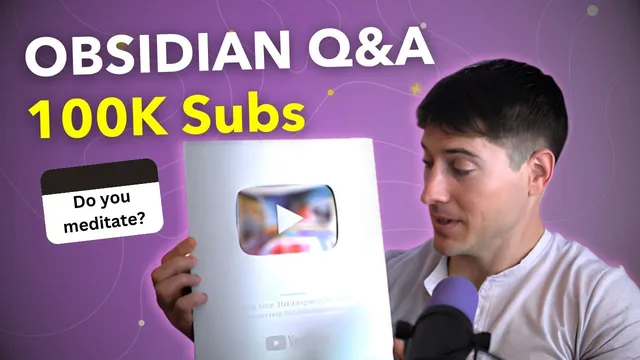
Obsidian App Q&A - 100K Subscribers!
Based on Linking Your Thinking with Nick Milo's video on YouTube. If you like this content, support the original creators by watching, liking and subscribing to their content.
Capture attention immediately by turning a “spark” into a note, then structure it as a remark (“that’s interesting because…”) plus a relationship (“that relates to…”).
Briefing
The celebration centers on a milestone—100,000 subscribers—and turns that momentum into a practical, wide-ranging Q&A about using Obsidian for capturing ideas, organizing notes, and turning knowledge into writing. Nick Milo frames the channel’s purpose as helping people manage thoughts and ideas with meaningful notes, then dives into more than 20 audience questions that collectively map out a workflow: capture what sparks attention, connect it to related ideas, and make those connections searchable and usable later.
A recurring theme is that “notes” should start as raw attention, not polished output. For writing notes about other people’s ideas without copying, the simplest method is to capture the “spark” immediately, then convert it into two parts: a remark (finish “that’s interesting because…”) and a relationship (finish “that relates to…”). The payoff is visible linking—connecting notes to each other so thinking becomes traceable rather than trapped in isolated snippets.
Several questions focus on making notes easier to reuse outside Obsidian. For example, inline square brackets in Markdown can look messy when copied into other documents; switching to Obsidian’s reading/preview mode allows clean copying without the bracket artifacts. For even cleaner results, a “paste without formatting” approach is recommended using platform-specific shortcuts (e.g., Shift/Option/Command/V on Mac, and Shift/Alt/Ctrl/V on Windows), which strips link formatting so pasted text matches the destination environment.
The Q&A also tackles how to return to notes and keep ideas flowing. A home note plus an “add recent notes” workflow helps bring back what was last worked on, while an ARC framework—“add, relate, communicate”—is used to move ideas through space and time by linking floating notes into a developing structure. Related questions show how Obsidian Publish supports discoverability: it can search page names and headings (not full text across all notes), so structuring notes with meaningful headings becomes important.
On the technical and customization side, the session covers hotkeys and UI controls: zooming in/out on Mac uses Command plus/minus; toggling fold/indent behavior is handled via editor settings; and the hotkey list can be inspected in Obsidian settings or via a third-party plugin called Keyboard Analyzer, which helps map or audit shortcuts. For graph navigation, a “local graph” view can be opened through the command palette (or via Idea verse Pro hotkey mapping), showing connections centered on “home.”
Organization questions emphasize tags as a search accelerator once note volume grows. Tags can be nested, displayed via the Tags core plugin, and used to power saved searches (queries) so relevant note sets populate automatically. Linking alone can work, but tags provide cleaner retrieval when many notes share themes.
Finally, the Q&A addresses publishing and security. Obsidian Publish can serve as a blog with custom URLs, and file protection is handled through end-to-end encryption; for stronger local-device threat models, a plugin called meld encrypt can create encrypted notes inside a vault. The session ends by encouraging another Q&A/AMA as the channel approaches 200,000 subscribers and points viewers to a free course on managing life with Idea verse for Obsidian.
Cornell Notes
A milestone subscriber celebration becomes a practical Obsidian Q&A focused on turning raw ideas into a system you can return to, search, and repurpose. The core workflow is to capture the “spark” in a note, then convert it into a remark (“that’s interesting because…”) and a relationship (“that relates to…”), ideally linking notes so thinking stays visible. Organization advice stresses tags (and saved searches/queries) for fast retrieval as note libraries grow, while linking helps connect content but can get messy at scale. Multiple questions also cover usability: clean copying from Obsidian, preview/reading mode, paste-without-formatting shortcuts, hotkey discovery, local graph toggling, and what Obsidian Publish can search (page names and headings, not full text). Security and publishing are addressed too: Obsidian encryption is built in, with meld encrypt as an extra option for encrypted notes.
How can someone write notes about other people’s ideas while keeping them personal instead of copying?
What’s the simplest way to avoid messy Markdown brackets when copying notes into other documents?
How does the ARC framework help someone return to notes and keep ideas moving?
What can Obsidian Publish search, and what does it not search?
Why use tags if links already connect notes?
What options exist for password-protecting notes in Obsidian?
Review Questions
- When you capture a “spark” in a note, what two prompts (and outputs) turn it into a usable remark-and-relationship entry?
- What’s the difference between what Obsidian Publish can search (page names/headings) versus what it can’t (full text across all notes)?
- In what situations do tags outperform links for finding notes, and how do saved searches/queries change the workflow?
Key Points
- 1
Capture attention immediately by turning a “spark” into a note, then structure it as a remark (“that’s interesting because…”) plus a relationship (“that relates to…”).
- 2
To write about others’ ideas without copying, finish the remark and relationship prompts and link the note to related notes to make thinking visible.
- 3
When copying notes for external writing, use Obsidian’s reading/preview mode to avoid inline bracket artifacts, and use paste-without-formatting shortcuts to strip link formatting.
- 4
Return to notes by using a home note plus an “add recent notes” workflow, then apply an ARC cycle: add, relate, communicate to keep ideas developing.
- 5
Obsidian Publish search works best with page names and headings; design notes with clear headings if searchability matters.
- 6
Tags speed up retrieval at scale by enabling one-click filtering and saved searches/queries, even when links already connect notes.
- 7
Obsidian encryption is built in, and meld encrypt offers encrypted notes for stronger local-device threat models.