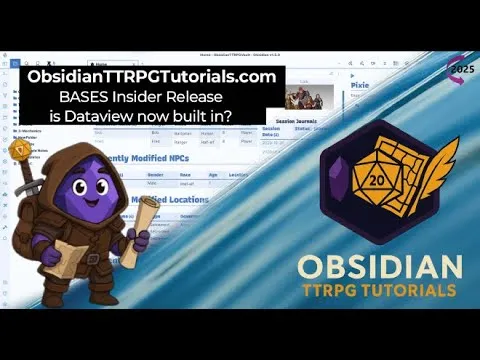
Obsidian - Bases Insider Release (2025)
Based on Josh Plunkett's video on YouTube. If you like this content, support the original creators by watching, liking and subscribing to their content.
Bases introduces dynamic, property-driven tables inside notes with multiple named views that can be switched via UI controls.
Briefing
Obsidian’s Bases insider release brings “dynamic tables” directly into notes—letting users build multiple filtered, clickable views without writing DataView-style queries. The core shift is that a single Bases block can host several named views (with their own filters, sorting, and column choices), and the results update instantly as underlying note properties change. For TTRPG and other knowledge-base workflows, that means dashboards like “recently modified,” “party members,” or “hubs in this region” can become interactive menus rather than static query outputs.
The release is positioned as a blend of DataView and database-table concepts. Instead of hardcoding one query per table, Bases lets users define a table layout inside a “base” file type (or inline base blocks) and then configure views within it. Users can switch between views using buttons or dropdown-style controls, with filters scoped either to a single view or to all views in a group. In the demo, a “recently modified” view shows the last 10 items, while other views can target specific folders and property conditions—such as limiting results to notes inside “two-world hubs” or “two-world places.”
A key usability detail is how Bases handles properties. Users can add columns by selecting existing note properties (like “folder,” “created time,” “modified time,” or custom properties such as “Obsidian UI mode”) and can also add formula-based properties. The interface also supports searching and dragging properties into the table, avoiding the friction of query syntax. Previewing page content requires holding Control for now, tied to Obsidian’s core “page preview” behavior, indicating the feature is still early and not fully integrated into defaults.
Creating Bases is straightforward: right-click a folder to create a new base file, or insert an inline base block by typing “base” in a note. The demo shows that Bases can be dragged into Canvas and even embedded into Excalidraw, with partial editability—useful for building visual dashboards and planning boards. Performance is repeatedly described as “snappy,” with updates feeling faster than traditional DataView tables on large notes.
The roadmap signals where this could go next: a Bases API for plugin developers, additional view types beyond tables (lists, cards), aggregation functions (sum/average), and native Obsidian Publish support. The presenter also flags likely gaps—especially around image handling (cards and image properties), and the current limitation that option pickers may only show values already used in the vault’s properties. There’s also interest in more dynamic option selection, such as choosing from a folder-derived set of items.
Overall, Bases is presented as a practical replacement for DataView tables and database-folder-style workflows, particularly for users who want interactive, property-driven dashboards without learning query-heavy approaches. It’s currently available through Obsidian Insider, with the expectation that plugin and theme ecosystems will need time to adapt.
Cornell Notes
Bases is an Obsidian Insider feature that turns “dynamic tables” into first-class note components. A single Bases block can contain multiple named views, each with its own filters, sorting, and columns, so users can switch dashboards via buttons/dropdowns instead of writing separate DataView queries. Columns can be built from existing note properties, and formula properties enable calculated fields. Bases can be created as a separate “base” file type or embedded inline in a note, and it updates reactively when underlying properties change. The roadmap points to an API, new view types like cards, aggregation functions, and native Obsidian Publish support—suggesting it may replace many DataView table use cases while leaving deeper DataView.js-style automation to other tools.
How does Bases change the way users build dynamic lists compared with DataView?
What does “views” mean inside a Bases block, and how are filters scoped?
How are table columns populated in Bases?
What’s the difference between creating Bases as a separate file versus embedding it inline?
How does Bases handle preview and embedding in other Obsidian surfaces?
What future capabilities are hinted by the Bases roadmap?
Review Questions
- What mechanisms in Bases let users switch between multiple filtered dashboards without writing multiple separate queries?
- How does Bases populate selectable filter options and what limitation does the demo suggest about unused property values?
- Which roadmap items would most directly affect how Bases is used for visual dashboards (e.g., cards, images, Publish support)?
Key Points
- 1
Bases introduces dynamic, property-driven tables inside notes with multiple named views that can be switched via UI controls.
- 2
Each view can have its own filters, sorting, and columns, with “all views” vs “this view” scoping for filter rules.
- 3
Table columns are built by selecting existing note properties (including custom properties), reducing reliance on query syntax.
- 4
Bases can be created as a separate base file type or embedded inline using a “base” block, and edits can be made in real time via source mode.
- 5
Bases updates are described as highly responsive compared with traditional DataView table refresh behavior on large notes.
- 6
Preview behavior currently requires holding Control, indicating the feature is still early and not fully integrated into default hover preview.
- 7
The roadmap points to a plugin API, new view types (including cards), aggregation functions, and native Obsidian Publish support.