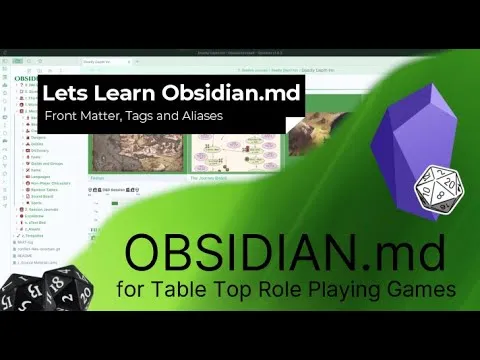
Obsidian - Front Matter, Tags and Aliases
Based on Josh Plunkett's video on YouTube. If you like this content, support the original creators by watching, liking and subscribing to their content.
Front matter (YAML) must be placed at the very top of an Obsidian note and is bounded by --- delimiters.
Briefing
Front matter in Obsidian turns plain notes into searchable, filterable data by attaching metadata—often written in YAML—directly to the top of each note. That metadata can then power instant lists, tables, and navigation workflows, such as pulling up every “spell” note or every note with a specific tag and category. The practical payoff is huge for tabletop RPG prep: instead of manually hunting through hundreds of notes, metadata lets the vault answer questions like “show me all conjuration spells” or “list all locations of type X.”
Obsidian hides front matter in live preview by default, but it can be shown via Settings → Editor → “Show front matter.” Front matter is defined by a block that must sit at the very top of the note, bounded by three dashes (---) at the start and end. Inside that block, key-value pairs act like variables: for example, note type: junk assigns a value (“junk”) to a variable (“note type”). Those values become metadata that can be queried later. The tutorial demonstrates how Data View queries can automatically generate lists based on front matter fields—such as listing notes where tag one is present and note type equals junk—then shows how adding matching front matter to a new note makes it appear immediately in the query results.
Beyond single values, the metadata model supports arrays (multiple values under one key) and aliases. Arrays let one field hold several items (e.g., key3 with values 1, 2, 3), while aliases provide alternate names that still link to the same note. This matters in RPG workflows where entities have multiple common names: a Goblin note can be linked by “Goblin” but also by “goblins,” and a blacksmith note can be reachable via the names of NPCs associated with it. Aliases also pair with Obsidian’s linking behavior—using a pipe in a link can display a different label than the underlying note name.
Tags are the other major metadata tool. They can be written as hashtags in the note body and also stored in front matter (e.g., tags: [tag1, tag2]). Obsidian’s Tags panel (enabled via the Tags core plugin) provides a vault-wide index of tags, letting users click a tag like “Spells” and jump to all notes carrying it. Data View can further combine tags with other filters, such as “tag one” plus note type equals junk, and can render results as tables.
The most advanced examples use Data View to pull structured information into wiki-style tables and “info boxes” inside notes, referencing other fields via expressions like this.key2. This enables templates where a single update in front matter can propagate across many notes—useful for location or settlement sheets that share a consistent layout. The tutorial also warns about performance: large Data View queries can take seconds or even freeze systems for longer periods. Finally, it cautions that front matter should stay simple—prefer single-word values or carefully quoted strings—because unescaped quotes or complex text can break YAML formatting and invalidate the metadata.
Cornell Notes
Front matter in Obsidian attaches YAML metadata to the top of a note, turning it into structured data that Data View can query. Key-value fields (like note type: junk) act as variables, enabling filters such as “show all notes where note type equals junk” and “tag one is present.” Metadata can also include arrays (multiple values), aliases (alternate names that still link to the same note), and tags (hashtag-style or stored in front matter). With Data View, those fields can generate lists and even tables—powerful for tabletop RPG prep like building an A–Z index of spells. The tradeoff is complexity and performance: large queries can slow rendering, and complex front matter text can break YAML if quotes aren’t handled carefully.
Why does front matter matter for tabletop RPG note management?
What structural rule governs where front matter must appear in an Obsidian note?
How do variables and arrays differ in Obsidian front matter?
How do aliases help when RPG entities have multiple names?
What’s the practical difference between tags and front matter fields?
What are the main risks when using Data View heavily with front matter?
Review Questions
- What delimiters and placement rules define a valid front matter block in Obsidian?
- Give one example of how a Data View query can combine multiple metadata conditions (e.g., a tag plus a front matter field).
- When would you prefer aliases over tags for RPG note linking?
Key Points
- 1
Front matter (YAML) must be placed at the very top of an Obsidian note and is bounded by --- delimiters.
- 2
Metadata fields in front matter act like variables, enabling Data View queries such as listing notes where note type equals a specific value.
- 3
Arrays allow one front matter key to store multiple values, while aliases provide alternate names that still link to the same note.
- 4
Tags can be written as hashtags or stored in front matter, and the Tags core plugin provides a vault-wide tag index for navigation.
- 5
Data View can generate both lists and tables from front matter and tags, supporting RPG workflows like spell indexes and filtered categories.
- 6
Heavy Data View usage can slow note rendering or disrupt performance, especially with large queries across many notes.
- 7
Keep front matter values simple or properly quoted to avoid YAML invalidation from special characters or mismatched quotes.