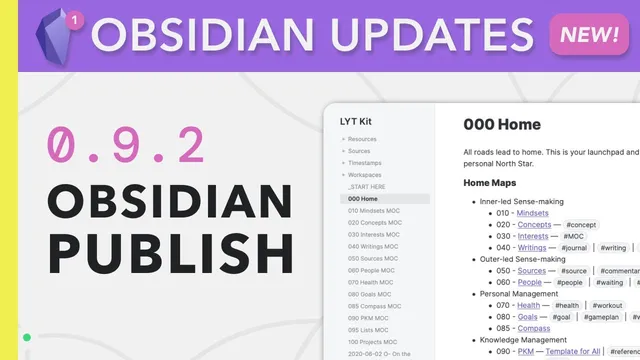
Obsidian Publish — The World is Your Oyster
Based on Linking Your Thinking with Nick Milo's video on YouTube. If you like this content, support the original creators by watching, liking and subscribing to their content.
Obsidian Publish publishes selected Obsidian vault files to the web while preserving the same linked structure used offline.
Briefing
Obsidian Publish turns a plain-text Obsidian vault into a live, linked website with the same internal structure as offline notes—so ideas don’t just go online, they keep their connections. The practical payoff is speed: select a folder or files, hit publish, and updates propagate to the web after a short delay, letting writers iterate without rebuilding pages in Squarespace, Wix, or WordPress.
Setup starts with enabling the feature in Obsidian: the account needs Obsidian version 0.9.2 or higher, insider builds must be activated, and the Publish plugin is toggled on. Once enabled, a new “airplane” publish option appears. From there, users configure site settings such as the site name, the home page file (e.g., “start here”), and display options like light mode and navigation. A site ID—part of the URL—can be edited using letters, numbers, and dashes. After clicking publish, the system loads the site and reflects changes; in the demo, only the note that had been updated was re-published, while the rest stayed unchanged.
On the web, the result isn’t a static document dump. Each note gets its own unique URL, and the site preserves Obsidian’s linked structure: a graph view can be shown, a table of contents lists headers, and clicking through notes follows the same network of internal links. The presenter demonstrates starting from a home note, drilling into concepts, then into a specific topic (like “flow”), where linked notes open and remain navigable. This makes it easier for others to browse someone’s thinking as a connected system rather than as isolated posts.
The workflow also enables “Andy Matushak-style” browsing: notes open in a panel/sleeve, and readers can keep clicking through related notes while using shift + scroll to move back and forth. The transcript notes that this style has been around since at least 2019, and while the output may not look as polished as Matushak’s, Publish provides the same core interaction pattern—turning a personal knowledge base into something others can explore.
Beyond personal sharing, Publish supports structured, choose-your-own-adventure experiences. A “flow creation” map of content is used as an example: readers start at a main node, select a path (e.g., “flow creation theory”), and then follow links into troubleshooting content built around the four factors of flow. The example is framed as a practical guide—if someone struggles with flow, the content helps diagnose likely causes (like lack of direction/goals) and then offers prescriptive next steps.
Privacy and cost come up as the main concerns. The transcript says Publish is intended for people who don’t want to code or manage websites, and that notes remain private unless explicitly selected for publishing (with an optional “separate vault” approach for extra safety). For pricing, the app’s core functionality stays free; Publish is positioned as a paid add-on. The immediate option described is a one-time $25 “catalyst” payment, with a longer-term expectation of a monthly cost. The overall message: Publish lets users share linked ideas quickly, keep them editable, and turn offline note networks into web-accessible knowledge bases without web-building overhead.
Cornell Notes
Obsidian Publish lets users publish plain-text Obsidian notes as a live website that preserves the same linked structure as an offline vault. After enabling the Publish plugin (Obsidian 0.9.2+ and insider builds), users configure a site name, home page, display options, and a site ID for the URL, then publish selected files or folders. Published notes gain unique URLs, a table of contents, optional graph navigation, and a browsing experience that follows internal links—similar to how Andy Matushak’s notes are navigated. This enables sharing connected thinking, creating choose-your-own-adventure style knowledge maps, and updating content quickly by re-publishing only changed notes. The transcript also addresses privacy (notes stay private unless selected) and pricing (a $25 catalyst option now, with a likely future monthly add-on model).
What exactly changes when notes move from an offline Obsidian vault to Obsidian Publish?
How does someone configure and publish a site in Obsidian Publish?
What does “linked ideas” mean in practice for readers browsing someone else’s notes?
How can Publish support interactive content like a choose-your-own-adventure?
How does updating work after initial publication?
What privacy and cost concerns are addressed?
Review Questions
- What site settings (home page file, site ID, display options) must be configured before publishing, and why does the site ID matter?
- How do unique note URLs and internal links change the way readers navigate a knowledge base compared with a static website?
- In the flow creation example, how do linked choices lead to troubleshooting and prescriptive content?
Key Points
- 1
Obsidian Publish publishes selected Obsidian vault files to the web while preserving the same linked structure used offline.
- 2
Publishing requires Obsidian version 0.9.2 or higher, insider builds enabled, and the Publish plugin toggled on.
- 3
Site setup includes choosing a home page file, display options (like light mode), navigation/graph visibility, and a site ID that becomes part of the URL.
- 4
Published notes get unique URLs and can be browsed through internal links, including a panel-style navigation flow compared to Andy Matushak’s note experience.
- 5
Updates can be incremental: re-publishing propagates changes, and only modified notes may need updating.
- 6
Publish supports interactive knowledge maps, including choose-your-own-adventure style paths built from linked notes.
- 7
Privacy is managed by publishing only selected notes/folders; an optional separate-vault approach adds extra safety.