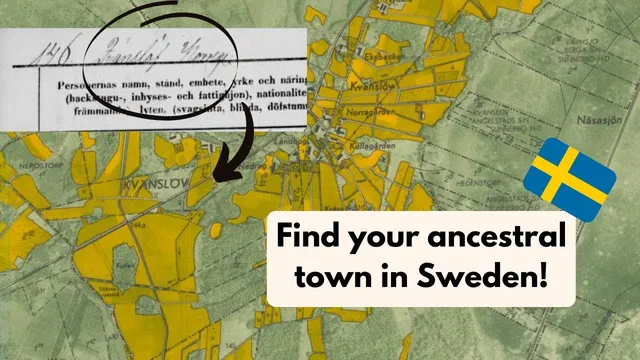
OLD MAPS for Swedish Genealogy!
Based on Roam Your Roots's video on YouTube. If you like this content, support the original creators by watching, liking and subscribing to their content.
Cartbuild is positioned as a go-to mapping resource for Swedish genealogy when ancestors’ localities aren’t discoverable on Google Maps.
Briefing
Swedish genealogy often stalls when ancestors’ village names don’t appear on modern maps. Cartbuild is presented as a solution: a mapping site that lets researchers overlay historical Swedish maps with modern satellite imagery, making it easier to locate tiny, obscure localities referenced in Swedish household examination records.
The walkthrough begins at cartbuild.com, where users can switch between multiple map layers—an aerial view from around 1975, maps from 1960, and even much older options such as 1626 and 1881. The key value is the ability to zoom into extremely detailed views and then compare them against present-day geography. The most emphasized layer is “Echo Karta,” described as especially useful for finding place names that are either missing from Google Maps or no longer exist in recognizable form.
A standout feature is the side-by-side comparison tool. By splitting the screen, users can view an older map on one side and a modern satellite map on the other, then scroll to check how roads and settlement layouts align across time. The transcript highlights the accuracy of these overlays—roads are said to line up “perfectly,” which helps researchers translate historical descriptions into locations they can actually navigate today.
The guide also covers practical navigation tools. Users can jump to a specific point using latitude and longitude. To obtain those coordinates, the transcript suggests using Google Maps: right-click a pin, copy the latitude/longitude, then paste it into Cartbuild to land at the exact spot. There’s also a location-based “hop over” option that, with permission, can center the map on where a user is located—useful for comparing historical layers to one’s current position in Sweden.
For research organization, Cartbuild includes annotation tools. Users can draw lines on the map, add “location notes” tied to specific points (for example, labeling a spot as “grandpa’s farm 1881”), and toggle notes on or off to view the underlying map cleanly. Notes can also be rearranged, and the interface provides controls to remove drawn elements or notes.
A caution is delivered near the end: it’s unclear how long maps and annotations persist inside Cartbuild. The recommendation is to do the mapping work in one session and then transfer results to Google My Maps so the information is preserved long-term. The transcript also mentions a “save” function that outputs a file format the narrator doesn’t fully understand, so it’s skipped.
Overall, the central takeaway is that Cartbuild’s historical-to-modern overlays, coordinate search, and note-taking tools create a workflow tailored to Swedish household examination records—especially when Google Maps can’t find the places genealogists need most.
Cornell Notes
Cartbuild is presented as a mapping tool for Swedish genealogy that helps researchers locate historical localities referenced in household examination records. Its main strength is the ability to overlay old Swedish maps (including layers from 1960, 1975 aerial views, and even 1626) with modern satellite imagery, with tools that show how roads and settlement layouts line up. Users can also navigate by latitude/longitude, using coordinates copied from Google Maps, and then jump to the exact spot in Cartbuild. The platform supports annotations like drawn lines and location notes tied to specific points. Because it’s unclear how long work is retained, the transcript recommends transferring maps and notes to Google My Maps for long-term preservation.
Why does Cartbuild matter for Swedish genealogy when Google Maps fails?
What makes Cartbuild’s map overlays useful in practice?
How can a researcher jump to a specific place using coordinates?
What annotation tools help organize genealogical mapping work?
What data-preservation risk is mentioned, and what workaround is recommended?
Review Questions
- How does the side-by-side overlay feature help confirm where a historical locality is located on today’s map?
- What steps are needed to use latitude/longitude in Cartbuild, and where do those coordinates come from?
- What precautions should be taken regarding saving and transferring work from Cartbuild?
Key Points
- 1
Cartbuild is positioned as a go-to mapping resource for Swedish genealogy when ancestors’ localities aren’t discoverable on Google Maps.
- 2
Multiple historical layers are available, including maps from 1960 and aerial imagery from about 1975, plus older layers such as 1626 and 1881.
- 3
Echo Karta is singled out as especially effective for locating place names tied to Swedish household examination records.
- 4
The dual-map split view enables direct comparison between historical maps and modern satellite imagery, with road alignment used as a validation signal.
- 5
Researchers can navigate precisely by copying latitude/longitude from Google Maps and pasting it into Cartbuild’s coordinate “go to” tool.
- 6
Cartbuild supports genealogical organization through drawn lines and location notes that can be toggled on/off and repositioned.
- 7
Because long-term saving in Cartbuild is uncertain, transferring work to Google My Maps is recommended for preservation.