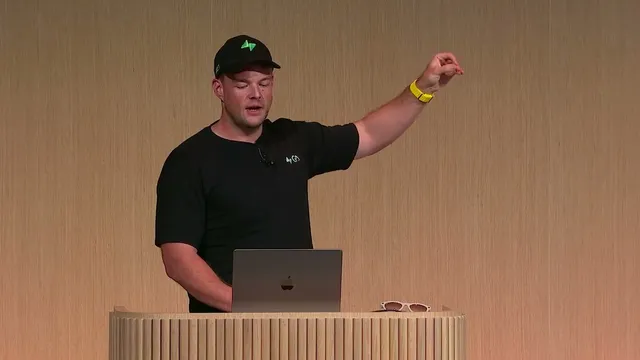
OpenAI DevDay 2024 | Community Spotlight | Supabase
Based on OpenAI's video on YouTube. If you like this content, support the original creators by watching, liking and subscribing to their content.
Supabase’s playground turns chat into a real PostgreSQL sandbox by running a disposable Postgres instance in the browser.
Briefing
Supabase is pitching an AI-powered PostgreSQL playground that lets a model run real database operations end-to-end inside the browser—turning “code interpreter” style autonomy into SQL and migrations. The core idea is simple: give the model full control over a disposable in-browser Postgres instance, so it can chain multiple SQL steps without waiting for a human to click through each action. That autonomy is powered by tool calling, which lets the model invoke database operations and other app-like behaviors as structured functions, with guardrails like a maximum step limit to prevent runaway loops.
In a live demo, the workflow starts by having the model obtain the database schema, then generate SQL to “track some movies,” and immediately execute that SQL against the in-browser database. The system returns query results and an updated schema back to the model, which then streams a confirmation such as creating a movies table. A final tool call renames the conversation, showing how chat state and database state can stay synchronized through the same tool mechanism.
Under the hood, the setup relies on the Vercel AI SDK and a tool-call schema defined in TypeScript. A tool-calling hook sanitizes responses and returns query results to the model. The key operational detail is that tool calls happen back-to-back: the model requests schema context, issues SQL, receives results, and continues—while the client-side database (Postgres running in the browser via PG light and WM) provides a safe sandbox that avoids data-loss concerns.
The autonomy isn’t just about running SQL. Error handling is also routed through the model: if Postgres returns SQL errors, those messages are fed back so the model can attempt additional fixes. Supabase also adds built-in vector capabilities using PG vector and Transformers Js, enabling embedding generation for movie titles and storing them in a separate table. With embeddings in place, the demo switches to semantic search—asking for “a movie about Batman”—and uses cosine distance over vector embeddings to return related titles.
To make the experience feel like a full product rather than a raw SQL console, the UI actions are implemented as tool calls too. Clicking an interface control sends a chat message, and the model performs the underlying steps. Charts are another example: using Chart.js, GPT-4o can generate and customize chart configurations (type, axes, colors) as long as Chart.js supports the options.
Supabase closes with traction and product direction: more than 60,000 users signed up in three months, plus a newly launched “live share” feature that connects to an in-browser database from any Postgres client. The takeaway is that combining tool calls with full database access creates a powerful PostgreSQL sandbox—useful for rapid iteration, but with a practical warning that UI-driven automation can be costly if not managed.
Cornell Notes
Supabase’s AI-powered PostgreSQL playground lets a model directly control a disposable Postgres instance running in the browser. Tool calling is the mechanism that grants that autonomy: the model can fetch schema, generate SQL, execute it, and then continue based on results—often chaining multiple steps in one flow. The system also supports self-healing by feeding SQL errors back to the model for additional attempts. Beyond SQL, it adds vector embeddings via PG vector and Transformers Js to enable semantic search using cosine distance, plus UI-like features such as Chart.js-driven chart generation. The result is a “Postgres code interpreter” experience that feels interactive while still operating on real database state.
How does the playground give an AI model “autonomy” over PostgreSQL without risking real data?
What role do tool calls play in turning chat into database actions?
How does the system handle mistakes when generated SQL fails?
How are semantic search and embeddings implemented in the playground?
Why does the demo emphasize UI actions implemented as tool calls?
What does GPT-4o contribute to chart creation in this setup?
Review Questions
- What specific sequence of tool calls occurs when the model creates the movies table, and what data is exchanged between the model and the database at each step?
- How do PG vector and cosine distance work together with embeddings generated by Transformers Js to power semantic search?
- What mechanisms prevent tool-call workflows from running indefinitely, and how does error feedback improve reliability?
Key Points
- 1
Supabase’s playground turns chat into a real PostgreSQL sandbox by running a disposable Postgres instance in the browser.
- 2
Tool calling is the core mechanism that lets the model chain schema reads, SQL execution, and follow-up actions without manual step-by-step interaction.
- 3
The workflow loops through results: query outputs and updated schema are returned to the model so it can generate the next SQL step.
- 4
SQL errors are routed back to the model to enable iterative “self-healing” attempts rather than failing immediately.
- 5
Vector search is integrated using PG vector plus embeddings generated with Transformers Js, enabling semantic search via cosine distance.
- 6
UI actions and chart customization are implemented as tool calls, letting the model drive both database operations and front-end behaviors.
- 7
Automation can improve UX and iteration speed, but it may increase cost—so tool-driven actions should be used with care.