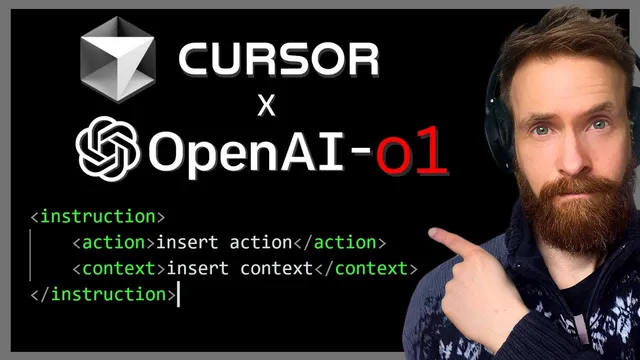
OpenAI-o1 x Cursor | Use Cases - XML Prompting - AI Coding ++
Based on All About AI's video on YouTube. If you like this content, support the original creators by watching, liking and subscribing to their content.
o1 mini is best used for large, one-shot coding outputs because its 64K output token limit supports generating many files and big refactors quickly.
Briefing
OpenAI o1 mini is positioned as a high-output “bulk work” coding model inside Cursor—especially when paired with tightly structured prompts using XML tags—while Claude 3.5 Sonnet remains the faster, more reliable default for day-to-day fixes and debugging. The practical takeaway is a workflow split: use o1 mini when you need large refactors, big project scaffolding, or one-shot generation of many files; switch to Claude 3.5 Sonnet for smaller tasks, iteration, and troubleshooting.
A Reddit-style comparison discussed in the transcript frames the tradeoff clearly. Claude 3.5 Sonnet is described as the better daily driver due to speed and reliability, but o1 mini’s standout advantage is its 64K output token limit. That larger output budget enables generating substantial code changes in only a few shots—such as large refactors or re-architecting efforts—without forcing the user to create lots of separate files manually. The transcript also notes that o1 mini’s downside is operational: it demands very specific prompting. If instructions are vague, the model’s long thinking time becomes painful, and waiting for chain-of-thought-style reasoning can waste time when the prompt is wrong.
Cursor is then used as the control surface for this prompting strategy. The workflow centers on Cursor “Rules for AI,” plus optional project-specific rules files, to automatically wrap user instructions in XML tags. The user tests this by asking Cursor to generate a Python terminal app that scrapes the top 10 Hacker News posts and renders them in a retro terminal style using BeautifulSoup (bs4) and the rich library. After Cursor rewrites the prompt into structured XML sections (including description, requirements, and step-by-step action), o1 mini is used to generate the project scaffolding and files. The initial run produces an app shell, but missing content is corrected by switching to Claude 3.5 Sonnet for targeted debugging within the codebase—after which the terminal app successfully displays the Hacker News titles and links.
A second example pushes the “bulk generation” angle further: o1 mini is used to create a very large folder structure with many backend and frontend files (middleware, chat controllers, routes, services, UI components, styles, and more). The transcript credits the 64K output window for making this kind of one-shot scaffolding feasible, since the model can emit a large set of files and placeholders quickly. Claude 3.5 Sonnet is again used afterward for the smaller follow-up work—filling in placeholder code and refining behavior.
Finally, the transcript describes a real productivity win: a Node script pipeline that updates a React website’s “latest videos” section. Instead of manually editing a JSON structure containing title, description, and iframe embeds, the user builds an “add video” command that takes a YouTube URL and title, calls an OpenAI model (GPT-4o mini is mentioned) to generate a concise description from the title, writes the resulting JSON, and updates the site. A quick test inserts new videos into the website automatically, turning a previously annoying manual process into a repeatable command-line workflow. The overall message: XML-structured prompts plus o1 mini’s large output capacity are a strong match for large, one-shot code generation, while Claude 3.5 Sonnet remains the dependable tool for iterative debugging and smaller tasks.
Cornell Notes
The transcript lays out a practical coding workflow in Cursor that pairs o1 mini with XML-structured prompts for large, one-shot outputs, while keeping Claude 3.5 Sonnet as the default for speed and debugging. o1 mini’s key advantage is a 64K output token limit, which makes it easier to generate big refactors and large folder/file scaffolds in only a few attempts. The tradeoff is that o1 mini is less forgiving: prompts must be specific, or long thinking time turns into wasted effort. Cursor “Rules for AI” are used to automatically wrap instructions in XML tags, improving instruction clarity for the model. The approach is validated through examples: generating a Hacker News scraper app, scaffolding a large project structure, and building a command-line script that updates a React site’s latest videos section using LLM-generated descriptions.
Why does o1 mini work well for “bulk” coding tasks in Cursor, and what limitation forces a different approach for smaller work?
How do XML tags and Cursor rules change the prompting process in this workflow?
What does the Hacker News scraper example demonstrate about switching models during development?
How does the transcript use o1 mini to handle large project scaffolding, and why is the 64K output window central?
What real-world automation is built at the end, and how does the LLM fit into it?
Review Questions
- When should a developer prefer o1 mini over Claude 3.5 Sonnet in this workflow, and what specific capability makes that choice practical?
- What kinds of prompt failures are most costly with o1 mini, and how does XML structuring mitigate that risk?
- Describe the end-to-end pipeline for adding a YouTube video to the React site—what inputs are required, what the LLM generates, and where the output is stored.
Key Points
- 1
o1 mini is best used for large, one-shot coding outputs because its 64K output token limit supports generating many files and big refactors quickly.
- 2
Claude 3.5 Sonnet remains the preferred day-to-day model for speed and reliability, especially for smaller tasks and debugging.
- 3
o1 mini requires highly specific prompts; vague instructions can waste time due to longer thinking and slower iteration.
- 4
Cursor “Rules for AI” can automatically wrap prompts in XML tags, producing clearer scope, requirements, and action steps for the model.
- 5
A practical workflow is to generate scaffolding and bulk code with o1 mini, then switch to Claude 3.5 Sonnet for targeted fixes within the existing codebase.
- 6
Large project scaffolding becomes feasible by prompting o1 mini to create full folder/file structures with placeholder content, then filling in details later.
- 7
Command-line automation can replace manual website updates by using an LLM to generate video descriptions from titles and writing the resulting JSON used by the React UI.