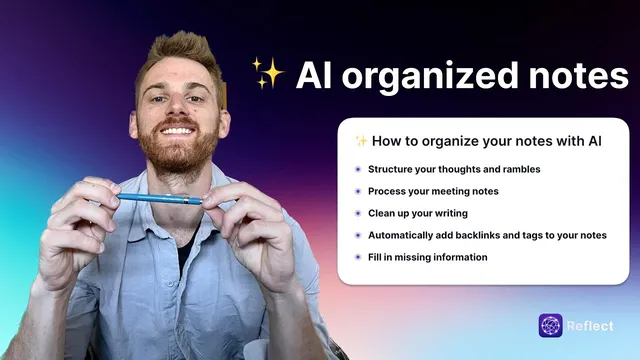
Organize your notes using AI (productivity hack)
Based on Reflect Notes's video on YouTube. If you like this content, support the original creators by watching, liking and subscribing to their content.
Use Reflect’s AI palette editor (Command J) to run prompts on highlighted note text and replace messy content with structured outputs.
Briefing
AI can turn messy, unstructured note-taking into clean, searchable notes by automatically extracting key ideas, organizing meeting content, improving writing quality, and adding structure like backlinks and tags. The biggest payoff is speed: instead of manually rewriting rambling thoughts, formatting meeting minutes, or remembering what to tag, a set of AI prompts can reshape raw notes into usable outlines.
The workflow starts with “structuring thoughts and rambles.” For voice notes, a prompt in Reflect’s AI palette editor (opened with Command J) can convert a free-form idea into a set of bullet-point key takeaways. The transcript describes using a system prompt that already exists in Reflect, then optionally swapping in a custom prompt that produces more detailed bullets. The result is a concise version of a concept that can be referenced later or turned into a longer piece.
Next comes meeting-note processing, using a custom “executive assistant” prompt. The approach combines quick, in-the-moment bullet notes with a short post-call audio memo (about 30 seconds to a minute) describing what happened and what needs attention. After highlighting the combined text and running the prompt, the AI outputs a structured markdown outline with distinct sections: meeting takeaways (at least three items), action items the note-taker must do, action items for other people, and next steps. For team leads or anyone with frequent meetings, the practical value is turning scattered notes into an organized checklist.
Writing cleanup is handled with a copy-editor prompt. When notes are typed on mobile—where abbreviations, incomplete words, and grammar mistakes are common—the AI can rewrite the text with correct punctuation, capitalization, and overall readability. The transcript emphasizes that this particular cleanup prompt is also a system prompt, so it doesn’t require cloning or customization.
The most “networked” part of the system is automatic backlinks and tagging, aligned with network note-taking. In Reflect, backlinks are created by highlighting entities and using double brackets. A custom prompt can add those double brackets around capitalized entities like places and people (e.g., “Boulder” and “Barbara”), though the transcript notes a current limitation: backlinks may still require a click to fully convert into linked nodes. Tagging works similarly: a custom prompt suggests a few tags based on the highlighted text, and the best practice is to feed the prompt a list of existing tags so it doesn’t invent new ones.
Finally, AI can fill in missing information. A custom prompt can read a note that contains an open question—like estimating drive time from Estes Park, Colorado to Denver International Airport—and then insert the missing detail (about an hour and 40 minutes with traffic, according to the transcript). Across all examples, the common thread is prompt-driven formatting: define a target structure, run it on highlighted text, and transform raw notes into organized, actionable records.
Cornell Notes
AI prompts in Reflect can convert raw notes—voice memos, messy text, and meeting scribbles—into structured, searchable content. Key takeaways can be extracted from rambles into clean bullet points, and meeting notes can be reorganized into markdown sections for takeaways, personal action items, others’ action items, and next steps. A copy-editor prompt cleans grammar, punctuation, and capitalization for faster mobile note-taking. Custom prompts can also add network-style backlinks (double brackets around entities) and suggest tags from an existing tag list. Another prompt can answer questions embedded in notes by finding missing information and inserting it directly.
How does the workflow turn a voice note or ramble into something easier to reference later?
What’s the structure produced by the “executive assistant” meeting-note prompt, and what inputs does it use?
Why is the copy-editor prompt useful for mobile note-taking?
How do backlinks and tags fit into network note-taking in Reflect?
What does “filling missing information” do, and what example is given?
Review Questions
- When converting a ramble into key takeaways, what output format is used and where is the prompt run?
- What categories appear in the executive-assistant meeting outline, and which two note inputs are combined before running it?
- What’s the recommended approach to tagging so the system doesn’t invent new tag names?
Key Points
- 1
Use Reflect’s AI palette editor (Command J) to run prompts on highlighted note text and replace messy content with structured outputs.
- 2
Extract voice-note or ramble key ideas into bullet points by running a “key takeaways” prompt, optionally using a custom version for more detail.
- 3
For meetings, combine in-call bullet notes with a short post-call audio memo, then run the executive-assistant prompt to generate a markdown outline with takeaways, action items, others’ action items, and next steps.
- 4
Run a copy-editor prompt on mobile-typed notes to fix punctuation, capitalization, and incomplete words quickly.
- 5
Add network-style structure by using custom prompts that insert double-bracket backlinks around entities, aligning notes through shared people and places.
- 6
Suggest tags from existing tag lists to keep organization consistent and avoid creating new tag categories.
- 7
Use a “missing information” prompt to answer embedded questions and insert the needed facts directly into the note.