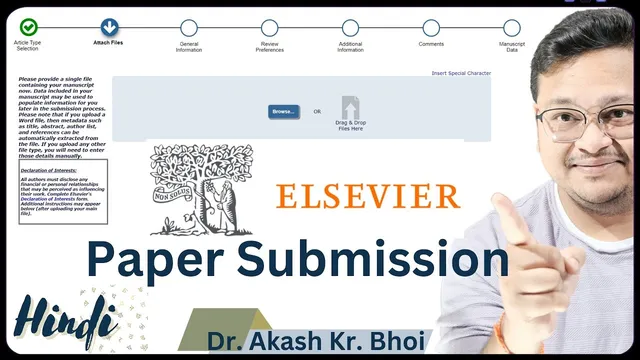
Paper Submission to Elsevier Journal || Elsevier Journal Submission Guide for Authors || Hindi
Based on eSupport for Research's video on YouTube. If you like this content, support the original creators by watching, liking and subscribing to their content.
Create or access an Editorial Manager account for the target journal, using ORCID login when available to reduce manual profile entry.
Briefing
Elsevier journal submissions run through an online editorial manager workflow where authors register, upload required files, complete declarations and metadata, add reviewer suggestions, and then generate a final PDF for approval before the manuscript is officially submitted. The process matters because incomplete or incorrect submissions can trigger delays, editor/assistant editor follow-ups, or outright rejection—so getting the sequence and mandatory fields right is the difference between a smooth review start and a stalled “incomplete submission.”
After reaching the journal’s submission portal (often via a “Submit Your Article” path from the journal site), the first requirement is an account. If an ORCID ID is available and linked, authors can log in through ORCID to auto-fill profile information; otherwise, they must create the account using a username and password. The workflow then moves into the journal-specific Editorial Manager for the selected journal (the transcript uses “Biomedical Signal Processing and Control” as an example), where authors choose between “New Submission” and other options like “Revision” or “Complete” states.
For a new submission, the manuscript must be prepared and uploaded along with mandatory documents. The transcript highlights that two items are required: (1) the manuscript file and (2) a Declaration of Interest. The Declaration of Interest is handled inside the submission manager via a “Start My Declaration” step, with options such as “I have nothing to declare” when no financial or personal relationships apply. Authors also upload additional optional-but-common materials such as a cover letter, graphical abstract, and “Highlights for Review,” depending on what the journal accepts.
Next comes classification and metadata. Authors select the article type/category (e.g., “Research paper” or “Review” if applicable), then provide keywords, abstract, and other bibliographic fields. If multiple authors are involved, the system may flag missing author information—especially contribution roles—so each co-author’s profile and contribution statement must be completed according to the journal’s author guidelines. Funding information is also requested; if no funding exists, authors select the “not available”/no-funding option rather than leaving it ambiguous.
The workflow continues with additional compliance choices: whether to include a preprint (the transcript references SSRN and Scopus indexing as considerations), data availability/declaration options (including “on request” vs. not available for sharing), and any additional comments. Reviewer suggestions are another mandatory step in the demo flow: authors must add at least the required number of reviewer entries, but they should avoid inserting people who are ethically or professionally inappropriate (the transcript warns against listing collaborators in a way that could create ethical complications).
Finally, the system builds a submission PDF for author review. Authors must view the generated PDF, correct mistakes if needed via “Edit Submission,” and then approve the submission. Once approved, the manuscript status changes to submitted, and confirmation emails are sent to the author(s). The transcript’s central takeaway is procedural: follow the platform’s mandatory steps in order, verify the final PDF carefully, and only then approve submission to avoid delays, incomplete-status problems, or rejection.
Cornell Notes
Elsevier journal submissions are handled through an Editorial Manager workflow that requires account setup, manuscript upload, and completion of mandatory declarations and metadata before official submission. Authors can use ORCID to auto-fill profile details, then select “New Submission,” upload the manuscript, and complete a Declaration of Interest (including choosing “nothing to declare” when applicable). The process also requires entering article type/category, keywords, abstract, author contribution roles, funding information, and data availability choices, plus adding the required reviewer entries. A final submission PDF is generated for author review; only after checking it should authors approve submission to avoid incomplete or incorrect submissions.
What are the first steps needed before a manuscript can be submitted to an Elsevier journal?
Which documents are mandatory for a new submission, and how is the Declaration of Interest handled?
What metadata and compliance fields commonly cause problems if left incomplete?
How do reviewer suggestions fit into the submission workflow, and what ethical caution is mentioned?
Why does the submission PDF matter, and what should authors do before approving?
What options exist around preprints and data sharing, and how does the transcript frame decision-making?
Review Questions
- What steps in the Editorial Manager workflow are required before the manuscript can move to “submitted,” and which step produces the final PDF for approval?
- Which fields are most likely to trigger “missing information” warnings, and how should authors respond when the system flags an author contribution role?
- How do preprint availability and data availability choices affect the submission package, and what decision logic does the transcript recommend?
Key Points
- 1
Create or access an Editorial Manager account for the target journal, using ORCID login when available to reduce manual profile entry.
- 2
Start a “New Submission” for a fresh manuscript and ensure the mandatory uploads are completed: manuscript file plus Declaration of Interest.
- 3
Use the platform’s built-in Declaration of Interest flow to select the correct disclosure option (including “nothing to declare” when applicable).
- 4
Fill classification/article type, keywords, abstract, and all required metadata; treat system “missing information” prompts as mandatory fixes.
- 5
Complete author details thoroughly, especially contribution roles for each co-author, to prevent incomplete submission status.
- 6
Provide funding and data availability declarations using the journal’s options; select no-funding/no-permission choices when they truly apply.
- 7
Review the generated submission PDF, correct issues via “Edit Submission” if needed, and only then approve submission to avoid incorrect or incomplete submissions.