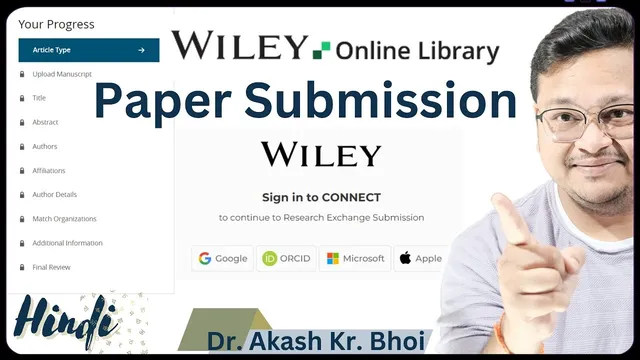
Paper Submission to Wiley Online Journal || Step by Step Submission Process to Wiley Journal
Based on eSupport for Research's video on YouTube. If you like this content, support the original creators by watching, liking and subscribing to their content.
Start a new submission on the Wiley portal by selecting “Submit an Article,” then complete the required step sequence that unlocks as each section is confirmed.
Briefing
Submitting a manuscript to a Wiley Online Journal follows a structured, checklist-style workflow on Wiley’s submission platform: create or use an ORCID, start a new submission, confirm author and article requirements, upload the correct files, verify metadata (title, abstract, authors, affiliations), answer funding and special-submission questions, and then complete the final confirmation step to submit.
The process begins with choosing “Submit an Article” on the journal’s submission portal, which routes the work through the platform’s guided steps. For researchers who are new to the system, the workflow expects an ORCID ID so the author identity can be linked to the submission. Once logged in, the platform presents a sequence of steps (the transcript mentions roughly 10) that unlock as each section is completed. The first gating item is selecting the article type—such as “Original Article”—and confirming author guidelines and declarations. The system requires explicit confirmation that the author information and related statements match the author guidelines; until that confirmation is checked, later steps remain locked.
Next comes the file upload stage. The manuscript’s main file is mandatory, and the platform supports common formats including MS Word and LaTeX (the transcript notes both). A key warning is to upload the final manuscript version that will be submitted, not a demo or template-only file, because journals may take the uploaded content as-is. After the main manuscript, optional files can be added depending on what exists for the paper: tables and figures, supplementary files for review, and higher-resolution images. A cover letter can also be uploaded; the transcript treats it as part of the submission package that should match the journal’s expectations.
After uploads, the platform performs metadata extraction and verification. It reads the title, abstract, author names, and affiliations from the manuscript and then asks the author to confirm each item. The transcript emphasizes that the author must check that the system correctly captured the abstract, author details, and affiliation information. If the affiliation-to-organization mapping doesn’t match perfectly, the platform may offer “choose best option” or allow selecting the correct organization from available choices; the author is advised to confirm the corrected match rather than forcing incorrect entries.
The workflow then moves to additional information fields such as keywords, funding details, and whether the submission is a special case. It also asks about prior submission status: resubmissions should only be selected if the editor explicitly invited resubmission, and preprints should be handled according to the author’s choice (the transcript notes an option to make research publicly available as a preprint, with the ability to update later if the paper publishes). Finally, the author reaches a confirmation step that enables the “Submit” action once everything is marked complete. The transcript also notes that drafts can be saved and that files can be removed or deleted if something was uploaded incorrectly—useful if the author needs to correct the package before final submission.
Overall, the core insight is that Wiley submissions are less about writing a cover letter or formatting a manuscript in isolation and more about completing a strict sequence of confirmations—especially author/affiliation metadata—so the platform can reliably assemble the submission package for editorial and peer review.
Cornell Notes
Wiley Online Journal submissions run through a step-by-step platform workflow that locks and unlocks sections as each requirement is confirmed. Authors start a new submission, select the article type, confirm author guidelines/declarations, upload the mandatory main manuscript file (MS Word or LaTeX), and optionally add tables/figures, supplementary files, and a cover letter. The system then extracts metadata from the manuscript—title, abstract, author names, and affiliations—and requires the author to confirm or correct it, including affiliation-to-organization matching. Additional fields cover keywords, funding, special submission status, and whether the work is a resubmission or has a preprint option. Once all confirmations are complete, the platform enables final submission, with the ability to save drafts and delete incorrect uploads.
What are the first “gating” steps before any files are uploaded on Wiley’s submission platform?
Why does the transcript warn against uploading a template or demo file instead of the final manuscript?
How does the platform handle author and affiliation information after the manuscript upload?
When should an author select “resubmission” or “revision” options?
What optional materials can be uploaded beyond the main manuscript?
What does the final confirmation step accomplish, and what flexibility exists before submitting?
Review Questions
- What confirmations are required before the platform unlocks file upload and metadata verification steps?
- How should an author respond if the affiliation-to-organization match is incorrect during metadata extraction?
- What conditions determine whether “resubmission” or “revision” should be selected on the platform?
Key Points
- 1
Start a new submission on the Wiley portal by selecting “Submit an Article,” then complete the required step sequence that unlocks as each section is confirmed.
- 2
Select the correct article type (e.g., “Original Article”) and complete the author guideline/declaration confirmations before proceeding.
- 3
Upload the final manuscript file (MS Word or LaTeX supported) rather than a template/demo, since the system extracts metadata from what is uploaded.
- 4
Confirm extracted metadata—title, abstract, author names, and affiliations—and correct any mismatches, including affiliation-to-organization mapping.
- 5
Upload optional materials (tables/figures, supplementary files, high-resolution images) only if they exist for the submission package.
- 6
Answer funding, keywords, and special-submission questions accurately, and only mark resubmission/revision when the editor explicitly invited it.
- 7
Use draft saving and file deletion options to correct mistakes before final submission; final submission becomes available only after all required confirmations are complete.