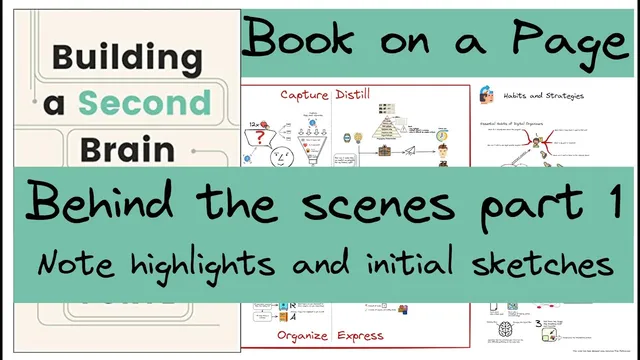
Part 2 Behind the Scenes 1/2: Note highlights and initial sketches. Creating the BASB Book on a Page
Based on Zsolt's Visual Personal Knowledge Management's video on YouTube. If you like this content, support the original creators by watching, liking and subscribing to their content.
Start sketch-note construction immediately after highlighting by attaching icons and small drawings to the themes you want to preserve.
Briefing
Turning dense literature notes into a “book on a page” sketch note is less about perfect design and more about forcing ideas into reusable, shareable chunks. The process begins with highlighted text and quickly branches into visual thinking: icons and simple drawings are added immediately to capture themes like packaging information for later, writing things down, sending insights to a future self, and turning knowledge into something actionable. The creator pulls icon sets from Flat Icon, then embeds them into a sketch canvas, adjusting for display issues (notably PNG color inversion on a dark background) so the visuals actually read in the final layout.
After the first pass—highlighting, adding graphical elements, and iterating on the sketch—four hours of work yields a page of condensed “sketch notes” rather than a verbatim summary. The effort also reveals a workflow lesson: the creator effectively ran two activities at once (deep reading plus design/annotation), which is slower than it needs to be. Still, the outcome is treated as a meaningful first draft because early sketches become the scaffolding for later condensation. The page starts to reflect key Second Brain principles: making ideas concrete, finding new associations, expressing personal perspective, and letting concepts “incubate” over time.
Several specific frameworks from Thiago Forte’s Building a Second Brain show up as visual metaphors. Knowledge is organized as LEGO-like “building blocks” (intermediate packets) that can be assembled into products later, rather than treated as static notes. The Code Method chapter is distilled into a creative filter: new ideas get routed through a limited set of “favorite problems” (inspired by Richard Feynman’s 12 favorite problems), then saved for later processing only when they pass criteria like usefulness, personal relevance, surprise, and resonance. The PARA method is represented through a kitchen analogy: Projects resemble pots on the stove, Areas are long-term commitments like the fridge, Resources and Archives sit like storage for future use, and the overall point is organizing by actionability instead of by information type.
The sketching also emphasizes “progressive summarization”—using a Picasso bull example to show how detail gets carved away until only the essence remains. Other themes become design rules: attention is scarce, so intermediate packets keep focus tight; sharing works better with smaller packets; and serendipity can be amplified through visual patterns and social feedback. Toward the end, the creator shifts from raw capture to execution habits: divergence and convergence in the creative process, finishing work by writing next steps (and ideally sharing intermediate packets for feedback), and “dialing down” by shipping small units that can be recombined later.
The result is a clearer path toward the next step: compiling these condensed elements into a “book on a page,” where the goal is not to store everything, but to package the most useful essence so a future self can quickly understand, reuse, and act.
Cornell Notes
The workflow turns highlighted literature notes into a single “book on a page” sketch note by immediately attaching visuals and icons to key ideas, then progressively condensing the page into reusable “intermediate packets.” The creator notes that doing deep reading and design simultaneously took about four hours, but the early sketches still provided the structure needed for later simplification. Key frameworks are translated into metaphors: LEGO-like building blocks for knowledge, a “favorite problems” filter for the Code Method, and PARA organized through a kitchen analogy (Projects as pots, Areas as long-term items, Resources/Archives as storage). The page also reflects progressive summarization (Picasso bull) and execution habits like shipping small, writing next steps, and using checklists and reviews to keep capture lightweight.
Why start adding icons and sketches right after highlighting text instead of waiting until the end?
What problem did the creator run into with icons, and how was it fixed?
How does the “intermediate packets” idea change the way notes are treated?
How is the Code Method distilled into a repeatable filter?
What does the PARA method look like when translated into a kitchen metaphor?
What habits keep the system from becoming a heavy-lift capture machine?
Review Questions
- How does progressive summarization (e.g., the Picasso bull example) translate into practical decisions about what to keep on a “book on a page”?
- In the kitchen metaphor for PARA, what distinguishes Projects from Areas, and why does that matter for where new notes go?
- What tradeoff did the creator observe when combining reading with sketch design, and how might separating those steps improve efficiency?
Key Points
- 1
Start sketch-note construction immediately after highlighting by attaching icons and small drawings to the themes you want to preserve.
- 2
Expect practical asset issues (like PNG color inversion on dark backgrounds) and verify icons render correctly before finalizing.
- 3
Treat notes as reusable “intermediate packets” that can be assembled into later products rather than as final summaries.
- 4
Distill the Code Method by filtering new ideas through a limited set of “favorite problems” and criteria like usefulness and personal resonance.
- 5
Use PARA organization by actionability, and remember the kitchen metaphor: Projects (pots), Areas (fridge), Resources/Archives (storage).
- 6
Apply progressive summarization to carve away detail until only the essence remains, using examples like the Picasso bull.
- 7
Keep capture and sorting lightweight: during reviews, sort first and defer deep work until a project requires it.