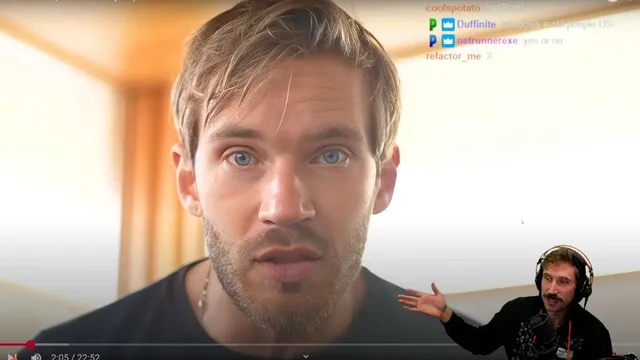
PEWDIEPIE USES LINUX???
Based on The PrimeTime's video on YouTube. If you like this content, support the original creators by watching, liking and subscribing to their content.
Linux is framed as a user-controlled alternative to Windows’ interruption-heavy, monetized interface elements like taskbar/news and frequent confirmation prompts.
Briefing
PewDiePie’s Linux switch—played up as a joke but backed by a long list of practical complaints—centers on one core claim: Linux feels better because it stops the operating system from constantly interrupting the user. The frustration is aimed squarely at Windows’ “guard rails” and monetization habits: pop-ups for deleting files, relentless menu-clicking, ads and news in the taskbar and Start menu, and features like Copilot that raise privacy concerns even when they’re framed as “offline.” The pitch isn’t that Linux is magically effortless; it’s that it’s controllable—so the computer behaves like a tool rather than a product trying to steer attention.
The argument expands into four repeatable reasons. First is minimalist control: Linux does what the user tells it to do, without the same level of preinstalled clutter and “prepackaged BS” that forces hours of uninstalling on fresh Windows installs. Second is customization as a real workflow advantage, not just wallpaper changes—Linux lets users swap the graphical interface, tile windows, and reconfigure the desktop environment so the system matches how someone works. Third is the promise of speed and precision from terminal-first searching and command-line tools. Instead of Windows search that often “bing”s the web or fails to find files reliably, Linux can search across local files quickly and even search inside text using tools like grep. Fourth is gaming momentum: Valve’s push for Linux gaming via Proton and Steam Deck is presented as evidence that the ecosystem is improving, reducing the old “chicken-and-egg” problem where few people use Linux because few games support it.
A second thread—coming from the narrator’s own path—adds a more personal productivity angle: avoiding “search fatigue.” After years of bouncing between windows and tabs, the narrator describes wanting muscle-memory shortcuts that always open the right apps instantly, without hunting through menus or Spotlight-style search. Linux, paired with keyboard-centric workflows and tiling window managers, is framed as a way to reduce cognitive load. The setup details reinforce that theme: terminal tools, keyboard shortcuts, and a desktop environment tuned for developer speed.
Still, the switch comes with tradeoffs. Photoshop is cited as a sticking point because Adobe software doesn’t run well on Linux, and the narrator recounts a bitter experience with Adobe’s cancellation/unsubscribe process—using it as a turning point toward open-source alternatives. There are also real technical rough edges: early Arch Linux installs missing function keys, GPU driver updates causing black screens, and the broader reality that on Linux, when something breaks, the user often has to fix it. The closing message is pragmatic: try Linux via dual boot if curious, don’t rely on ChatGPT for destructive commands like disk partitioning, and expect tinkering. The payoff, in their telling, is a computer that feels “alive” and under the user’s control—so much so that the “year of the Linux desktop” feels imminent.
Cornell Notes
The Linux pitch boils down to control: Linux is presented as an operating system that does what the user commands, without Windows-style interruptions, ads, and monetization prompts. The switch is justified through minimalist installs, deep customization (including tiling window managers and swapping GUIs), and faster, more reliable terminal-based searching—especially using tools like grep to search inside files. Gaming is framed as finally becoming viable thanks to Valve’s Proton and Steam Deck ecosystem improvements. The narrator’s personal motivation is “search fatigue”: reducing the mental effort of hunting for apps and windows by building keyboard-driven muscle memory. The tradeoffs are real—Adobe/Photoshop compatibility issues and occasional driver or configuration problems—so the recommendation is to try Linux carefully, often via dual boot.
What specific Windows behaviors push the narrator toward Linux?
Why does “minimalism” matter beyond aesthetics?
How does terminal searching change the day-to-day experience?
What role do tiling window managers and keyboard shortcuts play?
What makes Linux gaming feel more realistic in this account?
What are the biggest tradeoffs and failure modes mentioned?
Review Questions
- Which Windows features or behaviors are most criticized, and how do those criticisms connect to the narrator’s definition of “control”?
- How do grep-based workflows reduce the need to remember filenames, and why does that matter for “search fatigue”?
- What tradeoffs does the account emphasize when moving from Windows to Linux, especially regarding Adobe software and GPU drivers?
Key Points
- 1
Linux is framed as a user-controlled alternative to Windows’ interruption-heavy, monetized interface elements like taskbar/news and frequent confirmation prompts.
- 2
Minimalist installs and fewer preloaded distractions are presented as a practical advantage, not just a preference.
- 3
Deep customization on Linux—especially tiling window managers and workspace switching—reduces cognitive load and speeds up multitasking.
- 4
Terminal-based searching is portrayed as faster and more reliable than Windows search, including searching inside files with grep.
- 5
Gaming on Linux is argued to be improving due to Valve’s Proton and Steam Deck ecosystem, helping break the adoption/support cycle.
- 6
The switch involves real costs: Adobe/Photoshop compatibility issues and occasional driver/config problems that may require hands-on troubleshooting.
- 7
The account recommends cautious experimentation (e.g., dual boot) and warns against using ChatGPT for destructive partitioning commands.