Planning sprints for your engineering team
Based on Notion's video on YouTube. If you like this content, support the original creators by watching, liking and subscribing to their content.
Create a Notion roadmap database where each task is its own page with both rich content and structured properties (status, priority, owners, timeline).
Briefing
Planning sprints becomes far more reliable when engineering teams treat work items as structured data instead of scattered notes. By building a task “roadmap” database in Notion, teams can track each engineering task’s status, priority, ownership, and timeline—then generate multiple views that make sprint planning fast, visual, and easy to adjust as priorities shift.
The workflow starts in an engineering page inside a workspace (example: “Acme Inc.”). From there, teams open a “roadmap” database where every task lives as its own page. Each task page can include rich details—plain text, embeds, and even code snippets or videos—while the database’s properties capture the operational metadata. In the example setup, engineers add properties such as status, priority level, the product manager, engineers involved, and a timeline field. This turns task management into something sortable and filterable, not just readable.
Next comes the key sprint-planning move: creating a dedicated sprint assignment. Teams add a new database view and then introduce a single-select property (e.g., “Sprint”) to tag each task with a sprint number. Sprint timeboxes are treated as collections of tasks due within a defined window—commonly two weeks. Once sprint tags exist, tasks can be displayed in a table for quick scanning, sorted chronologically by the timeline, and reorganized without losing context.
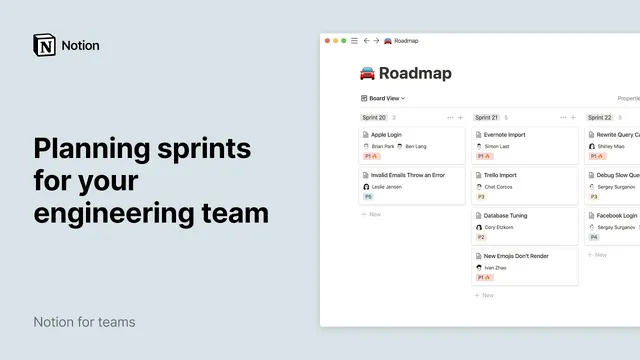
To manage sprint execution, teams add a board view grouped by sprint. This layout shows all tasks in each sprint column and makes it easy to spot lagging work. If a task falls behind, it can be dragged from one sprint column into the next, effectively updating its planned timeframe. Completion is handled by opening the task page and setting its status to a “complete” tag.
Finally, a timeline view adds scheduling clarity. A timeline view (named in the example “sprint5”) plots tasks across time, and teams can adjust the scale (such as switching to “by week”) to match the sprint duration. Filters narrow the display to a specific sprint—like showing only tasks where “Sprint is sprint 5”—and sorting by timeline ensures the work appears in the order engineers need to execute it. The result is a single roadmap database that supports sprint planning, reprioritization, and ongoing updates as the team grows from sprint 1 to sprint 100.
Cornell Notes
A Notion roadmap database can serve as the backbone for sprint planning by storing each engineering task as a page with structured properties like status, priority, owners, and timeline. Teams add a single-select “Sprint” property to tag tasks into timeboxed sprints (often two weeks). Multiple database views—table, board, and timeline—turn the same underlying data into different planning tools: tables for scanning, boards for sprint execution and drag-and-drop movement, and timelines for scheduling clarity. Filters let teams focus on one sprint at a time (e.g., Sprint 5), while sorting by timeline keeps tasks in chronological order. This approach makes sprint planning adaptable as priorities and dates change.
How does a Notion roadmap database make sprint planning more dependable than using unstructured task lists?
What is the practical role of the “Sprint” property in the workflow?
Why add a board view grouped by sprint, and how does it support day-to-day execution?
How does a timeline view improve sprint scheduling and prioritization?
What’s the advantage of using multiple views on the same database rather than separate spreadsheets or lists?
Review Questions
- If a task’s end date changes, which Notion view(s) would immediately reflect the updated schedule, and why?
- How would you design a sprint planning setup so that engineers can both filter to one sprint and also drag lagging tasks into the next sprint?
- What database properties are essential for the workflow to support sorting, grouping, and completion tracking?
Key Points
- 1
Create a Notion roadmap database where each task is its own page with both rich content and structured properties (status, priority, owners, timeline).
- 2
Add a single-select “Sprint” property to tag every task with a sprint number that matches a defined timebox (commonly two weeks).
- 3
Use a table view for quick scanning and hide nonessential properties without deleting them to keep the interface readable.
- 4
Use a board view grouped by sprint to manage execution, including dragging lagging tasks into the next sprint column.
- 5
Mark tasks complete by updating the task’s status property to a “complete” tag.
- 6
Add a timeline view to visualize sprint schedules, adjust the scale to fit sprint duration, and filter to a specific sprint for focused planning.
- 7
Sort tasks by the timeline field (ascending) in each relevant view to keep work ordered chronologically.