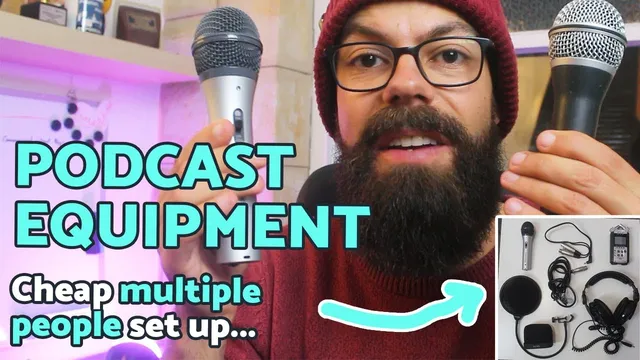
Podcast equipment for multiple people | Cheap and simple set up!
Based on Andy Stapleton's video on YouTube. If you like this content, support the original creators by watching, liking and subscribing to their content.
Record each participant on separate tracks to keep volume and EQ adjustments manageable during editing.
Briefing
Multi-person podcasts don’t need expensive gear—what matters most is recording each voice on its own track so editing stays manageable. The core requirement is a multitrack setup: if multiple people are recorded into a single mixed track, balancing volume, fixing boomy voices, and adjusting EQ later becomes a “nightmare.” With separate mono tracks per person, coughs, sudden volume spikes, and voice tone issues can be corrected cleanly in post.
For a budget-friendly multitrack recorder, the Zoom H4n is a common choice, but it only has two XLR inputs. The workaround is an inexpensive accessory that routes additional channels into the recorder via its 3.5mm headphone jack—effectively turning a two-input recorder into a four-person input system. The method relies on configuring multitrack so the recorder provides four mono channels (two from the XLR inputs and two more from the 3.5mm connection). This approach is positioned as a low-cost way to expand from two or three speakers to up to four guests, with the added practical benefit that it’s already portable enough to use in real production.
Microphones follow a simple rule: one mic per person, with roughly equivalent quality across the group. The transcript highlights two budget paths. For XLR-only setups, an Aston DM-100 is presented as a workable starter mic that can deliver acceptable results even on professional-level work (including an MIT podcast guest submission). For a more flexible option, the Audio-Technica AT2020USB+ is described as a low-cost USB/XLR hybrid that can feed the recorder via XLR while also supporting USB use if needed, plus headphone monitoring.
Wind protection is treated as essential but flexible. Pop filters and foam windshields both reduce plosives (“p,” “b,” “t” sounds) and handling noise; the recommendation is to use one per person, mixing and matching as needed. For physical positioning, table-top stands are discouraged because guests sit at different heights and angles. Instead, each participant should use a proper microphone stand with an adjustable arm so the mic can be placed consistently near their mouth.
Finally, the “non-glamorous” accessories make the system reliable: keep spare rechargeable batteries for the portable recorder (phantom power can drain them quickly), carry a memory card sized for enough multitrack recording time (a 16GB card is cited as sufficient for roughly eight hours), and use good headphones for monitoring and editing accuracy. Sennheiser HD 215 headphones are recommended specifically because they reveal problems like echo during playback. The transcript also notes that not everyone needs headphones during recording—splitting audio for each person can get expensive—so headphones can be reserved for the producer to check levels while guests practice and then record normally.
The takeaway is straightforward: prioritize multitrack voice separation, then build a consistent, per-person chain (mic, wind protection, placement) and support it with reliable power, storage, and monitoring. Avoid the common mistake of recording everyone onto a single track, because it removes the ability to fix voices individually later.
Cornell Notes
A successful multi-person podcast setup hinges on one technical choice: record each participant on separate tracks. That way, editing can fix coughs, volume jumps, and problematic EQ (like boomy voices) without fighting a single mixed audio file. A budget path uses the Zoom H4n with an inexpensive accessory that adds two more channels via the 3.5mm jack, enabling up to four mono tracks. Pair that with one microphone per person and keep mic quality roughly consistent across the group. Add practical essentials—wind protection, adjustable stands, spare rechargeable batteries, enough memory for multitrack time, and monitoring headphones for accurate editing.
Why is multitrack recording so important for multi-person podcasts?
How can a two-input recorder be used for up to four voices on a budget?
What microphone strategy keeps editing and sound quality under control?
What’s the role of pop filters/windshields and how should they be chosen?
Why are proper microphone stands recommended over table stands?
Which accessories matter most for reliability and accurate editing?
Review Questions
- What specific editing problems become harder when all voices are recorded onto a single track?
- Describe the method for expanding the Zoom H4n from two inputs to four voices using the 3.5mm jack.
- Why does the transcript recommend using adjustable microphone stands rather than relying on table placement?
Key Points
- 1
Record each participant on separate tracks to keep volume and EQ adjustments manageable during editing.
- 2
A Zoom H4n can support up to four mono tracks using an inexpensive accessory that routes extra channels through the 3.5mm headphone jack.
- 3
Use one microphone per person and keep microphone quality roughly consistent across the group to avoid uneven noise and tone.
- 4
Use one wind protection solution per person (pop filter or foam windshield) to reduce plosives and speech noise.
- 5
Avoid table-based mic placement; use adjustable microphone stands so each guest’s mic can be positioned correctly.
- 6
Carry spare rechargeable batteries and ensure the memory card provides enough multitrack recording time (16GB cited as ~8 hours).
- 7
Use monitoring headphones for the producer to catch echo and other issues that affect editing accuracy.