Powering Up Notion As A CRM: Pipelines, Segmented Lists & Meetings (Template Tutorial)
Based on Landmark Labs's video on YouTube. If you like this content, support the original creators by watching, liking and subscribing to their content.
Build the CRM around a hierarchy: Contacts feed Segments, Segments roll up into Lists, and Lists power Pipelines.
Briefing
Notion can be turned into a practical CRM by structuring data around Contacts, Segments, Lists, and then using those Lists to drive fast, focused Pipelines—complete with meeting scheduling and persona/organization context. Instead of relying on one generic database with tags and a few views, this “CRM 2.0” setup aims to deliver the day-to-day mechanics people expect from sales tools: segmented targeting, pipeline stages that move left to right, and quick ways to place new leads into the right workflow.
The system is organized through a side menu with Contacts, Segments, Lists, Meetings, Activation, Personas, and Organizations, plus a “new pipeline” button for rapid creation. Contacts live in a long-table database with preset views such as “by list,” including a default view for candidates that haven’t been assigned to any list. This Contacts database is also positioned as the integration point for automation tools like Zapier or Make—so form submissions can automatically create or update contact records.
Segments sit one layer above Contacts. A Segment is built from a set of Contacts, and the template includes example segments that can represent demographics, personas, or other targeting categories. Contacts can be added to segments via a relational property (selecting from the Contacts database) or by creating a new contact on the fly. Crucially, segment-level metrics update automatically: each segment tracks the share of contacts that are “active” versus “in conversation,” giving a quick health check on how each audience slice is performing.
Lists are the next layer. A List is composed of multiple Segments, and the template rolls up the underlying contacts automatically. This makes it easy to define reusable audiences—such as combining a UK segment, a US segment, and a YouTube-subscriber segment—then reuse that List for downstream workflows like email marketing or ads campaigns. The Activation tab summarizes these segment states, showing percentages of active and in-conversation contacts across segments.
Meetings add operational follow-through. The Meetings page supports scheduling items like client introductory calls or daily standups, linking meetings to the relevant contact(s). Meetings can also be archived, keeping the active calendar clean.
Personas and Organizations provide richer context. Personas capture pain points, goals, psychographics, and demographics, and specific contacts can be linked to the persona type they match. Organizations let contacts be associated with companies, either by linking from the organization view or adding contacts into an organization.
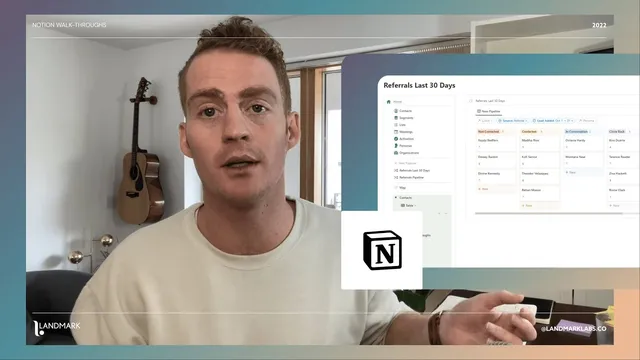
Pipelines bring the CRM behavior. Pipelines are board-style views with statuses moving left to right, and they can be generated quickly based on a selected List, a source type (like referrals), time windows (e.g., leads added within the last 30 days or within October), or even persona-based criteria. A key usability feature is a “contact quick toggle widget” that allows dragging contacts directly from the contacts area into a pipeline and even into a specific stage—so new or incomplete records can be placed into the correct workflow without manually editing every field in the contact table.
Cornell Notes
The CRM 2.0 system turns Notion into a sales workflow by layering data: Contacts feed Segments, Segments roll up into Lists, and Lists power Pipelines. Segments are built from relational links to contacts and automatically track metrics like the percentage of contacts that are “active” versus “in conversation.” Lists combine multiple segments, producing a ready-made audience for campaigns and pipeline creation. Pipelines are board views with stages that move left to right, and they can be filtered by List, source, time window, or persona. Meetings, Personas, and Organizations add operational and contextual detail so leads can be scheduled, categorized, and tracked consistently.
How does the system keep targeting organized without relying on tags in a single database?
What do “activation” metrics measure, and where do they show up?
Why are Lists especially useful for pipelines and marketing workflows?
How can new leads be placed into the right pipeline without editing the contact record first?
What kinds of filters can generate a new pipeline quickly?
What roles do Meetings, Personas, and Organizations play in the CRM?
Review Questions
- Explain the relationship between Contacts, Segments, and Lists in this CRM 2.0 system.
- Describe two different ways a pipeline can be generated using the template’s filtering options.
- How do segment “active” and “in conversation” percentages update, and where can that information be reviewed?
Key Points
- 1
Build the CRM around a hierarchy: Contacts feed Segments, Segments roll up into Lists, and Lists power Pipelines.
- 2
Use relational properties to add contacts to segments, either by selecting existing contacts or creating new ones directly from the segment view.
- 3
Track segment health with automatically updating percentages for “active” versus “in conversation,” then review those totals in the Activation tab.
- 4
Define reusable audiences as Lists made from multiple Segments to support both campaign targeting and pipeline creation.
- 5
Schedule follow-ups with the Meetings module, linking meetings to the relevant contact(s) and archiving completed items.
- 6
Enrich lead context using Personas (pain points, goals, psychographics, demographics) and Organizations (company relationships).
- 7
Create pipelines quickly using board-style stages filtered by List, source, time window, or persona, and place contacts into stages via drag-and-drop.