Prompt Engineering: 5 Rules to Write Perfect AI Prompts (with Examples)
Based on Alex, PhD AI's video on YouTube. If you like this content, support the original creators by watching, liking and subscribing to their content.
Treat prompts as mini spec sheets, not casual requests.
Briefing
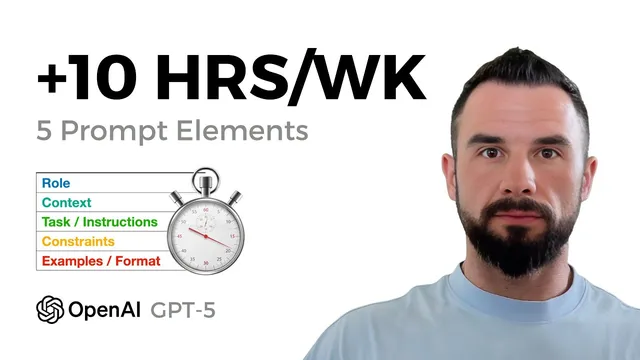
Good prompts don’t just “ask an AI”—they function like mini spec sheets that force predictable, business-ready outputs. The core finding is that five prompt elements—role, context, task, constraints/format, and examples—turn messy notes into action items with owners, deadlines, priorities, and rationales, while sharply reducing hallucinations and follow-up questions.
The walkthrough starts with chaotic meeting notes and a goal: convert them into action items that include an owner, a deadline, a priority level, and a one-sentence rationale. A baseline prompt produces generic bullets with missing accountability (no clear owners) and vague execution details. Adding a role—“You are a project manager at a startup”—changes the granularity and structure of the output. The model begins to break work into more specific tasks and aligns the response with what a project manager would typically produce, including clearer next steps and follow-up planning.
Next comes context, which the session treats as a guardrail against guessing. Without context, the model can invent facts or misattribute responsibilities. When the prompt includes named team members (Alex as project manager, Andre as software architect, Emanuel as bioinformatician, Vinayak as tech venture capitalist client-side) plus the date (“Today is June 25”), the model assigns tasks to specific individuals and uses the provided date to compute deadlines more consistently. In the example, a follow-up call is scheduled for June 26, showing that the model uses the supplied “today” reference rather than inventing timing.
The third lever is precise task instructions and an explicit output specification. The prompt demands a numbered action-item list and a machine-readable Markdown table (or CSV-like structure) with defined columns: title, owner, deadline, priority, and rationale. When the expected format is spelled out, the output becomes more consistent and easier to import into business systems.
Constraints and format then tighten reliability. A key rule is to prevent fabricated dates: “Do not invent deadlines if unclear; write needs clarification.” When this constraint is included, the model flags missing information instead of producing invented timelines. The session also demonstrates how to request a strict column layout (e.g., CSV with specific headers) so the response matches downstream tooling requirements.
Finally, examples provide the strongest “pattern lock.” A single example row teaches the model the exact phrasing and field structure to mirror. With role + context + task + constraints/format + one example row, the combined prompt outputs an “import ready” table with no extra commentary. The practical payoff is time saved—estimated at 30 to 90 minutes per meeting—because the model produces fewer clarifications and more directly usable task lists.
The takeaway is straightforward: build prompts as five-part templates, and add a safety line that forces clarification questions whenever something is missing. That approach turns AI from a conversational assistant into a dependable teammate for workflow execution.
Cornell Notes
The session argues that high-quality AI prompts behave like mini spec sheets. Five elements—role, context, task, constraints/format, and examples—reduce guessing and produce predictable, machine-ready outputs. Adding a role improves task granularity and project-management style. Adding context (people names and a “today” date) improves ownership assignment and deadline calculation. Constraints like “do not invent deadlines if unclear” force the model to request clarification instead of fabricating. A single example row further locks in the exact output structure, enabling direct import into tools like CRMs.
Why does adding a “role” to a prompt change the output so much?
How does context reduce hallucinations and improve assignment accuracy?
What’s the difference between telling the AI “make action items” and specifying an output format?
Why are constraints like “do not invent deadlines” critical?
How can a single example row improve reliability?
Review Questions
- What five prompt elements are recommended, and what failure mode does each one help prevent (e.g., missing owners, invented deadlines, wrong structure)?
- In the example, how does the inclusion of “Today is June 25” affect deadline outputs compared with a prompt that lacks a date anchor?
- How would you modify a prompt if the AI keeps inventing missing information—what constraint or clarification mechanism should be added?
Key Points
- 1
Treat prompts as mini spec sheets, not casual requests.
- 2
Add a role to set the response standard and expected granularity (e.g., “project manager at a startup”).
- 3
Include context with named stakeholders and an anchored “today” date to improve ownership and deadline accuracy.
- 4
Specify the exact output format (columns/fields) so the result is machine-ready, not just readable.
- 5
Use constraints to block fabrication—especially deadlines—by requiring “needs clarification” when information is missing.
- 6
Provide at least one example row to lock in structure, tone, and field ordering.
- 7
Add a rule that forces clarification questions when any item is missing, preventing silent guessing.