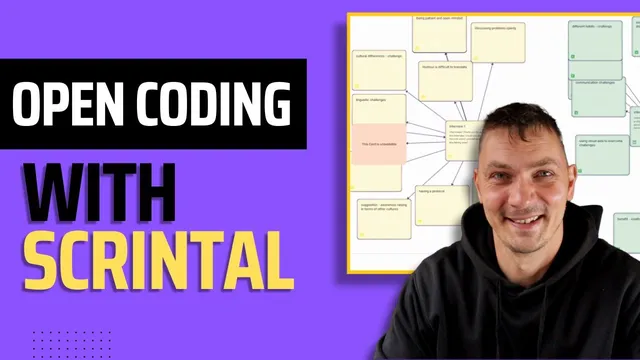
Qualitative data analysis with SCRINTAL || part 1 - Open Codes
Based on Qualitative Researcher Dr Kriukow's video on YouTube. If you like this content, support the original creators by watching, liking and subscribing to their content.
Initial coding in SCRINTAL can be done entirely inside the platform by selecting transcript text and creating linked code cards.
Briefing
Qualitative coding in SCRINTAL (SCRINTAL) can be done entirely inside the platform by turning interview excerpts into “cards” and linking them to code cards—then reorganizing those codes into broader groupings. The core payoff is a visual, traceable workflow for thematic analysis: every code remains connected to the exact text that generated it, making later theme-building more systematic and easier to audit.
The walkthrough starts with a hypothetical study of international fishing boat crews, using two interview transcripts to understand lived experiences—what challenges they face, how they cope, and what improvements might be suggested. In the first method, the analyst creates a new workspace board (e.g., “example study”), then imports each interview transcript as its own card by copying and pasting from Microsoft Word. From there, coding happens directly in SCRINTAL: selecting a passage triggers a menu option to create a link, which effectively generates a new code card. As the analyst reads through Interview 1, they create code cards such as “Having a diverse crew,” “Initial challenges,” and “Initial linguistic challenges,” plus coping-oriented codes like “Being patient and open-minded.” Each time a code is created via linked text selection, SCRINTAL connects the code card to the relevant excerpt, so hovering over text later reveals which code(s) apply.
The process repeats for Interview 2, with the analyst creating additional codes and then using color and layout changes to keep the growing set manageable. SCRINTAL’s visual organization tools—card resizing, full-screen reading, zooming, and color consistency—are treated as practical necessities once the number of codes increases. The transcript also notes that connections can occasionally become disconnected, but those links can be manually reattached.
Once initial coding is complete, the workflow shifts from “many codes” to “sense-making.” The analyst creates a second board (e.g., “coding organized”) and duplicates the code cards from the original board so changes won’t overwrite the raw coding. Then the analyst removes the interview cards from view and focuses on the code set. Next comes grouping: new heading cards like “Challenges” and “Suggestions” are created, along with broader buckets such as “Overcoming challenges.” Codes are then visually moved into these groups—for example, cultural differences and language barriers are placed under challenges, while patience and open-mindedness are placed under overcoming challenges.
Finally, the transcript previews a second approach that mixes Microsoft Word and SCRINTAL. In Word, coding is done using a two-column table: the left column holds the transcript and the right column holds codes. After coding, the analyst copies the codes into SCRINTAL, but the structure changes: instead of creating code cards from scratch inside SCRINTAL, the analyst pastes pre-made codes into interview cards and then cuts and pastes excerpts into new group cards (e.g., strategies or good practices). This hybrid method reduces the number of cards but increases the amount of text, and it still leaves the analyst with the same downstream tasks—cleaning duplicates, reconciling naming differences across interviews, and ultimately building themes in later steps.
Cornell Notes
The workflow for qualitative coding in SCRINTAL starts with turning interview excerpts into code cards linked to the exact text they came from. After importing each transcript as its own card, the analyst selects relevant passages and creates new code cards (e.g., “Initial linguistic challenges,” “Having a diverse crew,” “Being patient and open-minded”), with SCRINTAL automatically connecting codes to excerpts. Once both interviews are coded, a separate board is created to duplicate and reorganize codes into higher-level groupings such as “Challenges,” “Suggestions,” and “Overcoming challenges.” A second method combines Microsoft Word (two-column transcript-and-codes table) with SCRINTAL by pasting pre-coded content and then moving codes into group cards. The key value is traceability: every code remains tied to the underlying interview text while the analyst shifts from coding to organizing.
How does SCRINTAL support traceable qualitative coding during initial coding?
What practical steps keep a growing set of codes manageable in a visual workspace?
Why duplicate codes into a separate board before reorganizing them into groups?
How does the transcript move from “codes” to “topics” or “themes” preparation?
What changes when coding is done first in Microsoft Word and then brought into SCRINTAL?
Review Questions
- When creating a new code in SCRINTAL, what mechanism ensures the code remains linked to the specific interview excerpt?
- What is the purpose of duplicating code cards into a separate “organized” board before renaming or regrouping them?
- In the Word-to-SCRINTAL workflow, how do the structures differ from the fully in-SCRINTAL coding approach (cards vs. text density, and where grouping happens)?
Key Points
- 1
Initial coding in SCRINTAL can be done entirely inside the platform by selecting transcript text and creating linked code cards.
- 2
Each code card stays connected to the excerpt that generated it, enabling traceability through hover and full-screen reading.
- 3
Color and layout controls (card colors, resizing, zooming, collapsing) are used to keep large code sets readable.
- 4
After coding, reorganizing happens on a separate board by duplicating code cards so edits don’t overwrite the original coding.
- 5
Grouping is done by creating heading cards (e.g., “Challenges,” “Suggestions,” “Overcoming challenges”) and moving code cards into them.
- 6
A hybrid workflow can start in Microsoft Word using a two-column transcript-and-codes table, then import and regroup the coded content in SCRINTAL.
- 7
Downstream cleanup—handling duplicates and reconciling code naming across interviews—still remains before theme development.