Reader: The Ultimate Read-Later App (An Introduction)
Based on Liam Gower's video on YouTube. If you like this content, support the original creators by watching, liking and subscribing to their content.
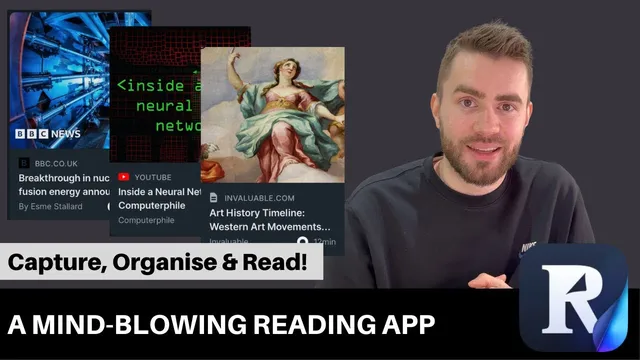
Reader centralizes reading material from blogs, articles, YouTube videos, Twitter threads, RSS feeds, and PDFs into a single inbox for later review.
Briefing
Reader (from Readwise) is positioned as a single “read-later” workspace that not only captures articles, videos, threads, and PDFs from across the internet, but also turns saved content into an organized, note-friendly reading experience. The core value is reducing the chaos of scattered links—whether from BBC News, Twitter, YouTube, RSS feeds, or email—by funneling everything into one inbox for later review.
Capture happens quickly through a browser extension and shortcuts. When a user saves an item, it lands in an “inbox” inside Reader, where it can be reviewed when time opens up. The workflow extends beyond web pages: Twitter threads can be saved via account linking with Readwise, YouTube videos can be saved for later viewing, and mobile apps for iOS (and Android) keep the experience consistent. Additional intake methods include emailing items and subscribing to RSS feeds, so the system can pull in reading material from multiple channels rather than forcing users to rely on one source.
Once items are saved, organization becomes the second major pillar. Reader supports a simple inbox-to-archive approach for triage—moving items that no longer feel urgent into an archive while keeping high-priority pieces in the inbox. For more structured learning routines, it also supports tags, enabling filtering by topic. That matters for people who want recurring study sessions, such as weekly reading for data science or programming, where tags can act as a queue for targeted reading.
The reading experience itself is designed to make long-form content easier to navigate and revisit. In Reader, articles appear in a clean layout with an automatically generated table of contents on the left when subheaders exist, a central reading view for the text, and a progress indicator as the user scrolls. For knowledge retention, the app includes highlighting and note-taking directly on the text, with highlights and notes collected in a “Notebook” tied to the original article. Metadata such as publication date, length, and save progress also appears alongside the reading view.
Reader adds a distinct layer of AI-assisted comprehension through “Ghost Reader,” which uses GPT-3 to generate summaries and prompt users with thought-provoking questions. Examples include questions about remaining challenges to make nuclear fusion practical and what investment is needed to scale energy production. The goal is to help users study difficult material—turning passive reading into active review.
A further differentiator is flexibility: if a user dislikes how a page renders inside Reader, the extension allows highlighting and note-taking on the original site while keeping those annotations synced back to Reader. Integration is also a major theme. Highlights and notes can sync with note-taking systems such as Notion, Obsidian, and others, including Rome and Evernote. The app even supports video note-taking: transcripts are generated inside Reader, notes can be added while the video plays, and each note is timestamped so users can jump back to the exact moment—solving the “when did I write that?” problem for long videos.
Cornell Notes
Reader (from Readwise) consolidates scattered reading material—articles, PDFs, RSS items, Twitter threads, and YouTube videos—into a single inbox for later review. It supports a lightweight organization workflow (inbox and archive) and optional tagging so users can filter content for recurring study goals. The reading interface adds an auto table of contents, scrolling progress, and built-in highlighting and notes that appear in a Notebook. “Ghost Reader” uses GPT-3 to generate summaries and thought-provoking questions, turning reading into active learning. Notes and highlights can sync with systems like Notion and Obsidian, and video transcripts can be annotated with timestamps for precise recall.
How does Reader get content into one place for later reading?
What organization tools help users manage a growing inbox?
What makes the in-app reading experience different from simply opening a link?
How does Ghost Reader use AI to support studying?
How does Reader handle annotation when users prefer the original webpage layout?
What’s the approach to taking notes on videos?
Review Questions
- What capture methods does Reader support besides saving links from a browser, and how do they feed into the inbox?
- Describe the difference between using the inbox/archive workflow and using tags for organization.
- How do Ghost Reader and timestamped video notes each change how a user revisits and studies saved content?
Key Points
- 1
Reader centralizes reading material from blogs, articles, YouTube videos, Twitter threads, RSS feeds, and PDFs into a single inbox for later review.
- 2
A browser extension and shortcuts make saving fast, while linking Readwise with Twitter enables thread saving.
- 3
Inbox-to-archive triage helps manage urgency, and tags enable topic-based filtering for structured study sessions.
- 4
The reading interface adds an auto table of contents, a scrolling progress indicator, and built-in highlighting and notes that accumulate in a Notebook.
- 5
Ghost Reader uses GPT-3 to generate summaries and thought-provoking questions to support active learning.
- 6
Annotation can be done either in Reader’s clean reading view or directly on the original webpage via the extension.
- 7
Reader supports video note-taking by generating transcripts, timestamping notes, and syncing them to note-taking systems like Notion and Obsidian.