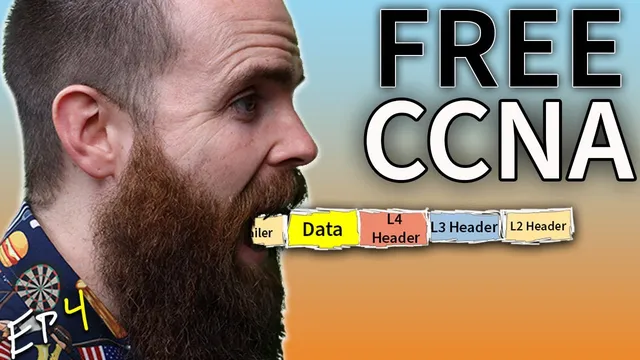
REAL LIFE example!! (TCP/IP and OSI layers) // FREE CCNA // EP 4
Based on NetworkChuck's video on YouTube. If you like this content, support the original creators by watching, liking and subscribing to their content.
HTTPS web access maps to TCP port 443 at the transport layer, with TCP chosen for connection-oriented reliable delivery.
Briefing
A packet’s journey from a web browser to a web server becomes clear when each protocol layer adds its own “envelope,” then strips those envelopes back off at the destination. Using a Packet Tracer simulation, the walkthrough follows “Johnny” requesting a secure website (HTTPS) to order coffee, showing how application data turns into a TCP segment, then into an IP packet, then into a MAC-addressed Ethernet frame—crossing switches and routers until the server finally hands the request to the application.
The process starts at the application layer (OSI layer 7), where the browser generates an HTTP request wrapped for HTTPS. The key detail is that the browser’s job is to produce the web request; the networking stack’s job is to move it reliably across the network. Next comes the transport layer (OSI layer 4), where the data is prepared for delivery using TCP or UDP. Here, the destination port is 443, the standard port for HTTPS. The transport layer adds a TCP header, turning the application data into a “segment.” That encapsulation step matters because it creates the metadata needed for delivery and reassembly.
At the network layer (OSI layer 3), the segment is encapsulated again with IP addressing. The header includes a source IP (Johnny’s) and a destination IP (the server’s). Once the router receives this layer-3 information, it can consult its routing table to decide where the packet should go next. But routers can’t rely on IP alone when forwarding across local links; they must translate to link-layer addressing.
That translation happens at the data link layer (OSI layer 2), where MAC addresses and switching come into play. The frame includes a source MAC (the sender) and a destination MAC (the next hop). When Johnny’s frame reaches a switch, the switch reads only the MAC destination, checks its CAM table, and forwards the frame out the correct port toward the router. The router then de-encapsulates to inspect the IP header, looks up the destination network, and re-encapsulates the packet into a new Ethernet frame with updated MAC addresses. The next switch repeats the same MAC-based forwarding logic until the frame reaches the server.
When the server receives the Ethernet frame, it reverses the process: it verifies the frame is addressed to its MAC, checks the IP header, confirms the transport protocol and port (TCP/443), and finally passes the payload up to the application layer where HTTPS/browser processing can occur. The cycle then repeats in the opposite direction as the server responds.
The session ends with two CCNA/CCNP-style quiz questions: one asks which functions belong to the OSI application layer (including items that are sometimes associated with presentation/session in the OSI model), and the other asks which protocol relies on a three-way handshake for connection-oriented reliable transfer—TCP, not UDP. The takeaway is that end-to-end web access is really a chain of encapsulation and de-encapsulation across layers, with TCP/443 and IP addressing doing the heavy lifting for reliability and routing.
Cornell Notes
The walkthrough follows an HTTPS request from a client to a server by mapping each step to OSI layers while using the TCP/IP model in practice. The browser creates an application-layer request (HTTP over HTTPS), then the transport layer adds TCP details and port 443, producing a segment. The network layer adds IP addresses to form a packet, and the data link layer adds MAC addresses to form a frame for Ethernet switching. Switches forward frames using MAC addresses and CAM tables, while routers inspect IP headers to choose routes and then rebuild Ethernet frames with new MAC addresses. The server reverses the process—MAC, IP, TCP/443—before delivering the payload to the application layer.
Why does HTTPS traffic show up on destination port 443 in the transport layer?
What changes when a packet moves from a switch to a router?
How does encapsulation create the “envelopes” needed for delivery across multiple networks?
What does a switch do with the frame it receives, and what does it ignore?
Which protocol provides connection-oriented reliable delivery using a three-way handshake?
How does the server know what to do once the frame arrives?
Review Questions
- In the encapsulation chain, what metadata is added at layers 4, 3, and 2, and how does each layer’s metadata get used by the next hop device?
- When a router forwards traffic, which header does it inspect to choose a route, and which header does it rebuild before sending to the next switch?
- Why does a switch rely on MAC addresses (CAM table) instead of IP addresses when forwarding frames?
Key Points
- 1
HTTPS web access maps to TCP port 443 at the transport layer, with TCP chosen for connection-oriented reliable delivery.
- 2
Each OSI layer adds its own header as data moves downward, turning application data into a segment, then a packet, then a frame.
- 3
Switches forward frames using layer-2 MAC addresses and CAM table lookups, without interpreting IP or TCP contents.
- 4
Routers inspect layer-3 IP headers to select the next hop, then re-encapsulate the traffic into new Ethernet frames with updated MAC addresses.
- 5
The destination server reverses the process in order: verify MAC, process IP, process TCP/443, then deliver the payload to the application layer.
- 6
End-to-end communication is a repeated encapsulation/de-encapsulation cycle across multiple devices (client → switch → router → switch → server).