Rethinking PKM Part 2: Links, Tags, and Filepaths
Based on Zsolt's Visual Personal Knowledge Management's video on YouTube. If you like this content, support the original creators by watching, liking and subscribing to their content.
Use folder design as a performance lever: the “21 items per folder” guideline is tied to measured navigation and scanning times.
Briefing
A key takeaway from this PKM deep-dive is that file organization has measurable performance limits—and that those limits help explain why many people rely more on folder navigation than search. Citing research discussed in *The Science of Managing Our Digital Stuff*, the creator notes a “magic number” of 21 items per folder: beyond that, it becomes more efficient to create subfolders. The underlying timing claim is stark—about 2.2 seconds to move one step in a folder hierarchy versus roughly 0.1 seconds to scan a file—so folder depth and breadth directly shape how quickly information can be found. The same book also points to a cognitive angle: typing search terms may cost more mental effort than using spatial memory to locate files, which aligns with the creator’s own preference for tools like xCQLI Brain over search.
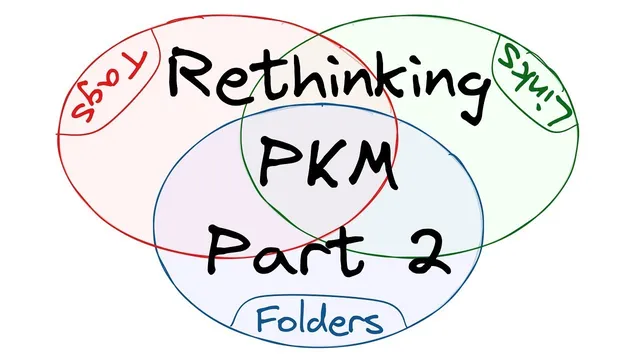
From there, the focus shifts from performance to structure. The session builds a Venn-diagram framework (based on a circle map and double-bubble style comparisons) to sort common PKM actions into four overlapping “containers”: file paths, links, and tags. The definitions are concrete. File paths are treated as rigid, long-term storage—folder placement plus file names—like library shelves. Links represent relationships between notes; when enriched with metadata fields in tools such as Obsidian, they can function like an ontology or knowledge graph. Tags label notes so they can form “virtual spaces,” prime pattern recognition, and support similarity grouping (by type, project, or status).
The most practical portion is the placement of specific PKM activities into the overlaps. “Tag for action” is placed closer to tags, with a caveat: while it could be done via links (e.g., linking a task note to a to-do list), the creator finds it less practical than encoding actionable meaning in file names. “Reminder to resurface notes” sits between tags and links because both can support later retrieval—either through labeling or through contextual relationships that trigger resurfacing in the right situation.
“Group similar items” lands in the overlap because folders and tags both classify, while links can also create classification by connecting notes to a project or a taxonomy built from notes. “Add keywords to a note” is treated as more tag-like than path-like, while “Add context to notes” is strongly linked to relationships: context includes where information came from, how it will be used, life-cycle status, and even situational details like location or time—details that links are meant to connect.
Finally, workflow tracking is placed on the boundary between tags and file paths. The creator is ambivalent about whether status belongs in naming conventions or labels, but emphasizes a major advantage of file paths: they are platform independent and remain usable for years even if the tool changes. Links and tags can evolve, but folder structure and naming—if kept clean—act as durable anchors for long-term retrieval.
Overall, the framework argues for a deliberate division of labor: file paths for archival stability, links for relationship and context, and tags for flexible labeling—while acknowledging that many PKM tasks naturally spill across categories.
Cornell Notes
The framework sorts PKM building blocks into overlapping roles: file paths, links, and tags. File paths (folders plus file names) act as rigid, long-term “shelves” that stay usable across tools and platforms, while links encode relationships and can become an ontology when enriched with metadata (e.g., in Obsidian). Tags label notes to create flexible “virtual spaces” and to prime pattern recognition for faster similarity-based retrieval. Several PKM actions—like resurfacing reminders, grouping similar items, and tracking workflow status—fall in the overlaps rather than fitting neatly into one category. The practical payoff is deciding where each activity belongs so the system stays both searchable and durable over time.
Why does the “21 items per folder” guideline matter for PKM?
What cognitive reason is offered for preferring navigation over search?
How are file paths, links, and tags defined in this framework?
Where does “reminder to resurface notes” fit—and why?
Why is workflow status treated as a boundary case between tags and file paths?
What is the practical reason to enrich links with metadata?
Review Questions
- How does the 2.2-second vs 0.1-second timing claim influence decisions about folder depth and subfolder creation?
- Give one example of a PKM activity that naturally belongs in the overlap between tags and links, and explain why.
- What makes file-path-based organization more resilient over time than tag- or link-based organization?
Key Points
- 1
Use folder design as a performance lever: the “21 items per folder” guideline is tied to measured navigation and scanning times.
- 2
Treat file paths as durable archives (folders + file names) that remain usable across platforms and tools for years.
- 3
Use links to encode relationships and context; enrich them with metadata (e.g., in Obsidian) when you want ontology-like structure.
- 4
Use tags for flexible labeling and virtual spaces that support similarity grouping and pattern recognition.
- 5
Accept that many PKM actions span categories; place them in overlaps when both labeling and relationships matter.
- 6
Track workflow status either via naming conventions or tags, but prioritize file-path durability when long-term portability is critical.
- 7
Design for retrieval modes: spatial navigation (folders) versus semantic retrieval (tags/links/search).