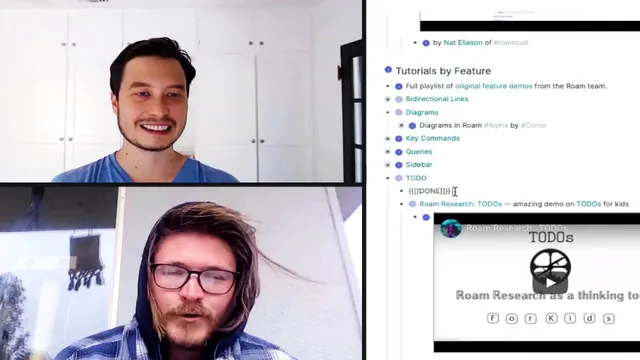
Roam's co-founder teaches me Roam Research | Conor White-Sullivan (The Peace Summit)
Based on Tiago Forte's video on YouTube. If you like this content, support the original creators by watching, liking and subscribing to their content.
Roam Research treats notes as a linked database, enabling concept pages, backlinks, and cross-database queries rather than relying on files and folders.
Briefing
Roam Research is positioned as a “database-first” note system for knowledge work—built to connect ideas through links, queries, and flexible views rather than forcing everything into rigid files and folders. The core pitch from Roam’s co-founder is that insight-heavy work doesn’t fit neatly into deadlines, so the system needs to help people manage ongoing concepts and make sense of constant incoming information.
The conversation turns into a hands-on setup: a new Roam graph is created for a collection of knowledge-management quotes, then shared with an editor account. A key practical detail emerges immediately—collaboration can be free for non-admin users. Admins and graph owners are the ones who pay, while unlimited collaborators can work inside the same database without needing paid access. That matters because it lowers the barrier for team research projects and shared knowledge bases.
Once the quotes are imported, Roam’s central mechanism becomes clear: daily notes act as the default “home” for timestamped entries, but the real power comes from turning text into a linked structure. Double-square-bracket linking creates pages automatically when a term is selected (for example, selecting “memory” generates a “memory” page). “Link all” then converts unlinked references into connected backlinks, letting a user gather all occurrences of a concept across the database. Importantly, Roam also supports leaving references unlinked when a term appears incidentally—so “Shakespeare” can be searchable without forcing every mention into a conceptual relationship.
The system’s query and navigation model is demonstrated through slash commands and database-wide searches. Queries can filter by multiple constraints (e.g., terms that are both about “shakespeare” and “memory”), and results respect Roam’s indentation path. That means users can zoom in and out of context—hierarchy is allowed, but not treated as the only organizing principle. Another workflow advantage is that renaming a page updates references everywhere, reducing the pain of early typos or inconsistent naming.
As the import grows, the co-founder shifts from mechanics to cleanup strategy. The recommended first pass isn’t heavy formatting; it’s adding structure through tags and links. Tags and links are treated as closely related concepts, and multi-word tags require specific syntax. For quotes, the suggested approach is to tag themes (like “creative process”) and link people’s names, then use Roam queries to surface clusters—such as “Connor’s favorite quotes” or “creative process quotes.”
Finally, Roam’s flexibility extends beyond lists. Multi-selecting items and copying them into different representations can generate diagrams, tables, or other views while keeping the underlying connections intact. The session ends with a plan for follow-up: a deeper discussion of how to interpret and associate the quotes themselves, plus a promise to cover additional mental models like progressive summarization in a later episode.
Cornell Notes
Roam Research is presented as a knowledge-management system that treats notes as a linked database rather than a folder tree. The workflow starts with importing content into a graph, then using double-square-bracket linking to create pages and backlinks automatically. Users can choose whether a reference becomes a meaningful connection (“link all”) or stays unlinked when a term appears without the intended relationship. Queries (via slash commands) let people filter across the whole database—for example, finding items that relate to both “shakespeare” and “memory”—while indentation paths provide contextual zooming. The payoff is easier renaming, theme tagging, and multiple display formats (including diagrams) without breaking the underlying connections.
How does Roam turn plain text into a navigable knowledge structure?
What’s the practical difference between linking and leaving references unlinked?
How do queries work in Roam, and what role does context play?
Why does Roam’s database model reduce cleanup pain compared with file systems?
What’s a sensible first-pass strategy for organizing a large quote collection?
How can Roam display the same underlying items in different formats?
Review Questions
- When would you choose to leave a reference unlinked even if a term matches a concept page?
- How does Roam’s indentation path affect query results and navigation?
- What organization steps would you take first to make a quote database searchable by themes and people?
Key Points
- 1
Roam Research treats notes as a linked database, enabling concept pages, backlinks, and cross-database queries rather than relying on files and folders.
- 2
Double-square-bracket linking auto-creates pages and supports converting unlinked references into connected backlinks with “link all.”
- 3
Unlinked references keep terms searchable without forcing conceptual relationships, which helps avoid over-linking incidental mentions.
- 4
Slash-command queries can filter across the entire graph using multiple constraints while preserving indentation-path context for “zoomable” structure.
- 5
Renaming a page updates references everywhere, reducing the cost of early naming mistakes.
- 6
A practical cleanup approach for imported content is to add theme tags and link people’s names, then use queries to generate curated views.
- 7
Roam can render the same connected items in multiple display formats (e.g., diagrams or tables) without breaking the underlying links.