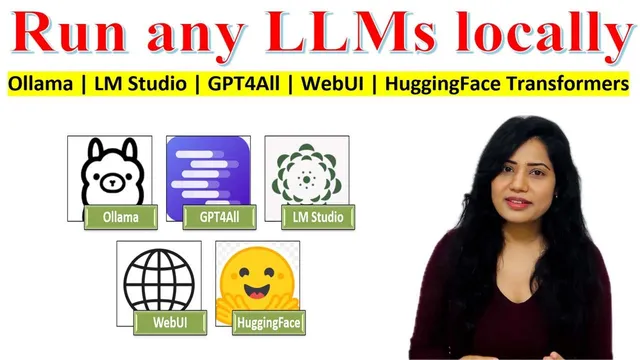
Run any LLMs locally: Ollama | LM Studio | GPT4All | WebUI | HuggingFace Transformers
Based on AI Researcher's video on YouTube. If you like this content, support the original creators by watching, liking and subscribing to their content.
Local LLMs run by downloading pre-trained model weights and loading them into local RAM or GPU VRAM for on-device inference.
Briefing
Running large language models locally boils down to one trade-off: keeping data on-device and gaining control over models and prompts, while paying the hardware bill for memory, compute, and storage. The core idea is that “local” means downloading pre-trained model weights (huge numeric parameter files) and loading them into system RAM or GPU VRAM so the model can generate responses without sending prompts to cloud servers—improving privacy, security, and customization.
Local execution starts with downloading a pre-trained model from a model hub and loading it into device memory. Once loaded, the model tokenizes input text, runs inference to predict the next tokens, and streams generated output back to the user. Because everything stays on the machine, users retain control over model files, code, prompt engineering, and even custom changes to the deployment setup. That on-device approach also reduces the risk of data leakage since prompts and attached content don’t need to travel to external services.
GPUs are presented as the main accelerator for making this practical. While CPU inference can work, GPUs excel at parallel processing and high-throughput matrix operations—the heavy lifting behind token generation. They also offer higher memory bandwidth and mixed precision support (for example, half-precision floating point) that reduces VRAM usage with minimal accuracy loss. The practical takeaway: if the system has a capable GPU, local inference can be dramatically faster and more feasible for larger models.
Sizing the machine requires balancing four resources. First is memory—RAM or VRAM—because model size scales with parameter count and precision. The transcript gives a concrete example: a 13B-parameter model can demand 30GB+ in full precision, which is why quantization is used to shrink memory requirements. Second is compute power, measured as FLOPS (floating point operations per second), which influences how quickly tokens are produced. Third is storage space for multi-gigabyte checkpoints. Together, these constraints determine which models can run and how smoothly.
To make local deployment accessible, the transcript walks through multiple approaches and tools. Hugging Face Transformers is shown as a code-first route: install the library, pick a model from Hugging Face, load tokenizer and model weights, detect CUDA availability, and generate text with configurable parameters like max new tokens, temperature, and top-p. For users without GPUs, GPT4All is positioned as a desktop app that runs quantized models on CPU/GPU, supports a chat interface, and adds “local docs” so models can answer questions grounded in files without an internet connection.
For a browser-based workflow, Text Generation WebUI provides a local server with a ChatGPT-like interface, model switching across multiple backends (including Transformers, llama.cpp, and others), and advanced sampling controls. On macOS, Ollama is described as a simple CLI tool that bundles dependencies and optimizes for Apple silicon; running a model is done via a single command after installation. Finally, LM Studio is pitched as an all-in-one cross-platform desktop toolkit with offline model browsing/loading, chat, and file-based Q&A via retrieval, plus support for quantized variants of popular model families.
Across all options, the message stays consistent: local LLMs are achievable, but the best tool depends on whether the priority is coding flexibility, a no-code chat UI, CPU-only support, macOS simplicity, or a unified desktop dashboard—while hardware limits ultimately decide what model sizes run well.
Cornell Notes
Local LLMs work by downloading pre-trained model weights and loading them into local RAM or GPU VRAM, then generating responses by tokenizing input and predicting the next tokens—without sending prompts to external servers. Privacy and control improve because prompts and attached files stay on the device, enabling customization of model files, prompt engineering, and deployment settings. GPUs speed up inference through parallel matrix operations, higher throughput/low latency, and mixed precision (e.g., half-precision) that reduces VRAM use. Practical feasibility depends on RAM/VRAM, compute (FLOPS), and storage space for multi-gigabyte checkpoints; quantization is commonly used to fit larger models. Tools like Hugging Face Transformers, GPT4All, Text Generation WebUI, Ollama, and LM Studio provide different interfaces for running these models locally.
What does “running an LLM locally” actually mean in technical terms?
Why are GPUs emphasized for local inference compared with CPUs?
How do memory, compute, and storage determine which models you can run?
How does the Hugging Face Transformers approach work for local text generation?
What makes GPT4All different from a code-first approach?
How do Text Generation WebUI, Ollama, and LM Studio differ in user experience?
Review Questions
- If a 13B model doesn’t fit in your VRAM, which lever from the transcript is most directly meant to reduce memory usage, and why?
- Which GPU capabilities mentioned (parallelism, throughput/latency, mixed precision) most directly affect token generation speed?
- Compare how you would run a model using Transformers code versus using a desktop app like LM Studio—what changes in setup and control?
Key Points
- 1
Local LLMs run by downloading pre-trained model weights and loading them into local RAM or GPU VRAM for on-device inference.
- 2
On-device execution improves privacy and security because prompts and attached data don’t need to be sent to external servers.
- 3
GPUs accelerate inference through parallel matrix operations, higher throughput/low latency, and mixed precision that reduces VRAM usage.
- 4
Model feasibility depends on RAM/VRAM, compute capacity (FLOPS), and disk storage for multi-gigabyte checkpoints.
- 5
Quantization is a practical method to shrink memory requirements so larger models can run on limited hardware.
- 6
Hugging Face Transformers offers a code-first workflow with CUDA detection and configurable generation parameters.
- 7
Local chat and file-grounded Q&A are made easier by tools like GPT4All, Text Generation WebUI, Ollama, and LM Studio, each with different interfaces and backend support.