Running MCP Servers In Games: This Changes EVERYTHING in AI Gaming?
Based on All About AI's video on YouTube. If you like this content, support the original creators by watching, liking and subscribing to their content.
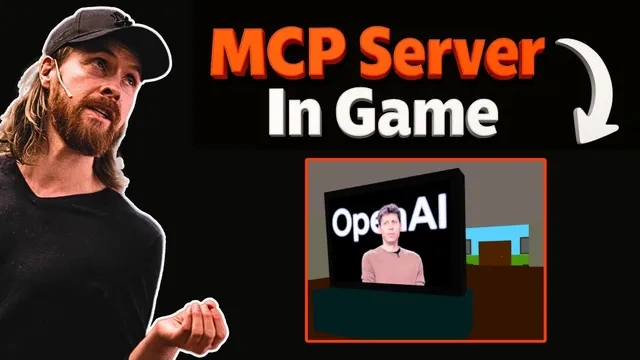
In-game prompts can trigger MCP tool servers to generate images, read emails, and run web searches, with results rendered back inside the game UI.
Briefing
MCP servers can be wired directly into a game so in-world actions trigger real AI tools—generating images, reading emails, and running web searches—without leaving the game UI. In the demo, a player uses an in-game “MCP terminal” to command a TV to display an AI-generated movie-poster image, then swaps prompts to produce a new image style. The same in-game environment also connects to an email MCP server to fetch the latest message, and to a Brave search MCP server to look up the latest Bitcoin price, then sends that price back via email. The result is a single interactive front end that can orchestrate multiple external capabilities through MCP.
Under the hood, the setup follows a clear division of labor: the game acts as the client/front end, while a backend HTTP layer routes requests to the right MCP tool server. When the game sends a user query over HTTP, the backend asks an LLM (named “Claude” in the transcript) which MCP tool should handle the request based on the available tools exposed by the MCP servers. After the backend selects the correct MCP client, the MCP client forwards the tool request to the chosen MCP server via standard out; the tool server returns results via standard out again; and the backend relays the final output back to the game for display.
The demo also emphasizes extensibility. Adding new capabilities is framed as a configuration task: the backend includes an “MCP server script paths” list that points to local MCP servers such as an email server, a Gemini server, a Brave server, and an OpenAI server used for image generation. Once those paths are registered, the backend can route new in-game prompts to the appropriate tool. A separate example shows connecting Gemini 2.5 Pro inside the game: a prompt like “list five health benefits from strength training” returns a formatted list that appears back in the game.
The transcript positions this MCP-in-game approach as a practical way to turn tool-using AI into interactive experiences—whether the front end is a game, another UI, or potentially a multiplayer setup where multiple users connect to shared MCP-backed capabilities. The creator notes the project is available on GitHub, including instructions for running a client on port 3001 and connecting the game to an MCP backend URL. Overall, the core takeaway is that MCP turns a game into a command surface for external AI services, with routing handled by an LLM-backed backend and tool servers added through simple MCP configuration.
Cornell Notes
The demo shows how to connect MCP servers to a game so in-game prompts can trigger external tools and return results inside the game UI. A TV can display images generated by an OpenAI image model, an in-game command can read the latest email via an email MCP server, and another command can run a Brave web search to fetch the latest BTC price and then email it back. The architecture uses an HTTP backend that asks an LLM (Claude) which MCP tool to call, then routes the request to the correct MCP server using standard out/in and relays results back to the game. Extending functionality is mainly adding new MCP server script paths (e.g., Gemini 2.5 Pro) so new prompts automatically map to new tools.
How does an in-game user command turn into an action on an external AI tool?
What concrete examples demonstrate MCP tool routing inside the game?
Why does the backend need to ask Claude which tool to use?
How does the system make adding new capabilities relatively straightforward?
What does the Gemini 2.5 Pro example show about text generation inside the game?
Review Questions
- What components handle (1) user interaction, (2) tool selection, and (3) tool execution in the MCP-in-game architecture?
- How does the system decide between the email MCP server and the Brave search MCP server for different user prompts?
- What changes would be required to add a new MCP server capability to the game, based on the described configuration approach?
Key Points
- 1
In-game prompts can trigger MCP tool servers to generate images, read emails, and run web searches, with results rendered back inside the game UI.
- 2
An HTTP backend sits between the game client and MCP servers, translating in-game requests into tool calls.
- 3
Claude is used to choose the correct MCP tool based on the set of available MCP servers and tools.
- 4
MCP client-to-server communication is routed through standard out/in, with the backend relaying outputs back to the game.
- 5
Adding new capabilities is mainly a matter of registering additional MCP server script paths in the backend configuration.
- 6
The demo includes OpenAI image generation for TV rendering and Gemini 2.5 Pro for text responses like health benefits lists.
- 7
The project is shared on GitHub with instructions to run the client on port 3001 and connect to an MCP backend URL.