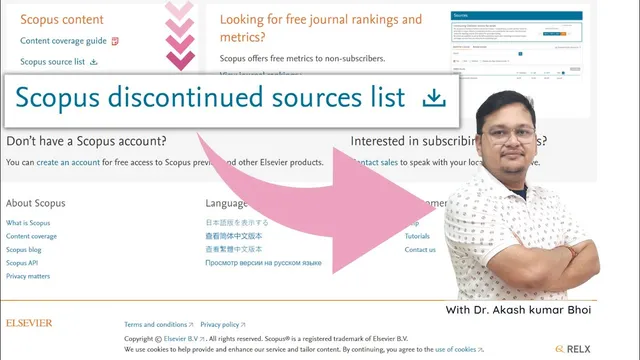
Scopus Discontinued Sources (Journals) list | eSupport for Research | 2022 | Dr. Akash Bhoi
Based on eSupport for Research's video on YouTube. If you like this content, support the original creators by watching, liking and subscribing to their content.
If a direct Scopus discontinued list link fails, use the Scopus Source list Excel download route instead.
Briefing
Scopus discontinued journals can still appear in search results, but they may no longer be covered—so researchers need a two-step verification process before submitting. The practical takeaway: use Scopus’s own “Sources” database to confirm whether a journal’s coverage is still active, rather than relying on a discontinued list alone.
The walkthrough starts with the Scopus discontinued sources list, which can become hard to access directly (a link may return an error or “page not found”). Instead, the recommended route is to download the Scopus Source list Excel file (example shown: “EX list September 2022”). Inside that spreadsheet, journals are organized with fields for active and inactive titles, and it also includes a “discontinued” section. Discontinued journals are highlighted (for instance, in bold red), and some titles may be in a “re-evaluation process,” meaning researchers should be cautious and typically avoid them when they need certainty about Scopus indexing status.
To verify a specific journal, the example “Academy of accounting financial studies journal” is used. Even if the journal appears in the Scopus Source list search results, the key step is to open the journal’s details and check the coverage statement. In the demonstration, the journal’s Scopus coverage is shown with a range (example displayed: coverage from 2009 to 2021), and the details explicitly indicate that coverage is discontinued. That “coverage discontinued” note is treated as the deciding factor for whether the journal should be avoided for Scopus-mandated submissions.
A second cross-check uses SJR (SJR.com) via the journal’s ISSN number. The ISSN is taken from Scopus’s Sources entry and then entered into SJR to confirm the journal’s status and performance signals. The walkthrough highlights that SJR quartile movement matters: if a journal stays stuck in Q4 over multiple years rather than improving toward Q3 or Q2, it may indicate weak momentum. It also notes that an SJR score of zero (example shown: “SJR 2028 is showing zero”) can align with discontinuation concerns.
The final guidance is operational. Before submitting, researchers should (1) consult the Scopus discontinued titles list to identify candidates to avoid, then (2) cross-verify directly in Scopus Sources using the ISSN and the journal detail page to confirm whether coverage is still active. SJR can serve as an additional check, but Scopus Sources is emphasized as the more real-time source; SJR may lag, so relying on it alone can lead to outdated conclusions. The overall message is not that a journal is inherently “bad,” but that Scopus indexing requirements depend on current coverage status—something that must be verified with Scopus’s own database.
Cornell Notes
Scopus discontinued journals can remain searchable, so researchers should verify current coverage status before submitting. The process begins with the Scopus Source list Excel file, which includes a discontinued section (with some titles in re-evaluation). For any journal flagged as discontinued, the decisive step is to open the journal’s Scopus Sources detail page using its ISSN and check whether Scopus coverage is marked “discontinued.” An additional cross-check can be done on SJR.com using the same ISSN, where quartile trends and an SJR score of zero can signal problems, though SJR may be delayed. This two-layer verification helps avoid submissions that fail Scopus indexing mandates.
Why can a journal still appear in Scopus search results even after it’s discontinued?
What role does the Scopus Source list Excel file play in identifying discontinued titles?
How does ISSN-based verification work inside Scopus Sources?
How can SJR.com be used as a secondary check, and what signals matter?
Which verification source is emphasized as more reliable for real-time status?
Review Questions
- When a journal appears in Scopus search results, what specific detail must be checked to confirm whether coverage is discontinued?
- What information in the Scopus Source list Excel file helps identify discontinued journals, and how are they visually marked?
- How does using the ISSN on Scopus Sources differ from using the ISSN on SJR.com for verification?
Key Points
- 1
If a direct Scopus discontinued list link fails, use the Scopus Source list Excel download route instead.
- 2
Use the Scopus Source list Excel file to locate discontinued titles, but treat it as a starting shortlist, not final proof.
- 3
Verify any journal’s status by opening its Scopus Sources detail page and checking whether coverage is explicitly marked “discontinued.”
- 4
Use the journal’s ISSN as the reliable identifier when searching within Scopus Sources.
- 5
SJR.com can provide a secondary cross-check via quartile trends and SJR score signals, but it may lag behind Scopus updates.
- 6
For Scopus-mandated submissions, avoid journals with discontinued coverage rather than relying on search visibility alone.