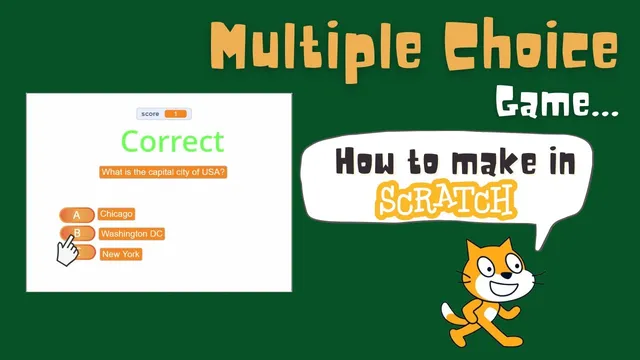
Scratch Multiple Choice Game (No multiple Costumes or Backdrops) | Lists in Scratch
Based on Obsidian Soft's video on YouTube. If you like this content, support the original creators by watching, liking and subscribing to their content.
Store every question, correct answer, and three options in Scratch lists so the same interface can render any prompt.
Briefing
A Scratch multiple-choice quiz can be built without creating separate costumes or backdrops for every question by leaning on lists and variables to store questions, answers, and options—and then swapping a single set of on-screen text and message sprites as the game progresses. The core idea is to treat each question as a row of data: one entry in a questions list, one matching entry in an answers list, and three entries in an options list (A, B, and C). A hidden question index tracks which row is currently being shown, so the same interface can render any question simply by pulling the right list items by index.
The setup starts with a “message” sprite that contains three text costumes: “game over” (blue), “correct” (green), and “wrong” (red). Instead of showing different scenes, the game toggles this sprite’s costume and visibility. Four lists are created: questions, answers, and options (with separate variables for option A, option B, and option C displayed as large readouts). Variables also include option A/option B/option C for what the player sees, a score variable, and a hidden question index that determines which question is active.
Two custom blocks drive the quiz flow. The first, setup questions, clears the lists at the start (Scratch lists persist across runs unless emptied) and then fills them with question text, the correct answer, and three choices per question—ensuring that exactly one of the choices matches the corresponding entry in the answers list. The second block, show question, increments the question index and checks whether more questions remain using a condition that compares the index against the length of the questions list. If questions remain, it updates the visible variables option A/option B/option C and the question text by fetching list items at the current index. If not, it hides the question and option variables and broadcasts a “game over” message.
A green-flag event initializes the game: it hides the message sprite, resets score and question index, shows the option and question variables, runs setup questions, and calls show question to display the first prompt. Three button sprites (option A, option B, option C) handle input. Each button compares the text stored in its option variable to the correct answer stored in the answers list at the current question index. A match increments the score and broadcasts “correct”; a mismatch broadcasts “wrong.” When the message sprite receives “correct” or “wrong,” it switches to the appropriate costume, waits one second, hides the message, and then advances by calling show question again. When “game over” is broadcast, the buttons hide as the quiz ends.
The result is a scalable quiz system: adding more questions requires only appending data inside setup questions, not redesigning costumes or backdrops for each new question.
Cornell Notes
The quiz uses Scratch lists and variables to store all question data and render it dynamically on one screen. A hidden question index tracks which question is active, and show question pulls the correct question and options from lists by index. When the player clicks an option button, the button checks whether its option variable matches the answers list entry at the current index, then broadcasts “correct” or “wrong.” A message sprite swaps between “game over,” “correct,” and “wrong” costumes, while the game advances by calling show question again. This approach avoids creating multiple costumes or backdrops per question and scales by adding more list entries in setup questions.
How does the game display a different question without changing costumes or backdrops for each one?
Why is a question index needed, and how does it connect to lists?
What prevents leftover list data from breaking a new run in Scratch?
How does the game decide when the quiz is finished?
How do the option buttons verify whether the player clicked the correct answer?
What role do broadcasts play in moving the quiz forward?
Review Questions
- What specific list and variable lookups are used to populate option A, option B, and option C for the current question?
- Describe the exact logic used to determine whether there are more questions left to show.
- How does the correctness check ensure the clicked option matches the correct answer for the current question index?
Key Points
- 1
Store every question, correct answer, and three options in Scratch lists so the same interface can render any prompt.
- 2
Use a hidden question index to fetch the right list items by position and to keep button clicks tied to the current question.
- 3
Clear lists at the start of setup questions to avoid stale data persisting across runs.
- 4
Implement show question to either update on-screen variables (when questions remain) or broadcast “game over” (when finished).
- 5
Initialize score and question index on the green-flag event, then call setup questions and show question to start the quiz.
- 6
Have each option button compare its displayed option variable to the answers list entry at the current question index, then broadcast “correct” or “wrong.”
- 7
Advance the quiz by letting the message sprite react to “correct”/“wrong,” wait briefly, hide the message, and call show question again.