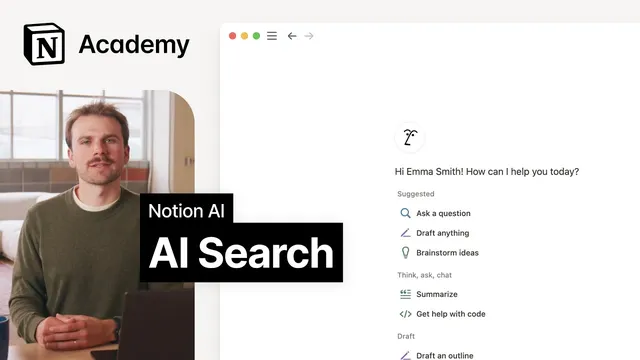
Searching with Notion AI
Based on Notion's video on YouTube. If you like this content, support the original creators by watching, liking and subscribing to their content.
Notion AI search answers questions using intent-based understanding rather than exact keyword matching.
Briefing
Notion AI search turns scattered workplace knowledge into direct, permission-aware answers by understanding the meaning behind questions—not just matching keywords. Instead of forcing people to skim documents for exact terms, it can search across Notion content and connected apps (like Slack, Google Drive, GitHub, and Jira) and then synthesize the results into a single coherent response. The more information that’s written into a workspace and connected through integrations, the more useful the answers become—positioning AI search as an “expert colleague” that can recall relevant details quickly without interrupting day-to-day work.
A key difference from traditional search is how results are generated. Standard search typically looks for exact matches to search terms, while AI search interprets intent and context, producing more accurate and comprehensive outputs. It can also answer questions directly, reducing the need to hunt through pages. Crucially, responses respect access controls: Notion AI won’t surface information someone doesn’t already have permission to view. Answers are also cited, so users can trace back to the exact sources that informed the response.
The guidance breaks AI search into three high-value use cases. First are questions about process—especially helpful for newcomers. For example, a new team member can ask how to pay for a hotel while traveling for work and receive guidance drawn from the company Wiki plus troubleshooting tips surfaced from recent Slack questions.
Second are questions about projects. With AI connectors in place, Notion AI can search across multiple tools to combine context from engineering documentation and code. An engineer seeking best practices for implementing a technology can get more than generic advice by drawing on general coding knowledge, the engineering Wiki, and the GitHub repository to produce a solution aligned with the actual code base.
Third are questions about facts and quick recall. When someone remembers a specific detail—like a statistic from an All Hands presentation—but can’t locate it, AI search can help narrow down where the information likely lives. Users can further refine results using a source picker to target specific systems (such as limiting to Slack conversations) and then ask follow-up questions to drill into the exact topic.
Configuring access is presented as straightforward. Users open the Notion app and click the AI face, then choose either a sidebar for full page search or a bottom-right assistant chat experience. To make the AI more effective, the workspace needs more written knowledge. That can happen in two ways: importing content via Settings using Importer tools (including PDFs and Word documents), and adding AI connectors through the AI chat menu. Once integrations are syncing, users can monitor status and adjust based on the quality and quantity of information.
Overall, the workflow emphasizes speed, relevance, and compliance: ask in natural language, refine with source filters, rely on citations, and expand the knowledge base by importing documents and connecting key tools. The payoff is faster information retrieval without the awkward interruptions of back-and-forth questions—and a search experience that grows more powerful as the workspace becomes more connected and documented.
Cornell Notes
Notion AI search provides direct answers by understanding the meaning behind questions, then searching across Notion and connected tools like Slack, Google Drive, GitHub, and Jira. It improves accuracy and usefulness as more information is imported into Notion and as more apps are connected through AI connectors. Responses respect permissions, so users only see information they already have access to, and answers include citations to the underlying sources. AI search is especially strong for three categories: process questions (onboarding and “how do I…?”), project questions (best practices tied to real code and documentation), and fact/recall questions (finding a specific detail quickly). Users can refine results with a source picker and continue with follow-up questions until they have what they need.
How does AI search differ from traditional keyword search in Notion?
Why do permissions and citations matter for workplace AI search?
What are the three main use cases where AI search is most effective?
How can a user make Notion AI search smarter over time?
How does a user narrow results and iterate toward the exact answer?
Review Questions
- What mechanisms ensure Notion AI search doesn’t expose information a user shouldn’t see?
- Give one example each of a process question, a project question, and a fact/recall question that Notion AI search would handle well.
- What two methods are described for feeding Notion AI more knowledge, and how do they differ?
Key Points
- 1
Notion AI search answers questions using intent-based understanding rather than exact keyword matching.
- 2
Search results can be synthesized across Notion and connected apps such as Slack, Google Drive, GitHub, and Jira.
- 3
AI responses respect workspace permissions and include citations to the sources used.
- 4
AI search is most useful for process, project, and fact/quick-recall questions.
- 5
Users can refine answers with a source picker and continue with follow-up questions to reach the exact detail.
- 6
Improving search quality depends on importing documents into Notion and enabling AI connectors to sync external tools.
- 7
Accessing AI search is done from the Notion app via the AI face, using either full page search or assistant chat.