Self-Correcting AI Coding Agent + Prompting Deep Dive
Based on All About AI's video on YouTube. If you like this content, support the original creators by watching, liking and subscribing to their content.
The agent follows an execution-validated loop: generate code, install dependencies, run it, and only then proceed to improvements.
Briefing
An AI coding agent can reliably turn a plain goal into working software by running generated code, capturing terminal errors, and feeding those errors back into a self-correction loop—then repeating the cycle while also prompting the system to add new features. The core mechanism is straightforward: generate code from a goal, install dependencies, execute it, and if execution fails, rewrite the code using the exact error message until it runs or a maximum number of attempts is reached. That “error-to-fix-to-retry” workflow matters because it shifts coding from a one-shot output to an iterative engineering loop, where failures become direct instructions for the next revision.
The build process starts with prompt engineering. For each goal, the system uses two system messages: one to instruct the model to produce Python code for the requested app, and another to enforce a strict output format by removing any non-executable text. A separate cleanup step strips away extra wrappers like leading “python” markers so the agent can save and run clean source files. After code generation, the agent scans for import statements and installs required packages via pip, then attempts execution.
When runtime errors occur, the agent captures the terminal error message and sends it back into a dedicated self-correction prompt: “The following python code has an error… please fix the error and provide the corrected code.” The corrected code then goes through the same cleanup, dependency-install, and execution pipeline. A configurable “max attempts” limit—set to five in the walkthrough—prevents infinite loops and forces the system to either converge or stop.
Once the code runs, the agent enters a second loop focused on expansion. It prompts the model with the current code plus a list of desired enhancements, asking for an updated full program that implements new features. After that, the agent again cleans the output, installs dependencies, and re-executes—so feature additions are validated by actual runs, not just by code review.
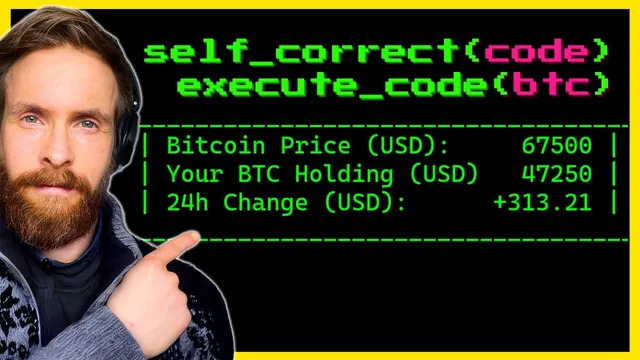
Testing demonstrates the loop’s practical value across multiple projects and languages. A PowerShell app for Bitcoin pricing runs on a schedule, then the agent builds a Python Snake game using Anthropic Claude 3.5 Opus. Early failures include an “unbound local error” related to variable scope; the self-correction prompt fixes it by ensuring the variable is properly accessible. Subsequent iterations add levels and color changes, and later an API timeout surfaces—showing that not all failures are purely code-generation issues.
Next, the agent generates a Bitcoin price graph using a free API (CoinDesk), then improves it with a moving average line and interactive zoom/hover features. A tooltip-related syntax error (“unterminated string literal”) is corrected on retry, and the graph renders with the intended hover behavior.
The workflow also adapts beyond Python. In Go, the agent builds a CLI password generator and adds UI elements like a progress bar and strength meter. Finally, a Go-based web CLI scrapes headlines from The Verge; one run fails during package setup, then succeeds after another correction cycle. Even when the output structure is messy, the agent still returns the requested headlines, and one example required four correction attempts before completion.
Overall, the transcript frames self-correction as a repeatable engineering pattern: treat execution errors as structured feedback, enforce clean code output, validate changes by rerunning, and cap retries to keep the process bounded.
Cornell Notes
The system turns a goal into working software by generating code, installing dependencies, and executing it. If execution fails, it feeds the exact terminal error back into a self-correction prompt that requests corrected code, then retries after cleaning the output. After the program runs, a second loop prompts the model to add new features to the current code, and the agent again validates the update by reinstalling dependencies (if needed) and rerunning. The approach relies heavily on prompt constraints that strip non-code text and remove common formatting artifacts, so the saved file is executable. In tests, the loop fixes real issues like Python variable-scope errors and syntax errors, and it carries over to Go projects as well.
How does the agent convert a user goal into executable code without getting stuck on messy model output?
What exactly drives the self-correction loop when code fails?
How does the agent add features after the initial version works?
What kinds of errors were corrected during the Snake game test?
How did the approach handle tooltip-related failures in the Bitcoin graph?
Does the self-correction workflow generalize beyond Python?
Review Questions
- When and why does the system enforce “remove all text not needed to run the python code,” and what problem does it prevent during execution?
- How does the self-correction prompt use terminal error messages differently from the feature-addition prompt?
- What does “max attempts” change about the agent’s behavior, and how would you choose a value for a new project?
Key Points
- 1
The agent follows an execution-validated loop: generate code, install dependencies, run it, and only then proceed to improvements.
- 2
Prompting includes strict output formatting so the model returns clean, executable code without extra text wrappers.
- 3
Self-correction is driven by the exact terminal error message paired with the current code, then rerun after cleaning and dependency installation.
- 4
A bounded retry policy (max attempts) prevents endless correction cycles when errors don’t converge.
- 5
After a successful run, a separate prompt asks for feature additions to the current code, followed by the same validation-and-retry process.
- 6
The workflow generalizes across languages by swapping dependency-install logic (pip for Python, Go package installs for Go) while keeping the error-to-fix loop.
- 7
Testing across Snake, Bitcoin graphs, Go CLIs, and scraping tasks shows the approach can fix both runtime exceptions and syntax errors, though external issues like API timeouts can still break runs.