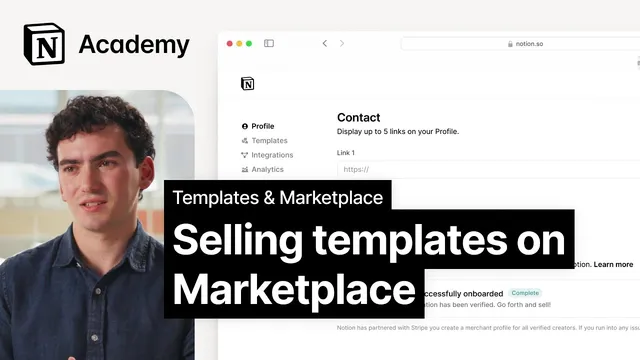
Selling Notion templates on Marketplace
Based on Notion's video on YouTube. If you like this content, support the original creators by watching, liking and subscribing to their content.
Charge for a Notion template when it demonstrably saves customers time, money, or effort.
Briefing
Charging for a Notion template is less about ambition and more about value: customers pay when a template reliably saves them time, money, or effort. That willingness to pay rises with “advanced” features that reduce setup work—formulas, automations, integrations, embeds, charts, forms, buttons, AI blocks, and scalability. Educational and onboarding elements also matter, including guides, videos, callouts, and customer support that help buyers start using the template immediately. Each added capability takes real development time, so the more sophisticated and complete the template feels, the higher the price it can support.
Once the decision to charge is made, pricing becomes a practical test rather than a fixed rule. Most paid templates land in the $5 to $20 range, while especially high-quality templates—particularly those bundled with support—can reach around $100. The guidance is to treat pricing as “fair” to the work and the outcome delivered to the customer, then adjust over time as the template changes. Testing is framed as the safest path: if a price increase reduces conversions, the fix is to reverse it and iterate. Audience targeting can also shift what “reasonable” looks like; for example, academic audiences may be less willing to spend unless the cost stays low, while other audiences may interpret higher prices as stronger value and convert better.
To ground pricing in market reality, the lesson recommends checking what’s already selling. In the Notion Marketplace, creators can filter for paid templates, sort by “most duplicated,” and use that as quick market research. The most duplicated options tend to combine high-value functionality with polished design and usability—often with educational components such as support and community access. That pattern helps creators calibrate both feature depth and price positioning.
After choosing a price, the operational steps are straightforward: set up Marketplace payments by verifying a creator profile and connecting Stripe. Creators then add a price to the template listing and toggle the “paid template” option. Notion Marketplace supports selling directly through Notion or via another platform; if selling elsewhere, a purchase URL is required. A key optional control is “access locking,” which restricts what buyers can do with the template to reduce sharing and protect the creator’s IP. Finally, Notion reviews paid template listings before they go live, so submitting complete details for review is the last step before selling. The takeaway is clear: build value through features and onboarding, price competitively, and keep tuning based on conversion feedback and demand.
Cornell Notes
Notion template pricing hinges on perceived value—buyers pay when a template saves time, money, or effort. Value increases with advanced functionality (formulas, automations, integrations, embeds, charts, forms, buttons, AI blocks, scalability) and with onboarding support like guides, videos, callouts, and customer support. Typical paid prices cluster in the $5–$20 range, while top-tier templates with support can approach $100. Pricing should be tested and adjusted over time, since audience segments can respond differently to the same price. Marketplace selling requires verifying a creator profile, connecting Stripe, toggling the paid option, optionally using access locking, and submitting listings for Notion review.
What kinds of features most increase a Notion template’s chances of selling for money?
How should a creator decide whether to charge for a template at all?
What price ranges are typical in Notion Marketplace, and what pushes prices higher?
Why does the lesson recommend testing prices instead of picking one number and sticking with it?
How does a creator set up Marketplace payments and publish a paid template?
What does “access locking” do, and why might it matter?
Review Questions
- Which specific template features (from formulas to AI blocks) most directly reduce buyer effort, and how do they relate to pricing power?
- How would you design a simple pricing test plan to adjust a template from $10 to $15 and interpret conversion changes?
- What are the required steps to publish a paid template in Notion Marketplace, and where does Stripe fit into the workflow?
Key Points
- 1
Charge for a Notion template when it demonstrably saves customers time, money, or effort.
- 2
Increase pricing potential by adding advanced functionality such as formulas, automations, integrations, embeds, charts, forms, buttons, AI blocks, and scalability.
- 3
Use onboarding and support elements—guides, videos, callouts, and customer support—to make templates easier to start with immediately.
- 4
Expect most paid templates to price between $5 and $20, with top-tier templates (often with support) potentially reaching around $100.
- 5
Treat pricing as iterative: test different price points and adjust based on conversion performance and demand.
- 6
Use Marketplace market research by filtering paid templates and sorting by “most duplicated” to benchmark features and pricing.
- 7
Set up selling by verifying the creator profile, connecting Stripe, toggling the paid template option, optionally enabling access locking, and submitting for Notion review.