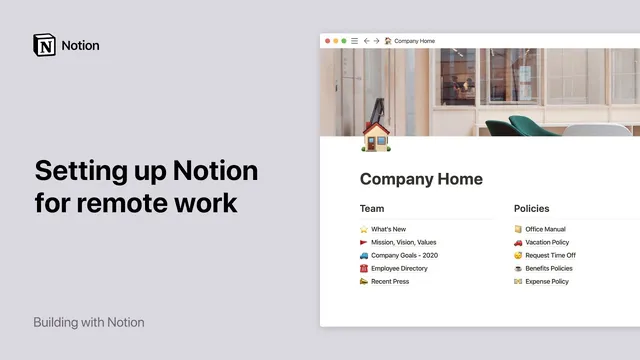
Setting up Notion for remote work
Based on Notion's video on YouTube. If you like this content, support the original creators by watching, liking and subscribing to their content.
Use the Workspace section for company-wide pages so all employees can access shared knowledge, while keeping personal notes in Private.
Briefing
Notion can be set up as a single “source of truth” workspace for distributed teams—combining shared knowledge pages, project databases, and built-in collaboration—so remote employees can find current information and coordinate without constant meetings. The core payoff is straightforward: fewer questions about where policies, docs, and project status live, paired with faster, asynchronous alignment across time zones.
The setup starts with a company-wide knowledge base accessible to everyone. In Notion’s sidebar, pages placed in the Workspace section are visible to the whole workspace, while Private pages remain limited to the individual. A pre-made Human Resources → Company Home template provides a quick foundation for essentials like benefits, policies, mission, and vision. From there, teams can click into subpages to customize content, add new pages via the slash command “/page,” and insert different content types—text, images, videos, PDFs, code snippets, to-do lists, and calendars—directly inside each page.
A key best practice is adding ownership and freshness signals to important pages. At the top of critical documentation, teams can include a note naming the person responsible for updates and the last updated date (using @ mentions for accountability). Hovering over avatars also reveals who accessed the page most recently, helping teams spot stale information and route questions to the right owner.
Next comes structure for teams. The workspace can include separate sections for groups like Sales and Engineering, plus optional empty spaces for Marketing and Customer Success so each team can decide how to organize its internal work. Templates can turn these sections into team wikis (for example, an engineering wiki or sales wiki), while keeping information transparent across the company.
To bring projects under the same roof, Notion shared databases can be created using templates such as meeting notes, docs, and a roadmap. Meeting notes become a shared repository where everyone can capture and learn from discussions. Docks (document repositories) centralize operational materials—everything from product bags to camping proposals—so feedback and updates stay visible. The roadmap template organizes projects as cards on a board, where each card can include an ocean page for deeper context. Properties on cards can be customized to track priority, stakeholders, attached files, and status. Views can group or filter work (for example, by project manager, engineer, priority, or bug report tags) and even display items on a calendar.
Finally, Notion’s collaboration features reduce the need for synchronous check-ins. Teams can mention colleagues anywhere on a page to trigger notifications with direct links, pin discussions to the top of a page, resolve threads to archive them, and comment on specific text blocks with precise notification targeting. For cross-tool workflows, Notion can integrate with services like Google Drive, Typeform, Spotify, and YouTube, with remote-team event integrations called out for Figma at Bloom and Miro. A Slack integration can automatically post updates when key pages change—such as a “What’s new” page—while also providing a change log through Notion’s Updates menu. The result is a living archive of decisions and team knowledge that supports real-time collaboration and asynchronous progress across offices and time zones.
Cornell Notes
Distributed teams can use Notion as a centralized workspace that combines shared knowledge, project tracking, and collaboration. The setup begins with a company-wide knowledge base (using the Human Resources → Company Home template) placed in the Workspace section so everyone can access policies, mission/vision, and other vital information. Teams then add team-specific sections (like Sales and Engineering) and create shared databases for meeting notes, docs, and a roadmap to manage projects remotely. Notion’s collaboration tools—@ mentions, pinned discussions, resolved threads, and block-level comments—support asynchronous coordination across time zones. Integrations like Slack updates help broadcast changes automatically and keep everyone aligned without constant meetings.
How does Notion’s page visibility model help remote teams avoid “where is that info?” problems?
What’s the practical best practice for keeping shared documentation from going stale?
Why create separate team sections (e.g., Sales, Engineering) inside the same workspace?
How do Notion databases support remote project management beyond simple note-taking?
Which collaboration features reduce the need for synchronous meetings across time zones?
How do Slack and other integrations extend Notion for remote workflows?
Review Questions
- What visibility setting would you use for a benefits/policies page so every employee can access it, and why?
- How would you design a roadmap database so teammates can filter by bug report and still drill into project context?
- Which Notion collaboration actions would you use to keep a cross-time-zone discussion searchable and accountable?
Key Points
- 1
Use the Workspace section for company-wide pages so all employees can access shared knowledge, while keeping personal notes in Private.
- 2
Start with the Human Resources → Company Home template, then customize subpages for mission, vision, benefits, and policies.
- 3
Add an ownership and “last updated” note at the top of critical pages using @ mentions to prevent documentation from going stale.
- 4
Create team-specific sections (e.g., Sales and Engineering) to balance focus with transparency, optionally using wiki-style templates.
- 5
Use shared databases for meeting notes, docs, and a roadmap to track projects with customizable properties and views.
- 6
Leverage @ mentions, pinned discussions, resolve/archive, and block-level comments to support asynchronous collaboration across time zones.
- 7
Integrate Slack updates for key pages and use Notion’s Updates menu to maintain an auditable change log of who changed what and when.