Shapes! | Mini Math Movies | Scratch Garden
Based on Scratch Garden's video on YouTube. If you like this content, support the original creators by watching, liking and subscribing to their content.
Attributes are concrete features that describe what a shape has (like number of sides, color, or spots) and help compare shapes.
Briefing
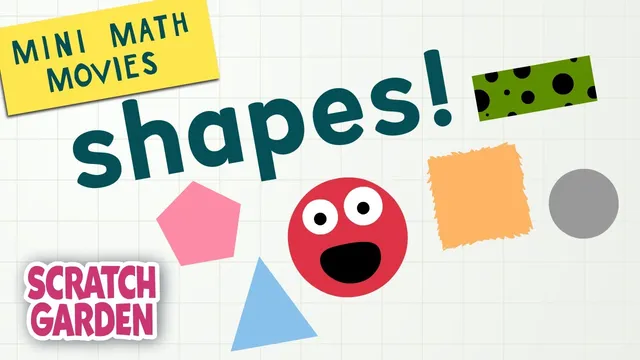
Shapes show up everywhere, and learning to name them and sort them trains kids to notice what makes objects alike or different. The lesson begins with a quick roll call of common 2D shapes—triangle, square, circle, rectangle, and pentagon—then adds a playful “shape” character: “peanut butter sandwich with a pickle on top.” Each one gets described using attributes, meaning specific features that can distinguish shapes or connect them to others.
Attributes are introduced as concrete, observable traits. A triangle is defined by having three sides and being blue. A square has four sides of the same length and is described as “kind of furry.” A circle is characterized as small, grey, and having zero sides. A rectangle has four sides, but not all the same length, and it has “spots.” A pentagon has five sides and is pink. The sandwich-and-pickle item is treated as having brown and green attributes, with a joke about being “maybe delicious.” The key takeaway is that attributes provide a consistent way to describe shapes beyond just their names.
After naming and attributing, the lesson shifts to sorting—grouping items based on shared characteristics. First, shapes are sorted into two groups: food goes to the right, and non-food goes to the left. The “peanut butter sandwich with a pickle on top” is placed with food, while a “rocket ship” is removed because it’s “not a shape.” This sets up the idea that sorting rules can be applied to decide where each item belongs.
Next, a “Shape Maker 17 and One Half” machine generates shapes, and sorting happens by specific attributes. The first sorting rule uses color: red shapes go right, green shapes go left. The second rule uses number of sides: four-sided shapes go right, three-sided shapes go left. A brief check-in highlights how to count sides to apply the rule correctly.
Finally, sorting expands to multiple attributes at once. The last round uses size and spots together: shapes that are big and have spots go right, while shapes that are small or don’t have spots go left. A pyramid appears as a 3D object, prompting a quick clarification that pyramids are objects (not just flat shapes). The pyramid is big but lacks spots, so it belongs on the left.
The segment ends by reinforcing the core skills—naming shapes, using attributes, and sorting with one or more rules—then encourages viewers to subscribe and to watch other rocket-ship-themed videos focused on counting, tying shape practice to building number skills.
Cornell Notes
The lesson teaches children to identify common 2D shapes and describe them using attributes—observable features that make items different or similar. It then practices sorting by applying rules based on attributes, starting with food vs. non-food, then using color (red vs. green) and number of sides (four vs. three). A final sorting round combines two attributes at once: a shape must be big AND have spots to go right; otherwise it goes left. A pyramid is introduced as a 3D object, showing that some “shapes” are actually objects and can be classified differently.
What are “attributes,” and how do they help describe shapes?
How does sorting work in the lesson, and why does it matter?
What are the color-based sorting rules using the Shape Maker machine?
How does the lesson sort shapes using the number of sides?
What changes when sorting uses more than one attribute?
Why does the pyramid end up on the left side?
Review Questions
- Give two examples of attributes used to describe shapes in the lesson. How would you use them to tell two shapes apart?
- If a shape is green and has four sides, which sorting group would it go to under the color rule and the sides rule?
- Under the final rule (size and spots), what conditions must be true for a shape to go on the right side?
Key Points
- 1
Attributes are concrete features that describe what a shape has (like number of sides, color, or spots) and help compare shapes.
- 2
Sorting groups items by applying a rule tied to an attribute, such as food vs. non-food.
- 3
Color can be used as a sorting attribute: red goes right and green goes left.
- 4
Number of sides can be used as a sorting attribute: four sides goes right and three sides goes left.
- 5
Sorting can use multiple attributes at once, requiring both conditions to be met (big AND spots) for the right side.
- 6
Some “shapes,” like pyramids, are 3D objects, which can be classified differently from flat 2D shapes.