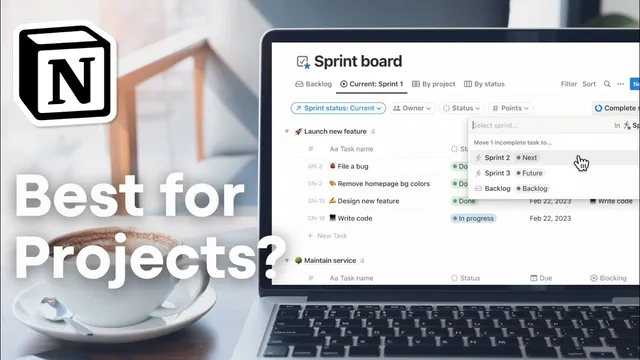
Should you use Notion for Project & Task Management?! | Pros & Cons + BEST Tips
Based on The Organized Notebook's video on YouTube. If you like this content, support the original creators by watching, liking and subscribing to their content.
Notion’s core advantage for project management is flexibility: teams can rearrange layouts and add custom properties and formulas per project.
Briefing
Notion can work as a project and task management system, but it’s best viewed as a customizable workspace rather than a plug-and-play PM tool. Its biggest draw is flexibility: teams can structure pages however they want, swap layouts, and add project-specific properties and even formulas that calculate niche metrics. That same flexibility extends beyond tasks—habit tracking, personal planners, and planning workflows like meal planning can live in the same workspace as sprint and project execution, turning Notion into an “all-in-one” hub.
Pricing is another practical advantage for small teams. A free plan can get people started with collaboration, with the limitation that only 10 guests can be invited to collaborate on shared pages. The paid plans remove more constraints, and the Plus tier unlocks additional capabilities such as Notion charts. For teams that want to visualize work, charts provide diagrams like estimated hours versus actual hours, sprint task views (future and current), and daily task completion trends—customizable enough to match different reporting styles, though chart access is restricted to Plus members (with one free chart even on the free plan).
Operationally, Notion’s automation features are positioned as a major productivity boost. Using triggers, automations can respond to status changes—for example, reassigning an owner when a task moves to a new state or sending notifications when a status becomes “paused.” Automations can also set dates automatically when tasks are completed, and they can be driven by buttons that act as workflow shortcuts.
Notion also stands out for how many ways the same data can be viewed. Database views can be presented as tables, boards, timelines, calendars, lists, galleries, or charts, letting teams choose a workflow that matches how they plan and track work. Unlike some tools that gate certain views behind paywalls, Notion’s view options are broadly available, with the main limitation again tied to charts on lower tiers.
The trade-offs are real. A complex template setup can create a learning curve, especially when building from scratch—time spent configuring the system can pull attention away from managing projects. Recurring tasks (implemented via recurring database templates) can also fall short of traditional recurring-task expectations: repeated items appear only on the repeat day, don’t show upcoming instances, and don’t automatically track completion status, which can lead to duplicates piling up if tasks aren’t marked done.
Reporting is another gap. Notion lacks built-in reporting, so teams must assemble their own reports using existing databases and views. At scale, performance can degrade—hundreds or thousands of tasks and projects may feel laggy. Finally, sprint management can be limiting depending on whether teams use Notion projects (where base templates can’t be edited) or a custom sprint database setup.
Overall, Notion is a strong option for teams willing to invest time in setup and customization. For those wanting a quick, pre-made solution with minimal configuration, other project management tools may fit better.
Cornell Notes
Notion can function as project and task management software, but it behaves more like a customizable workspace than a ready-made PM system. Its strengths include flexible page and database structures, automation triggered by status changes (including notifications and reassignment), and many database views (table, board, timeline, calendar, list, gallery, chart). Plus plan users gain access to Notion charts, while the free plan allows limited collaboration and one free chart. The main downsides are a learning curve, limited recurring-task behavior (no advance preview and no completion tracking to prevent duplicates), lack of built-in reporting, potential lag at large scale, and sprint-template constraints when using Notion projects.
Why does Notion’s flexibility matter for project management, beyond just organizing tasks?
What automation capabilities are highlighted as useful for task workflows?
How do Notion charts and plan tiers affect reporting and visibility?
What limitations come with Notion’s recurring tasks feature?
Why might Notion feel slow or frustrating for very large task libraries?
What’s the reporting trade-off compared with tools that include built-in reports?
Review Questions
- Which Notion strengths (views, automations, charts) would most directly improve your current workflow, and which would be redundant?
- How would you redesign recurring tasks in Notion to avoid duplicates if completion tracking isn’t automatic?
- What setup time and performance risks would you test before committing to Notion for a large project backlog?
Key Points
- 1
Notion’s core advantage for project management is flexibility: teams can rearrange layouts and add custom properties and formulas per project.
- 2
Notion can consolidate project work with related planning tools like habit tracking and personal planners in one workspace.
- 3
The free plan supports collaboration with a limit of 10 guests, making it easier to start small before scaling.
- 4
Automations can trigger on status changes to reassign owners and send notifications, and they can set completion dates automatically.
- 5
Database views let the same work data appear as table, board, timeline, calendar, list, gallery, or chart, supporting different planning styles.
- 6
Notion’s recurring tasks have limitations: repeats appear only on the due day and completion isn’t tracked to prevent duplicates.
- 7
Notion lacks built-in reporting and may lag when managing very large numbers of tasks and projects.